
Karkos_ - Minecraft Skins & Skin History
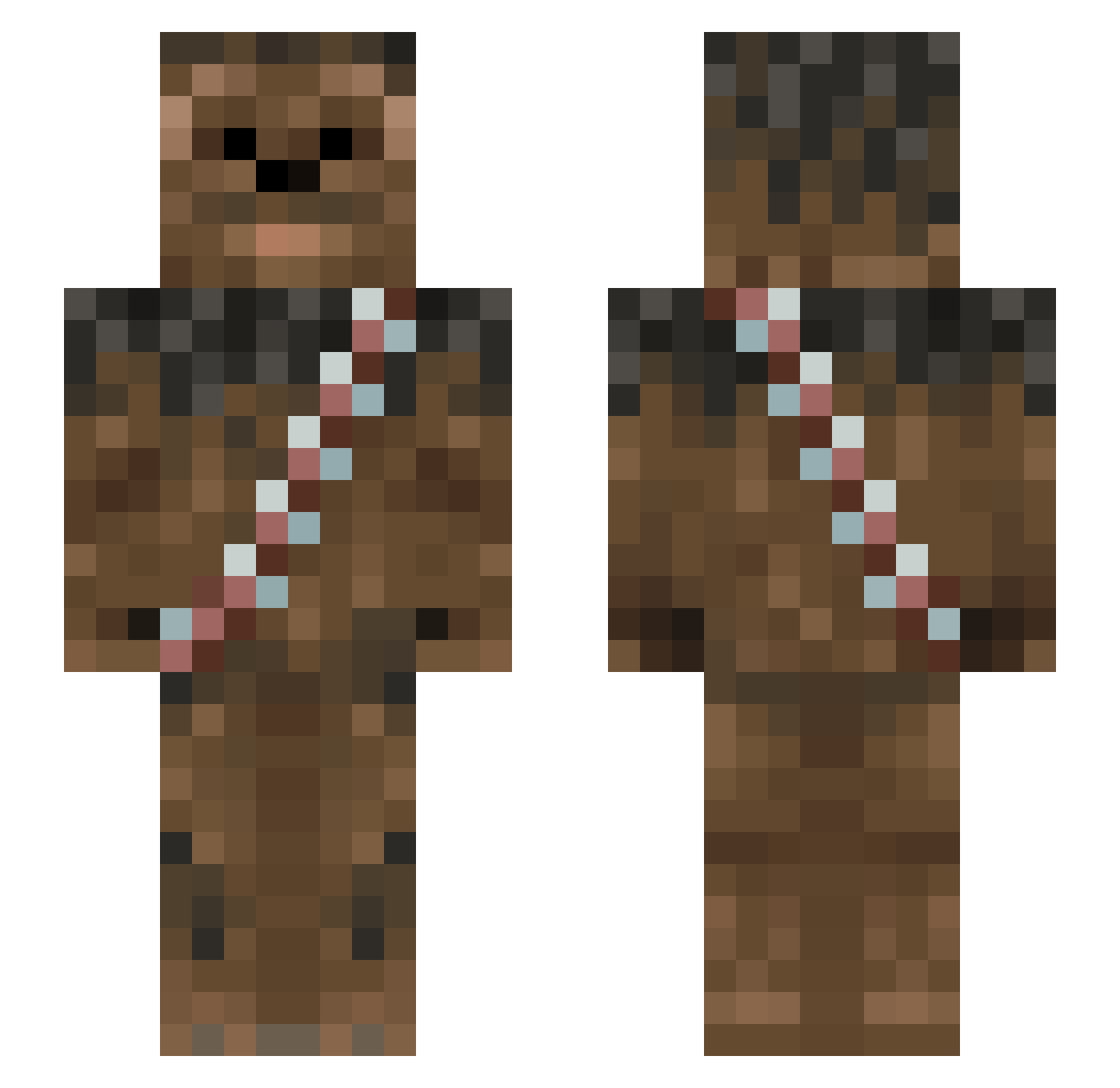
Current Minecraft skin of the player Karkos_, loaded from the official Mojang API. Rotate the 3D model with your mouse or finger, then download the skin as a PNG file and use it in Minecraft: Bedrock Edition or Java Edition for free. When Karkos_ changes their skin, this page updates automatically and the old skin stays in the history below.
Other players with this skin (1013)
Karkos_ was the 615th player we have seen with this skin, first spotted on 01.10.2026. The same skin was seen on these players. Open a nickname to see their current skin and skin history.
 Jabba_Wookie BLOCKSUAR Toreirik kobralbc Honorgold ajp2k13 tommygiles Mother_Chimp Gryffin13 RWQ123 SookieSam Alfaulven casper8823 brandin123454321 Luna_007 burritoeater1998 CrimsonJeep MEIRIOS aapelii spanishkilljoy skunk912 The_Big_Derp SUMOLUTH amossutton minerinbc F4MAL MeatyOchre Chubby_Rayyy Axel_Cool00 BradFarva tamar101 therealjono VST_The_King kingtroller16 JamieStevo GummyLizard AmSnowy Slaine001 FluffyFingers Chewy5639 lchjsh WQIY Thedemonbaca TWO_CUZ JellybeanJerry KCLou Sebastian7297 Bonk_is Joomnery TILLxDEATH Laaahns Meggomyeggo LOLOVAL 13meow13 channui T0ffer Tango2Three FeuchtelZoggt Gasalot Hazab
More Wookiee Minecraft skins
How to install the Karkos_ skin
- Press the Download button above to save the skin as a PNG file.
- Minecraft: Bedrock Edition (PE): open the Dressing Room from the main menu (or tap your character → Edit Character), go to Classic Skins → Owned, press the + (new skin) button, choose the downloaded PNG and pick the Slim (Alex) model. Works on PC and mobile; consoles cannot import custom skins.
- Minecraft: Java Edition: open the Minecraft Launcher, go to the Skins tab, click New Skin, load the PNG, pick the Slim (Alex) model and press Save & Use. You can also upload it at minecraft.net → Profile → Change Skin.
The skin does not show up after import - what should I do?
Restart Minecraft and open the Dressing Room again - imported skins sometimes appear only after a restart. Also make sure you selected the imported skin and picked the Slim (Alex) model.
Which model should I choose, Classic or Slim?
This skin is designed for the Slim (Alex) model. If you pick the wrong model, the arms of the skin will look stretched or squeezed.
Is the skin of Karkos_ free to download?
Yes. Press Download, save the PNG file and use it in Minecraft: Bedrock Edition or Java Edition - no payment or registration needed. The skin also works on multiplayer servers and Realms.
More skins
Looking for more? Go back to all Minecraft skins and check the top skins of the week, month and all time, or find any player's skin by nickname.