
juliisdead - Minecraft Skins & Skin History
Current Minecraft skin of the player juliisdead, loaded from the official Mojang API. Rotate the 3D model with your mouse or finger, then download the skin as a PNG file and use it in Minecraft: Bedrock Edition or Java Edition for free. When juliisdead changes their skin, this page updates automatically and the old skin stays in the history below.
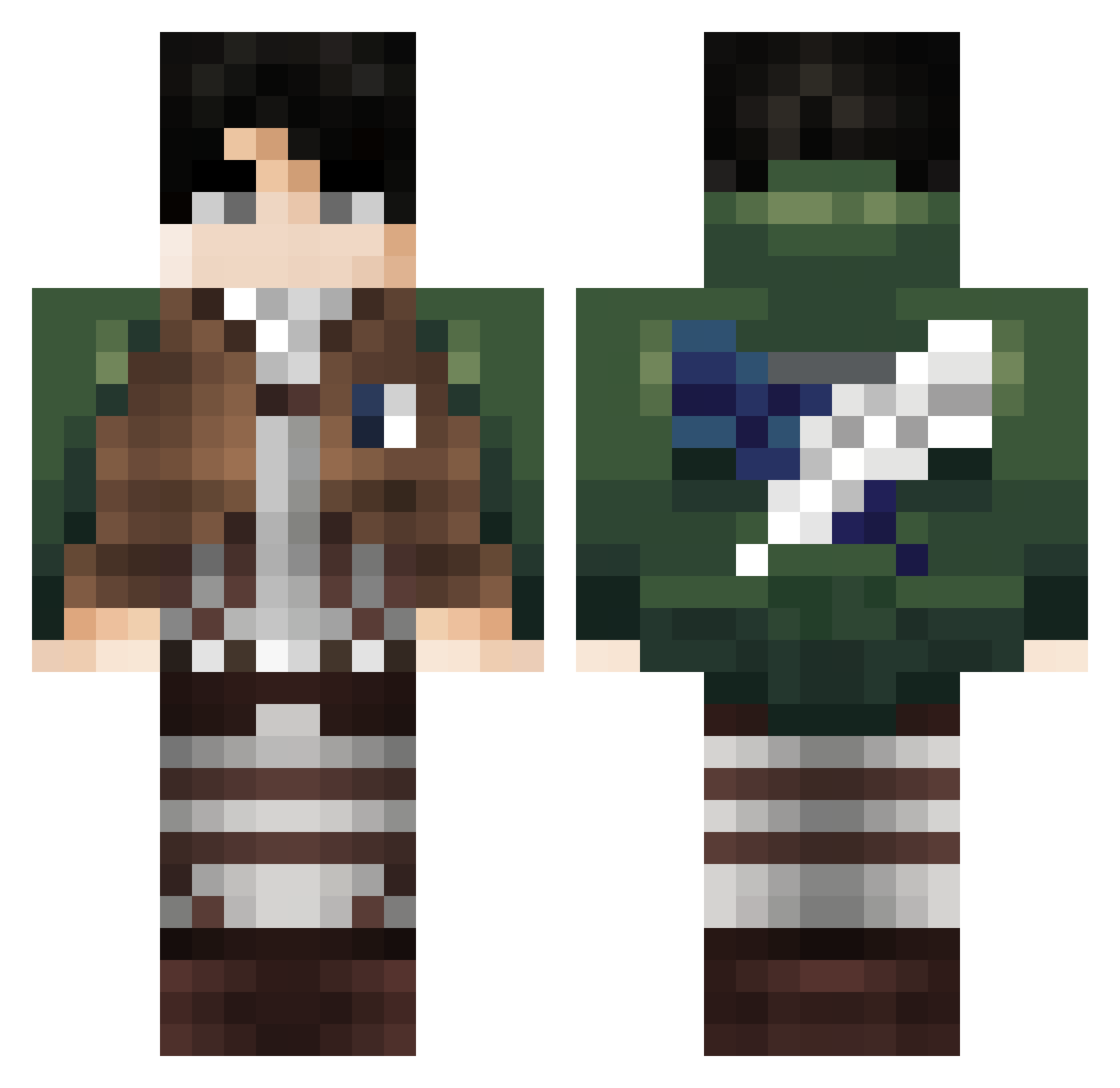
Other players with this skin (311)
juliisdead was the 45th player we have seen with this skin, first spotted on 07.08.2026. The same skin was seen on these players. Open a nickname to see their current skin and skin history.
 Kuchela Alpxaa youngha123 BochiTianzun Kjamall Saito158
 MoonLightDemon10 Rayminion Pedroooow RAEDXGAMER IbbyGoon xmnv1e wojtas07 Cordies ISwae winwinwin1011 litchZii Dactylian cepex1 AAndrox Nesquik_28 vSoulreaver
 VenyxMc Kai_2018 sw1023 yeongjin1222 meowwmixxx dengareth OnBladi ctsjaay Wesboy8 xaviurgeorgiou LeotroxAckerman EzGxLevi iamtooxic Benniyy SidiJr Aris_0 Haswinner031 ELZzombieslayer W0O0OJIN KiloLiberty Nugget358 sobal2 DrakoryPT Jascurk0 ShadoWarrior1 Canavery duels_ac_bypass FUJIHARA_SATOSHI GodParker JesusDeNazareth_ LeBronque GigaO DrZenthium_ AAckerman12 moonmaxmoon Foxthemall2 Miki1593 BaoArbeiter1
More Levi Ackerman Minecraft skins
See all 172 Levi Ackerman skins
How to install the juliisdead skin
- Press the Download button above to save the skin as a PNG file.
- Minecraft: Bedrock Edition (PE): open the Dressing Room from the main menu (or tap your character → Edit Character), go to Classic Skins → Owned, press the + (new skin) button, choose the downloaded PNG and pick the Classic (Steve) model. Works on PC and mobile; consoles cannot import custom skins.
- Minecraft: Java Edition: open the Minecraft Launcher, go to the Skins tab, click New Skin, load the PNG, pick the Classic (Steve) model and press Save & Use. You can also upload it at minecraft.net → Profile → Change Skin.
The skin does not show up after import - what should I do?
Restart Minecraft and open the Dressing Room again - imported skins sometimes appear only after a restart. Also make sure you selected the imported skin and picked the Classic (Steve) model.
Which model should I choose, Classic or Slim?
This skin is designed for the Classic (Steve) model. If you pick the wrong model, the arms of the skin will look stretched or squeezed.
Is the skin of juliisdead free to download?
Yes. Press Download, save the PNG file and use it in Minecraft: Bedrock Edition or Java Edition - no payment or registration needed. The skin also works on multiplayer servers and Realms.
More skins
Looking for more? Go back to all Minecraft skins and check the top skins of the week, month and all time, or find any player's skin by nickname.