
 Hassanhakeem Sikeyz DigYoGrave ytbKOUZY Sumicraft41 Levi_tricheur Loi0718 Rajo0509 BoomPadle scek afonsuoouououuou Krest26 Eaglezilla Maarouan Carlossto EmsRuiz AckermanGoat Jan076 Livaiiiii DonGiro Igird giovannavasc hamood_880 Ackerman_SF Jnerra D4rkN3zz124 sarahse17 Hopeless_Fox K1llis guikfw d3xpy kingjona2013 zSiyar tgR__ OmarS2612 JonoSimp InoskeYA Zarbi7474 guizaowga Gabrl1to khl328 JK8497 ForeskiinG charizardsiou Vin_1OO Filippo_ali Sikkko Zaddy3000 Ukranic icecream512 Z_mhes DabiYtm Ghosty1313 hekang4 zMath12 Hahaha253 RickQuelloVero VasalPL Simonacci absorption
Minecraft skin of KotaQa. Rotate the 3D model with your mouse or finger to view the skin from every angle, then download it as a PNG file and use it in Minecraft: Bedrock Edition or Java Edition for free. Rate the skin with stars to help other players find the best skins in our collection.
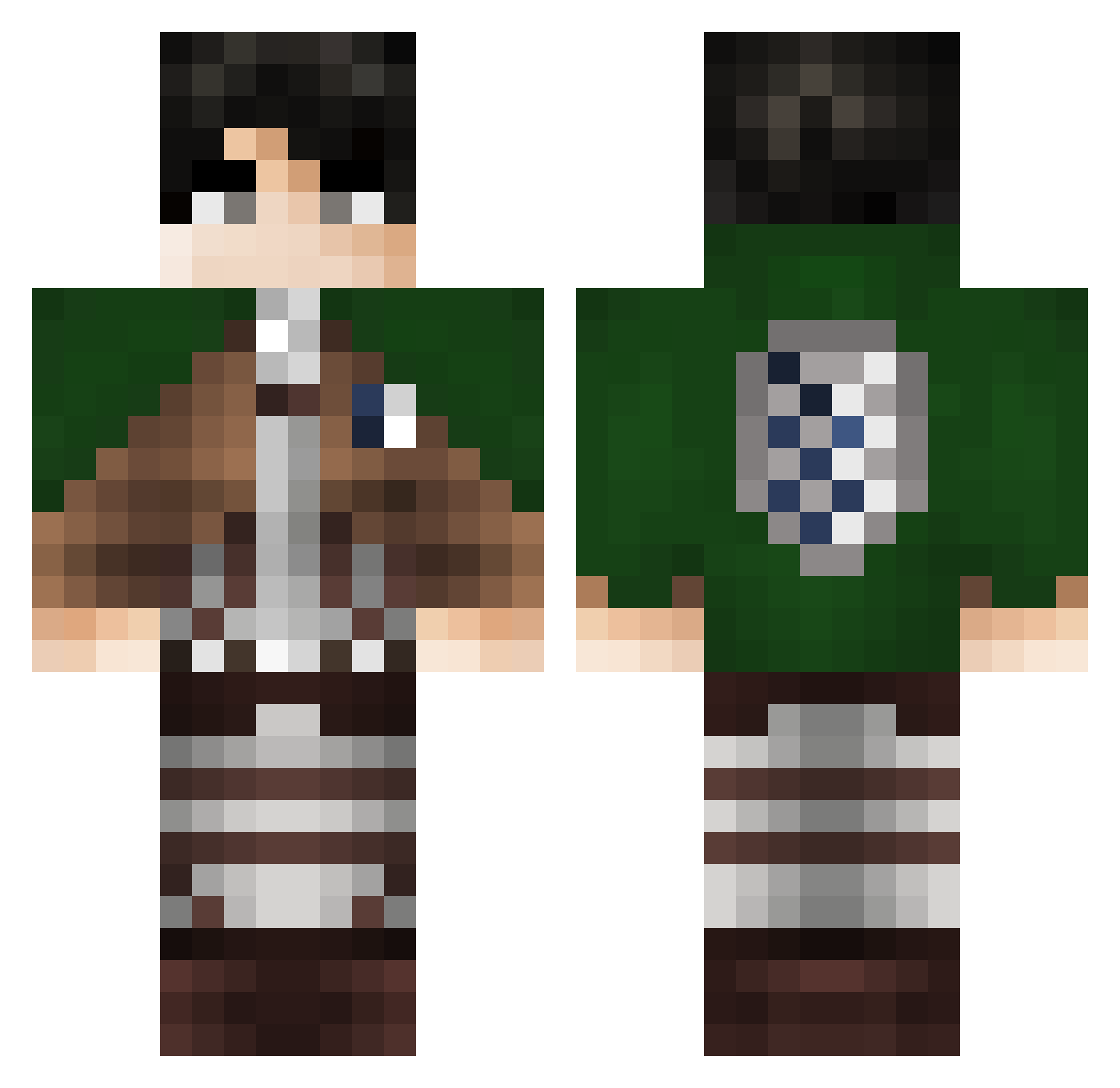
How to install the KotaQa skin
- Press the Download button above to save the skin as a PNG file.
- Minecraft: Bedrock Edition (PE): open the Dressing Room from the main menu (or tap your character → Edit Character), go to Classic Skins → Owned, press the + (new skin) button, choose the downloaded PNG and pick the Classic (Steve) model. Works on PC and mobile; consoles cannot import custom skins.
- Minecraft: Java Edition: open the Minecraft Launcher, go to the Skins tab, click New Skin, load the PNG, pick the Classic (Steve) model and press Save & Use. You can also upload it at minecraft.net → Profile → Change Skin.
The skin does not show up after import - what should I do?
Restart Minecraft and open the Dressing Room again - imported skins sometimes appear only after a restart. Also make sure you selected the imported skin and picked the Classic (Steve) model.
Which model should I choose, Classic or Slim?
This skin is designed for the Classic (Steve) model. If you pick the wrong model, the arms of the skin will look stretched or squeezed.
Is this skin free to use?
Yes. Press Download, save the PNG file and use it in Minecraft: Bedrock Edition or Java Edition - no payment or registration needed. The skin also works on multiplayer servers and Realms.
More Levi Ackerman Minecraft skins
See all 191 Levi Ackerman skins
More skins
Looking for more? Go back to all Minecraft skins and check the top skins of the week, month and all time, or find any player's skin by nickname.