
jordjackson - Minecraft Skins & Skin History
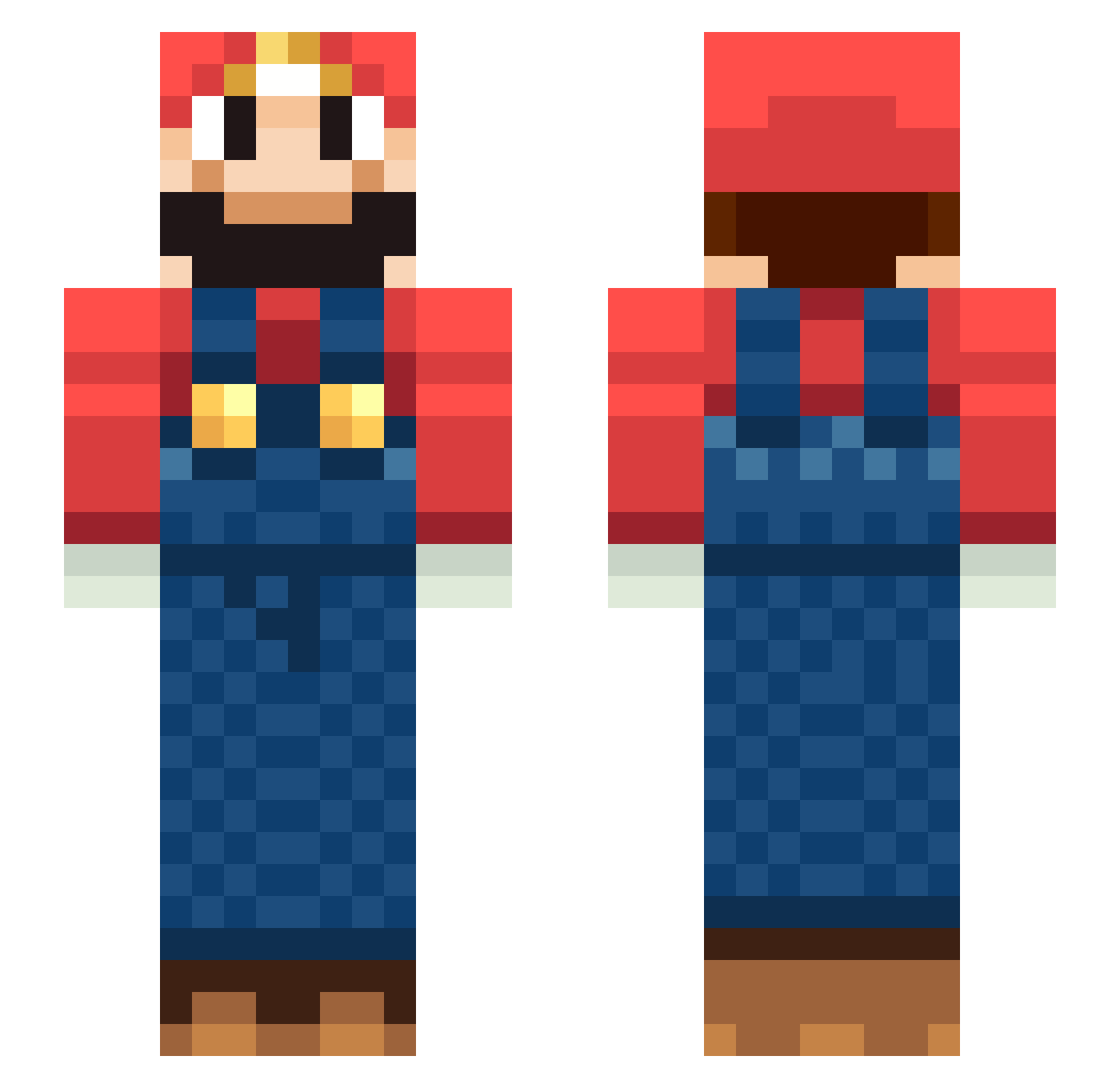
Current Minecraft skin of the player jordjackson, loaded from the official Mojang API. Rotate the 3D model with your mouse or finger, then download the skin as a PNG file and use it in Minecraft: Bedrock Edition or Java Edition for free. When jordjackson changes their skin, this page updates automatically and the old skin stays in the history below.
Other players with this skin (229)
jordjackson was the 82nd player we have seen with this skin, first spotted on 29.08.2026. The same skin was seen on these players. Open a nickname to see their current skin and skin history.
 Paxxv Silvels Femart Flappy_Tuzki lite_iso fortleam Hellkite_
 ItsJoeOver jinxinliu euijun1019 _TheCheese Poroto45 T0G0 ThatSamu50 neoALSJ Black_Fire2176 Fino_xD SethBling_ Jouleh Pietrocannellone captain_ale14 JKJGDD FWWs0 mxlteVQ SARDOCHEEE YUANJIASHUo Burak_Usta MarioMCL_ Enetari08 ziv_kop RM0910 hisownmother grodanbollan hogarden9 ikioti Jhonvict TheRemarkable1 baba77127 Different_Heaven Circuite vitteshthedog RowanDuck Peppe12478 cuscuz404 _Lenny_x shin2820 Gucheng123 President_MA sonnico Luchozz Drg23
 yakisobapan23 Itsmr1 yousef121212 Takeos93 spike202 orniraui QaQ_QeQ PlatinumPotato17 Don_Maxime
More Nintendo Minecraft skins
How to install the jordjackson skin
- Press the Download button above to save the skin as a PNG file.
- Minecraft: Bedrock Edition (PE): open the Dressing Room from the main menu (or tap your character → Edit Character), go to Classic Skins → Owned, press the + (new skin) button, choose the downloaded PNG and pick the Slim (Alex) model. Works on PC and mobile; consoles cannot import custom skins.
- Minecraft: Java Edition: open the Minecraft Launcher, go to the Skins tab, click New Skin, load the PNG, pick the Slim (Alex) model and press Save & Use. You can also upload it at minecraft.net → Profile → Change Skin.
The skin does not show up after import - what should I do?
Restart Minecraft and open the Dressing Room again - imported skins sometimes appear only after a restart. Also make sure you selected the imported skin and picked the Slim (Alex) model.
Which model should I choose, Classic or Slim?
This skin is designed for the Slim (Alex) model. If you pick the wrong model, the arms of the skin will look stretched or squeezed.
Is the skin of jordjackson free to download?
Yes. Press Download, save the PNG file and use it in Minecraft: Bedrock Edition or Java Edition - no payment or registration needed. The skin also works on multiplayer servers and Realms.
More skins
Looking for more? Go back to all Minecraft skins and check the top skins of the week, month and all time, or find any player's skin by nickname.