
jopapi_the_first - Minecraft Skins & Skin History
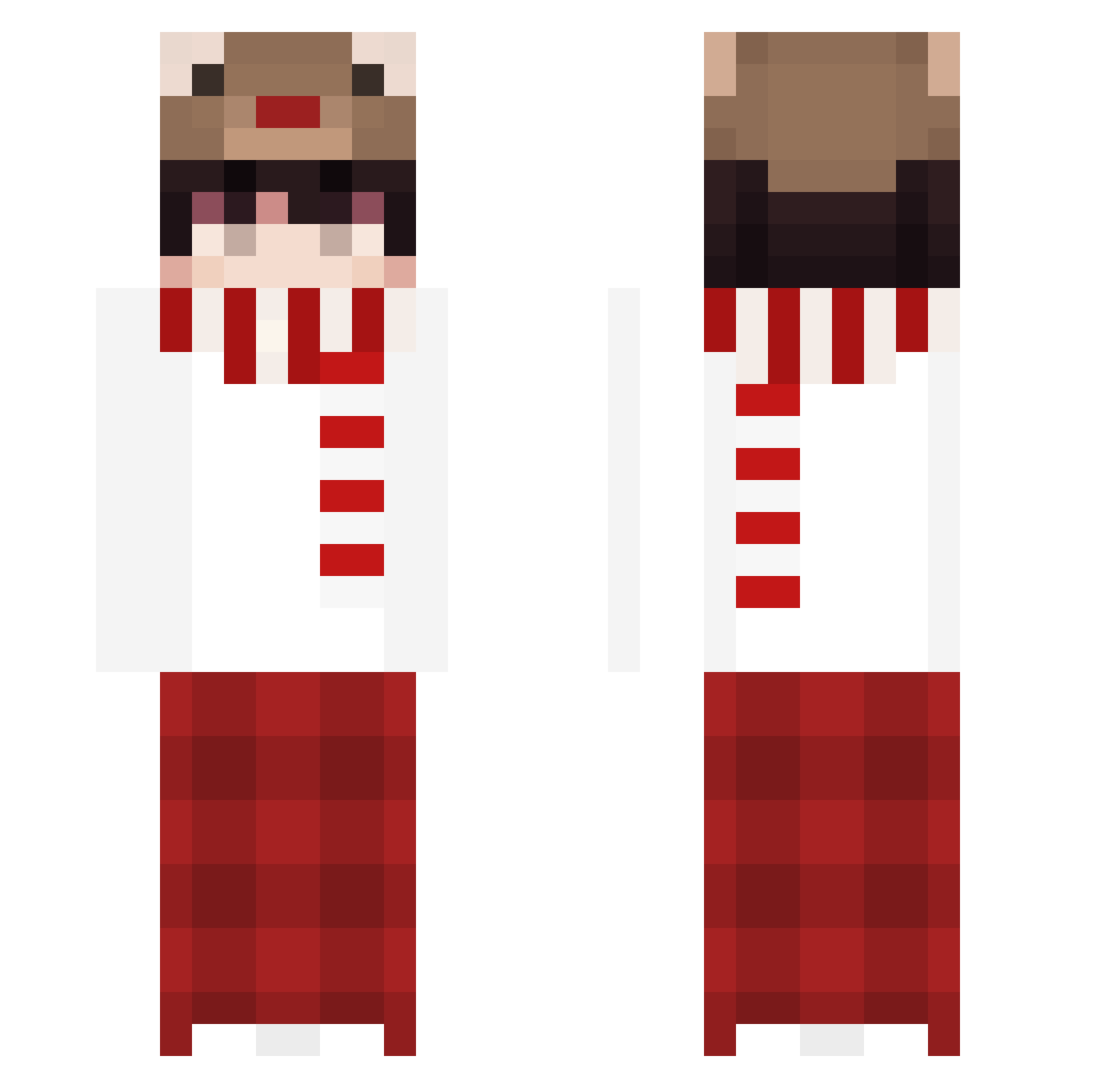
Current Minecraft skin of the player jopapi_the_first, loaded from the official Mojang API. Rotate the 3D model with your mouse or finger, then download the skin as a PNG file and use it in Minecraft: Bedrock Edition or Java Edition for free. When jopapi_the_first changes their skin, this page updates automatically and the old skin stays in the history below.
Other players with this skin (179)
jopapi_the_first was the 138th player we have seen with this skin, first spotted on 09.10.2026. The same skin was seen on these players. Open a nickname to see their current skin and skin history.
 NerfRudi GatorCrunchy Chelly1609 Flowyboba chuxuu LemonSkadi newhimaru ALIANG1412 damon92212 RyZeCZE fctifo MOON0703 yebearyt shuailonglong Ranardo werty0113 TaffyBB nokkvi7 jiaxiao233 999leon Liamk329 m1rchiks dizzy2432 asdfghjkq equallll Eddy316 Verstappenn_ muchenhaha cookieiris gocjf YZMK Namazu777 Rudolph0301 hrygzy777 Haru_KaA bunny0314 qinke _GoodLuckIsHere_ kisever HOOD7426 Pisever Yuriikx whee1101 Arrak1s JiU_Mao_O ghost__OP death_45 mark1124 rhak8238 emilygutierrez Ozzie_1223 Nezhnyy Woolave xQuentin007 MauricioDR05 xylitol1337 HELLOWOOGI Im10004 Eiviciuine Lynx_Blade
More Winter Minecraft skins
How to install the jopapi_the_first skin
- Press the Download button above to save the skin as a PNG file.
- Minecraft: Bedrock Edition (PE): open the Dressing Room from the main menu (or tap your character → Edit Character), go to Classic Skins → Owned, press the + (new skin) button, choose the downloaded PNG and pick the Classic (Steve) model. Works on PC and mobile; consoles cannot import custom skins.
- Minecraft: Java Edition: open the Minecraft Launcher, go to the Skins tab, click New Skin, load the PNG, pick the Classic (Steve) model and press Save & Use. You can also upload it at minecraft.net → Profile → Change Skin.
The skin does not show up after import - what should I do?
Restart Minecraft and open the Dressing Room again - imported skins sometimes appear only after a restart. Also make sure you selected the imported skin and picked the Classic (Steve) model.
Which model should I choose, Classic or Slim?
This skin is designed for the Classic (Steve) model. If you pick the wrong model, the arms of the skin will look stretched or squeezed.
Is the skin of jopapi_the_first free to download?
Yes. Press Download, save the PNG file and use it in Minecraft: Bedrock Edition or Java Edition - no payment or registration needed. The skin also works on multiplayer servers and Realms.
More skins
Looking for more? Go back to all Minecraft skins and check the top skins of the week, month and all time, or find any player's skin by nickname.