
jeongsunny - Minecraft Skins & Skin History
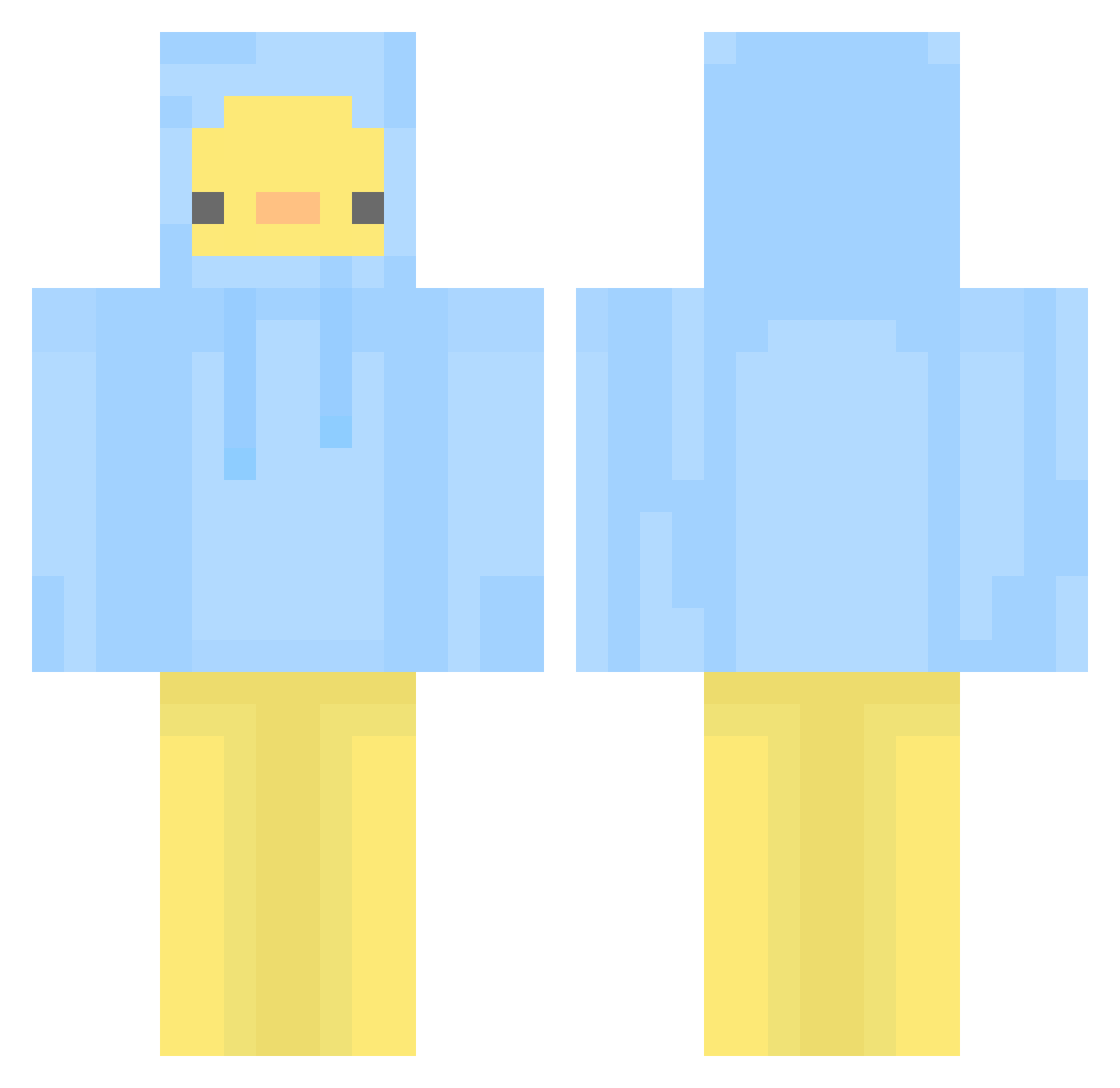
Current Minecraft skin of the player jeongsunny, loaded from the official Mojang API. Rotate the 3D model with your mouse or finger, then download the skin as a PNG file and use it in Minecraft: Bedrock Edition or Java Edition for free. When jeongsunny changes their skin, this page updates automatically and the old skin stays in the history below.
Other players with this skin (581)
jeongsunny was the 453rd player we have seen with this skin, first spotted on 24.10.2026. The same skin was seen on these players. Open a nickname to see their current skin and skin history.
 tjdwhd0731 Mr_0NE AOQWE JOA362 woosuna02 _Pora primemoon45 Mads0109 bong_bong_2 notoneordek xxxXswaglordXxxx Ting_Pong Takito28 kay_lan Arainiko Sapsaldog Zeeeee1 JW234 sonic_1013 kqowss sannyzp Lipler_ CheongHan backchae seemoolook5 tjalstjr123 Multipark DuRyeong ShinyAsk iliosjae Abderyt opuim hoone8893 KyoTar Min__niM yeo_yeo Ipsagwi slavikitarista99 shyuurexa alslz hyangdam INKEZ_ LucidMelodys mather999 AHNBEOM Ript1de Jirelong asdzxcvbnasd HoKoHoKu MNyanM animalcrosslover masu0125 Ala_enn ingwong Lyosta ssattdaBro Jesus_Universe KawaKaj chikenlitlle Takemu01
More Duck Minecraft skins
How to install the jeongsunny skin
- Press the Download button above to save the skin as a PNG file.
- Minecraft: Bedrock Edition (PE): open the Dressing Room from the main menu (or tap your character → Edit Character), go to Classic Skins → Owned, press the + (new skin) button, choose the downloaded PNG and pick the Classic (Steve) model. Works on PC and mobile; consoles cannot import custom skins.
- Minecraft: Java Edition: open the Minecraft Launcher, go to the Skins tab, click New Skin, load the PNG, pick the Classic (Steve) model and press Save & Use. You can also upload it at minecraft.net → Profile → Change Skin.
The skin does not show up after import - what should I do?
Restart Minecraft and open the Dressing Room again - imported skins sometimes appear only after a restart. Also make sure you selected the imported skin and picked the Classic (Steve) model.
Which model should I choose, Classic or Slim?
This skin is designed for the Classic (Steve) model. If you pick the wrong model, the arms of the skin will look stretched or squeezed.
Is the skin of jeongsunny free to download?
Yes. Press Download, save the PNG file and use it in Minecraft: Bedrock Edition or Java Edition - no payment or registration needed. The skin also works on multiplayer servers and Realms.
More skins
Looking for more? Go back to all Minecraft skins and check the top skins of the week, month and all time, or find any player's skin by nickname.