
jens4073 - Minecraft Skins & Skin History
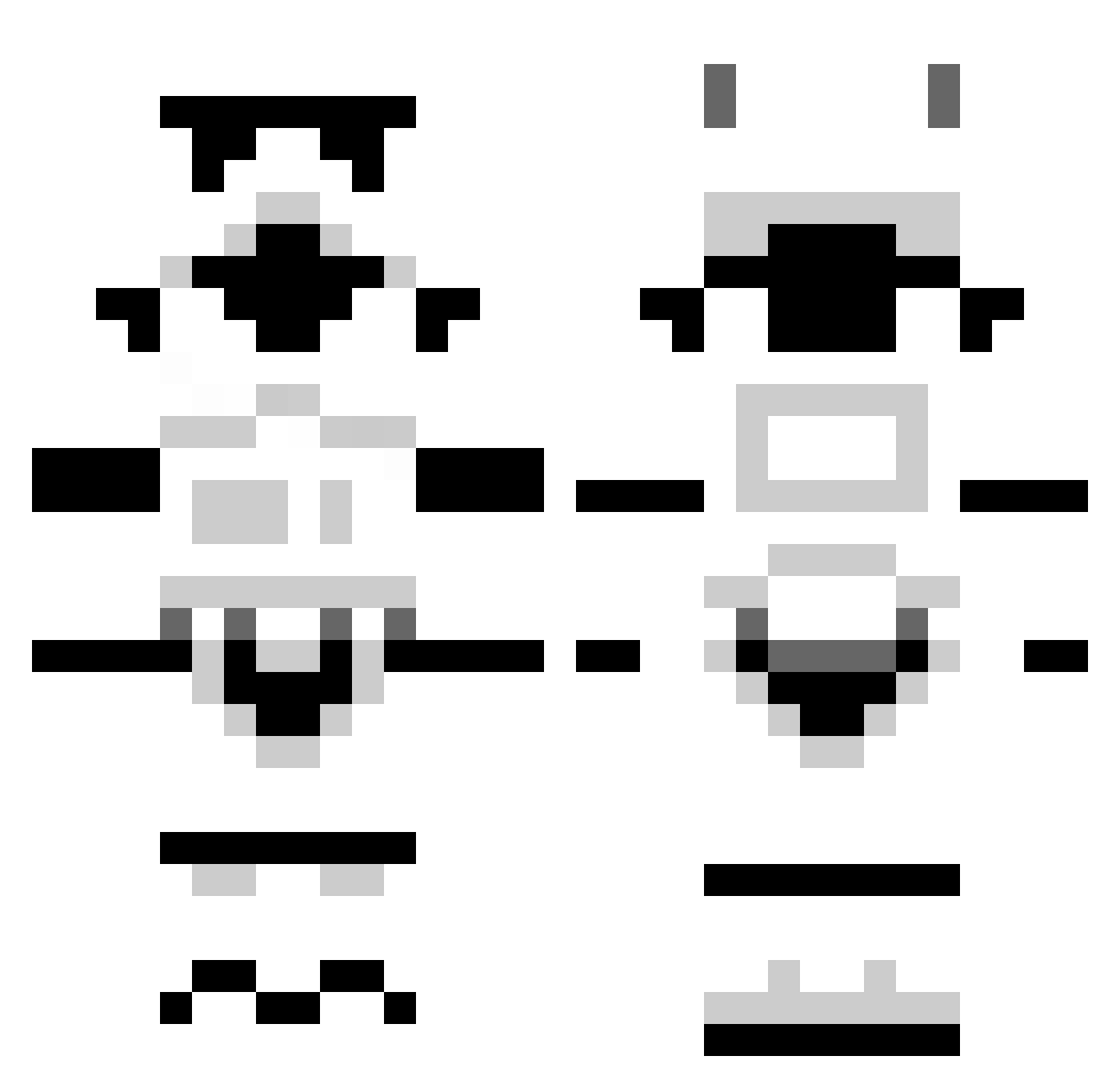
Current Minecraft skin of the player jens4073, loaded from the official Mojang API. Rotate the 3D model with your mouse or finger, then download the skin as a PNG file and use it in Minecraft: Bedrock Edition or Java Edition for free. When jens4073 changes their skin, this page updates automatically and the old skin stays in the history below.
Other players with this skin (1297)
jens4073 was the 158th player we have seen with this skin, first spotted on 08.08.2026. The same skin was seen on these players. Open a nickname to see their current skin and skin history.
 King_of_Santa112 maxern1212 Hanako2306 anonicorn Valkarie16 MERAKI_8 TSteer2626 bodiggity511 spencerlever1 subarus iTSaCONSPIRACY JuggerNATE93 Unlock_12 Commicus Hugheszie Foxhound_Wolf AmericanSyrup Guibzxxx marmusota steelx34 ScoobyMacklin itsdabender fethsaggx backhering CaptainSlow mcnasty85 HorizonWA INHERE weespecky BuBuSan NickCookies babas52 AqBaam Phoodx xUselezz FastFood DISTURBEDKITTY Grumpire crafteurbouvier CaptainFalcone Hardwell35 pikmin52 Koen_king asa_hurd Stretchicles uKThrasHer Knifep1 AquaNinjaX Thedroid52 HershleyWokie dukefm levixmoxley Marvin2001K stonejedi1 Godpage rclarence shootster58 warhead4337 nuggitsack FiendXY
More Stormtrooper Minecraft skins
See all 530 Stormtrooper skins
How to install the jens4073 skin
- Press the Download button above to save the skin as a PNG file.
- Minecraft: Bedrock Edition (PE): open the Dressing Room from the main menu (or tap your character → Edit Character), go to Classic Skins → Owned, press the + (new skin) button, choose the downloaded PNG and pick the Classic (Steve) model. Works on PC and mobile; consoles cannot import custom skins.
- Minecraft: Java Edition: open the Minecraft Launcher, go to the Skins tab, click New Skin, load the PNG, pick the Classic (Steve) model and press Save & Use. You can also upload it at minecraft.net → Profile → Change Skin.
The skin does not show up after import - what should I do?
Restart Minecraft and open the Dressing Room again - imported skins sometimes appear only after a restart. Also make sure you selected the imported skin and picked the Classic (Steve) model.
Which model should I choose, Classic or Slim?
This skin is designed for the Classic (Steve) model. If you pick the wrong model, the arms of the skin will look stretched or squeezed.
Is the skin of jens4073 free to download?
Yes. Press Download, save the PNG file and use it in Minecraft: Bedrock Edition or Java Edition - no payment or registration needed. The skin also works on multiplayer servers and Realms.
More skins
Looking for more? Go back to all Minecraft skins and check the top skins of the week, month and all time, or find any player's skin by nickname.