
je_me_rends - Minecraft Skins & Skin History
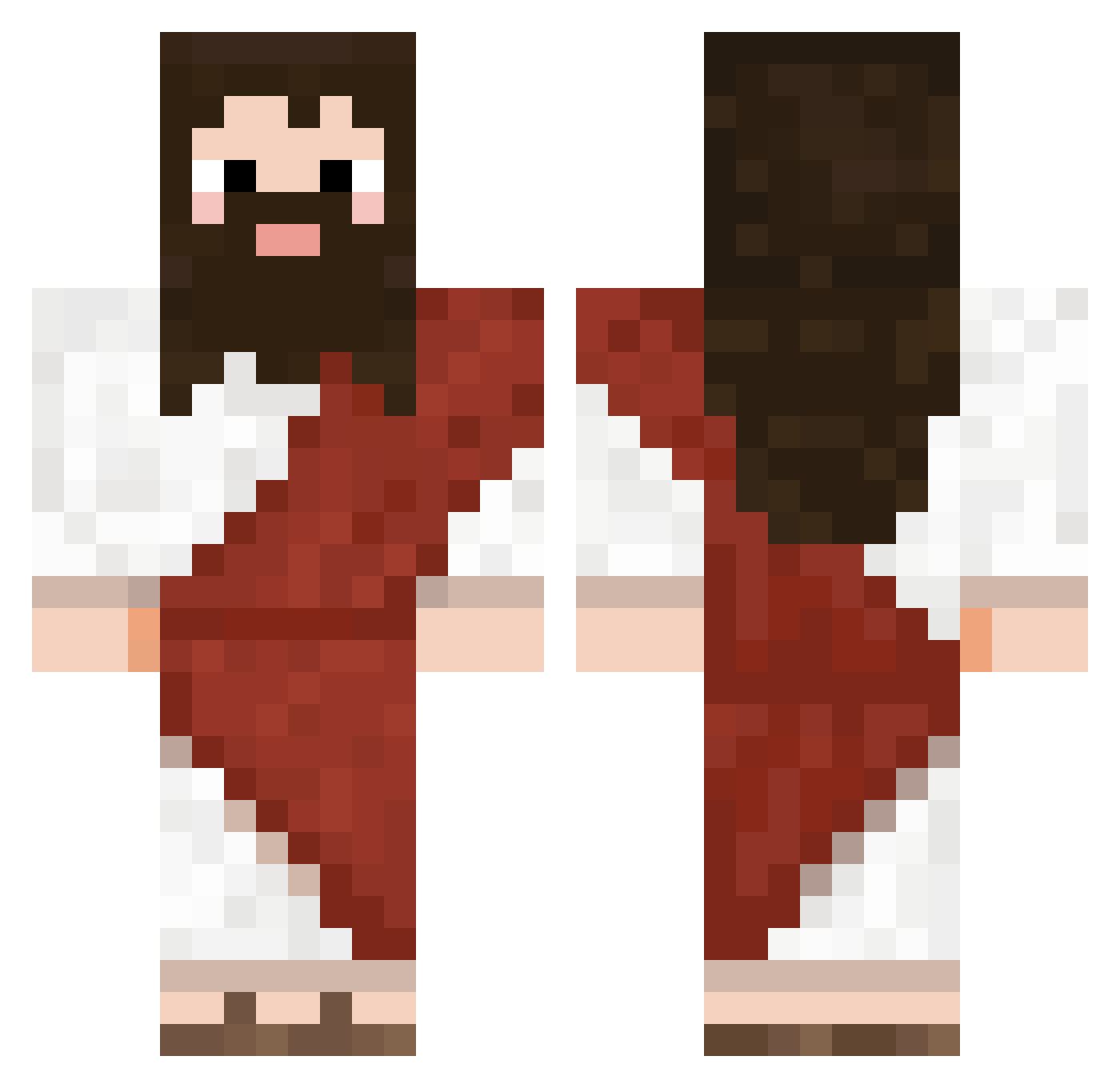
Current Minecraft skin of the player je_me_rends, loaded from the official Mojang API. Rotate the 3D model with your mouse or finger, then download the skin as a PNG file and use it in Minecraft: Bedrock Edition or Java Edition for free. When je_me_rends changes their skin, this page updates automatically and the old skin stays in the history below.
Other players with this skin (724)
je_me_rends was the 417th player we have seen with this skin, first spotted on 25.09.2026. The same skin was seen on these players. Open a nickname to see their current skin and skin history.
 CyberbotIn2077 Proalex4yells B_09_ saaMMj MattiasM_ Star_PlayerXXX Maku_Donarudo Deadmilkpart1 derleon153 DOMEN99 GusFring420420 Mist6689 444JING444 ESTRORDA RPGRainDrop WickedestAsp JungS_E ZardOoze ShadOwstrich AIzelo comcristo xxsjun Harry_Biscuits DumpTruck71 Ramay0 TraceAndBake FervidLime56820 Eastwindlive SKP_Sharp Remlyys rozerko RUMILDO Yuan688 PepinilloTactico donchimbolin Ginger7832 Zortalle Coachyboi okaco YosuaGod ElitePortalMaste bAngHoes Gashadying Decka1 withyou_moment Pochro13 farmerdogg DWGGAMER Maximus0760 Diego_lopez12 Spineroo miojofc Ballz_5 mintyfreshnezz Alekiwitt Rasmus280107 ProGamer1317_ Fungtrical alore24 Maelhann
More Biblical Minecraft skins
How to install the je_me_rends skin
- Press the Download button above to save the skin as a PNG file.
- Minecraft: Bedrock Edition (PE): open the Dressing Room from the main menu (or tap your character → Edit Character), go to Classic Skins → Owned, press the + (new skin) button, choose the downloaded PNG and pick the Classic (Steve) model. Works on PC and mobile; consoles cannot import custom skins.
- Minecraft: Java Edition: open the Minecraft Launcher, go to the Skins tab, click New Skin, load the PNG, pick the Classic (Steve) model and press Save & Use. You can also upload it at minecraft.net → Profile → Change Skin.
The skin does not show up after import - what should I do?
Restart Minecraft and open the Dressing Room again - imported skins sometimes appear only after a restart. Also make sure you selected the imported skin and picked the Classic (Steve) model.
Which model should I choose, Classic or Slim?
This skin is designed for the Classic (Steve) model. If you pick the wrong model, the arms of the skin will look stretched or squeezed.
Is the skin of je_me_rends free to download?
Yes. Press Download, save the PNG file and use it in Minecraft: Bedrock Edition or Java Edition - no payment or registration needed. The skin also works on multiplayer servers and Realms.
More skins
Looking for more? Go back to all Minecraft skins and check the top skins of the week, month and all time, or find any player's skin by nickname.