
jakebaynham05 - Minecraft Skins & Skin History
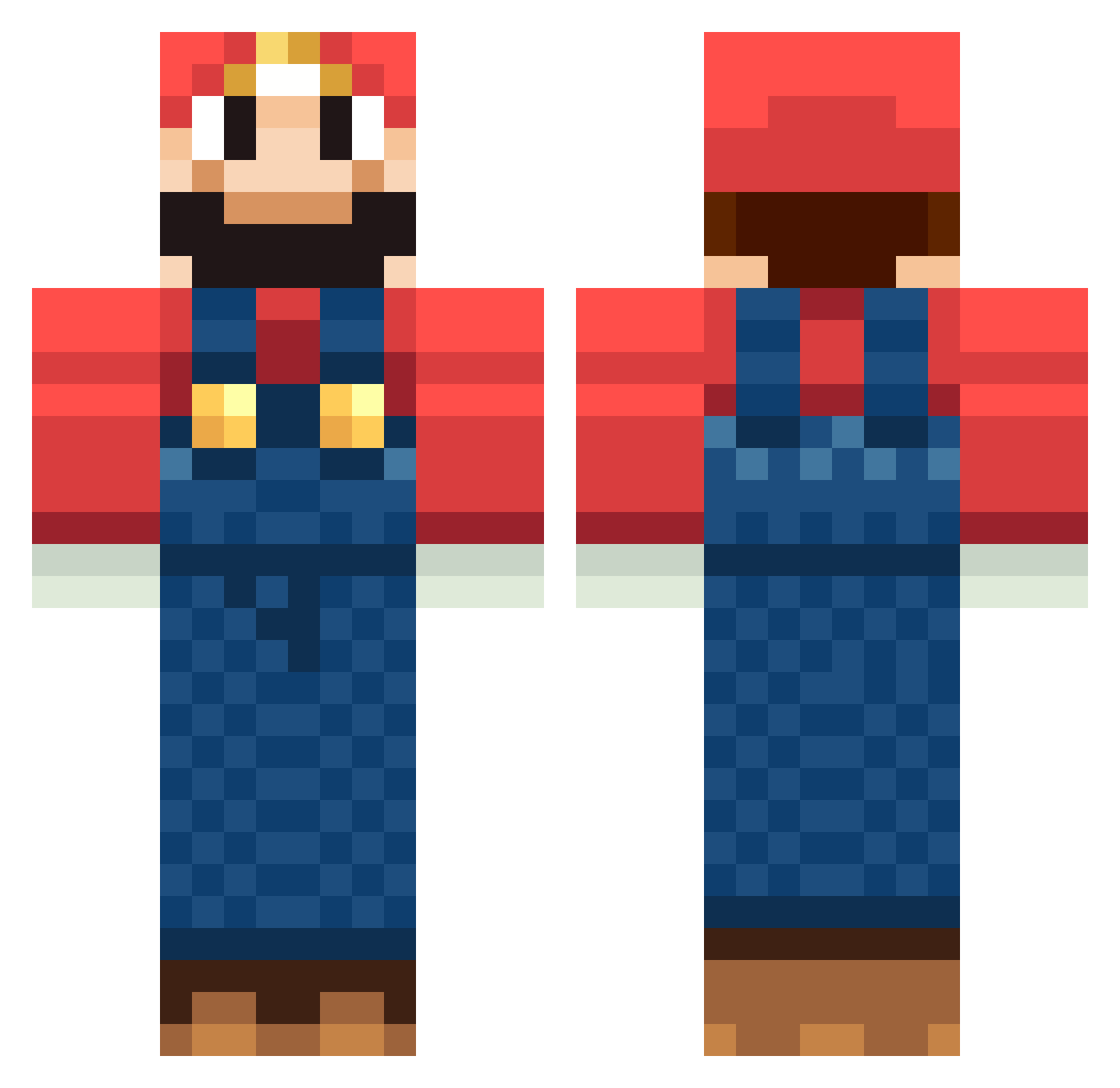
Current Minecraft skin of the player jakebaynham05, loaded from the official Mojang API. Rotate the 3D model with your mouse or finger, then download the skin as a PNG file and use it in Minecraft: Bedrock Edition or Java Edition for free. When jakebaynham05 changes their skin, this page updates automatically and the old skin stays in the history below.
Other players with this skin (1265)
jakebaynham05 was the 556th player we have seen with this skin, first spotted on 14.09.2026. The same skin was seen on these players. Open a nickname to see their current skin and skin history.
 Tigger9240 gwnsf matto578 paramontana Will_Rox munoz125 nho_23 loboloco5 Tonic20 vinces451 IanHezza Zapur Smeargs pipkin92 sublime79 BehindSpace HannesJ0 rehn paulG24 richie676 ascossa coLord mrkle jaybogle123 kherrin chichik Waddlesworth alemar291 gomazo12 nickreinink Diego201 pjberan Jammie1 Yabadabajew Skorpion9987 makoeri MiningMaverick00 Golden_ ColbPlayz stevenbanana Ixxionn jteezy69 TreAnek Lipeboy David4607 SakuDaddy tami_desu baseball1231 ks38 Yomomma20 Killer_Squid nilsmaan KingMrHappy MrMoj0 STEALurFACE ProfessnlGriefer wiseminded gaiaglory Cyanwarrior_91 iArab
More Mario Minecraft skins
How to install the jakebaynham05 skin
- Press the Download button above to save the skin as a PNG file.
- Minecraft: Bedrock Edition (PE): open the Dressing Room from the main menu (or tap your character → Edit Character), go to Classic Skins → Owned, press the + (new skin) button, choose the downloaded PNG and pick the Classic (Steve) model. Works on PC and mobile; consoles cannot import custom skins.
- Minecraft: Java Edition: open the Minecraft Launcher, go to the Skins tab, click New Skin, load the PNG, pick the Classic (Steve) model and press Save & Use. You can also upload it at minecraft.net → Profile → Change Skin.
The skin does not show up after import - what should I do?
Restart Minecraft and open the Dressing Room again - imported skins sometimes appear only after a restart. Also make sure you selected the imported skin and picked the Classic (Steve) model.
Which model should I choose, Classic or Slim?
This skin is designed for the Classic (Steve) model. If you pick the wrong model, the arms of the skin will look stretched or squeezed.
Is the skin of jakebaynham05 free to download?
Yes. Press Download, save the PNG file and use it in Minecraft: Bedrock Edition or Java Edition - no payment or registration needed. The skin also works on multiplayer servers and Realms.
More skins
Looking for more? Go back to all Minecraft skins and check the top skins of the week, month and all time, or find any player's skin by nickname.