
interiorslinky - Minecraft Skins & Skin History
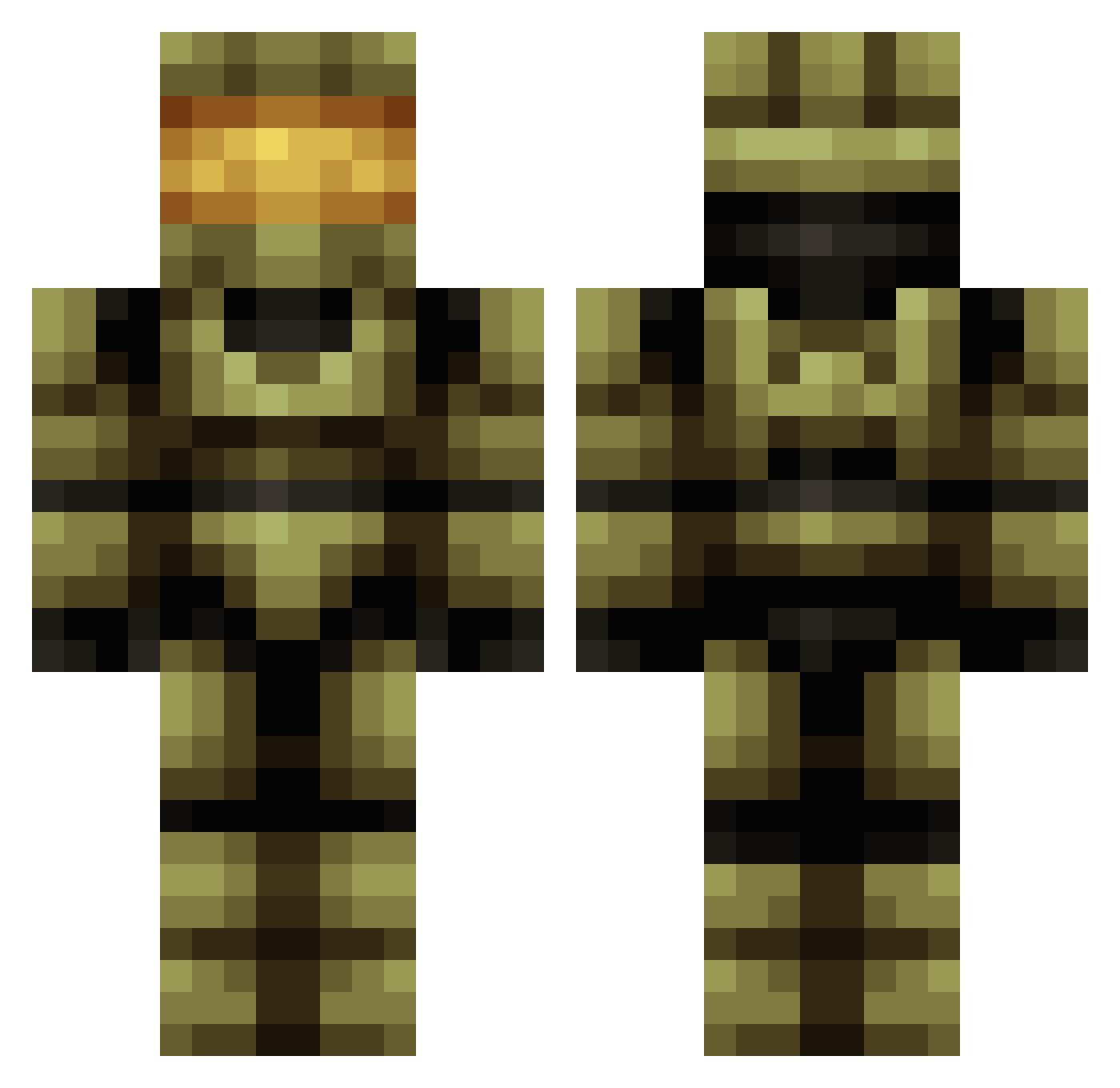
Current Minecraft skin of the player interiorslinky, loaded from the official Mojang API. Rotate the 3D model with your mouse or finger, then download the skin as a PNG file and use it in Minecraft: Bedrock Edition or Java Edition for free. When interiorslinky changes their skin, this page updates automatically and the old skin stays in the history below.
Other players with this skin (683)
interiorslinky was the 80th player we have seen with this skin, first spotted on 06.08.2026. The same skin was seen on these players. Open a nickname to see their current skin and skin history.
 skillganon7 crazydimond22 Storealex Q_Division SaintDefiant chazz894 DeltaSmash LordMaggot Kargaard CaptainTimm17 ihsenpai ManOfSteel69 PIN_small_B McMichael8Mardon GearzSenpai Darblu Fetchnl latepate17 Leta87 CREEPER_DRAG0N Blacksite64 ellimist87 TheRagingScout DarkWave_X Atrain69 winsmi1984 1CRAZYFROG train666z JamieJamie11 Zooker02 WarGhostt surfebob pixiepizazz Jamaaah wightrash KingVictron siadry gamerbrains BuyAccount99 TySchwartz Sting1478 calculus123 RecycleBen SlowyBoi mrsir824 Famne123 Mika1992 ToxicBr096 Snakeking237 Kemp302 Grace1309 Mr_Lundvall Moskas100 Avarcy Addybola nezz9445 danmac97 Rogue878 RE41PER CloudJutsu
More Master Chief Minecraft skins
See all 537 Master Chief skins
How to install the interiorslinky skin
- Press the Download button above to save the skin as a PNG file.
- Minecraft: Bedrock Edition (PE): open the Dressing Room from the main menu (or tap your character → Edit Character), go to Classic Skins → Owned, press the + (new skin) button, choose the downloaded PNG and pick the Classic (Steve) model. Works on PC and mobile; consoles cannot import custom skins.
- Minecraft: Java Edition: open the Minecraft Launcher, go to the Skins tab, click New Skin, load the PNG, pick the Classic (Steve) model and press Save & Use. You can also upload it at minecraft.net → Profile → Change Skin.
The skin does not show up after import - what should I do?
Restart Minecraft and open the Dressing Room again - imported skins sometimes appear only after a restart. Also make sure you selected the imported skin and picked the Classic (Steve) model.
Which model should I choose, Classic or Slim?
This skin is designed for the Classic (Steve) model. If you pick the wrong model, the arms of the skin will look stretched or squeezed.
Is the skin of interiorslinky free to download?
Yes. Press Download, save the PNG file and use it in Minecraft: Bedrock Edition or Java Edition - no payment or registration needed. The skin also works on multiplayer servers and Realms.
More skins
Looking for more? Go back to all Minecraft skins and check the top skins of the week, month and all time, or find any player's skin by nickname.