
ims0p00p - Minecraft Skins & Skin History
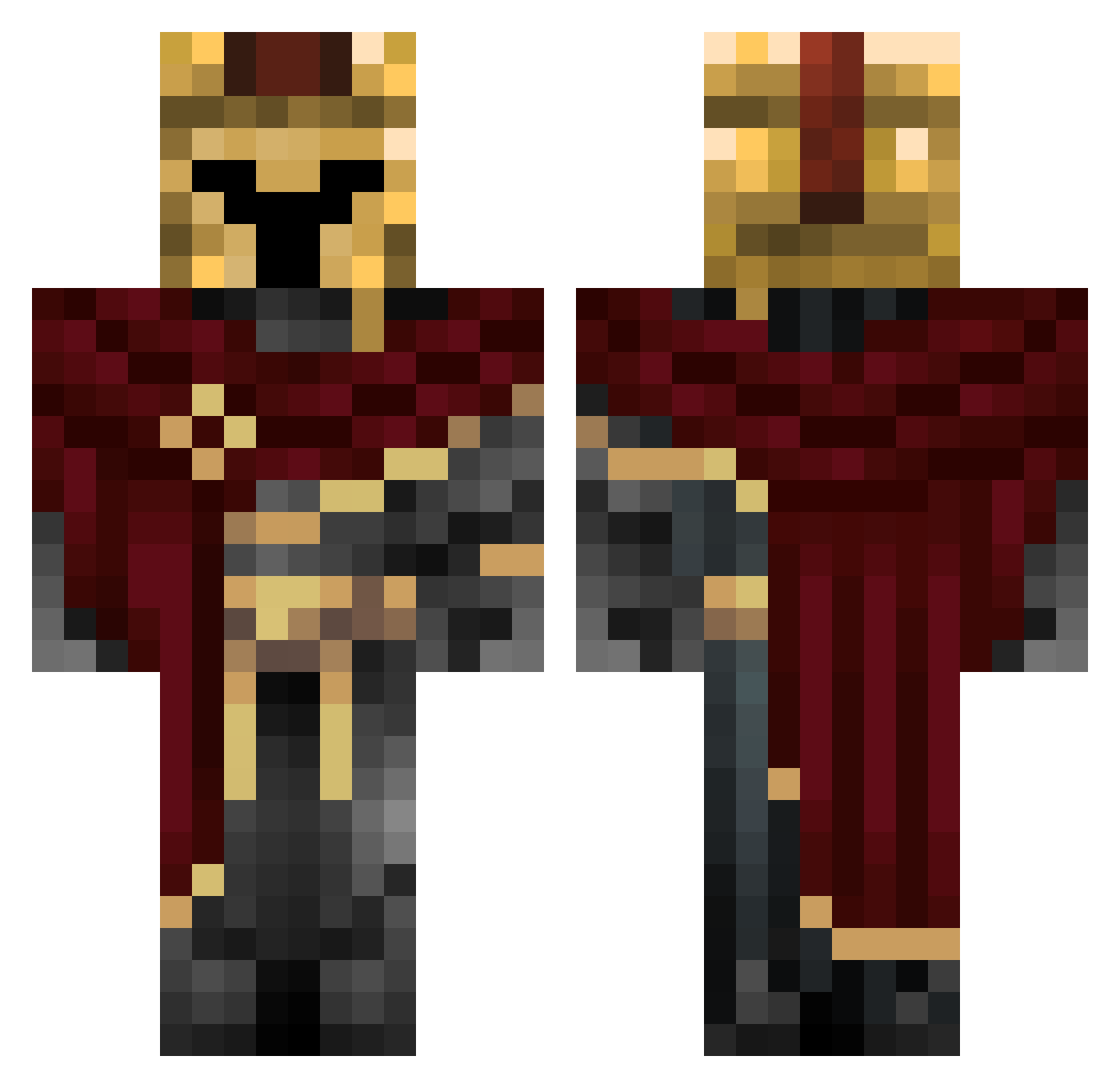
Current Minecraft skin of the player ims0p00p, loaded from the official Mojang API. Rotate the 3D model with your mouse or finger, then download the skin as a PNG file and use it in Minecraft: Bedrock Edition or Java Edition for free. When ims0p00p changes their skin, this page updates automatically and the old skin stays in the history below.
Other players with this skin (333)
ims0p00p was the 130th player we have seen with this skin, first spotted on 03.09.2026. The same skin was seen on these players. Open a nickname to see their current skin and skin history.
 Quintiles RaceEgel1 LaczekPaczek Andy_696 Tariak
 EggshellDevourer MicroBones PrayforAlabama saddc21 Inseldragon killers26GM Vort3x05 Jenavier YoviYT883311 Vasquez21 PCBRODER lomitocpaz
 lov1ng_23 InFaded FibFin ToxicPalta SteezyHD
 Hamakuri LeoNoWay Goujot yhiruz Flames99 adriel44 7dkdltm Mi_si_9 Enigma_228 OverCube05 IceRaiX
 NarrateurDC Erratically Renexas Hupster247 Sebbax Nigleris jmb_goblue TUKTheGamer kyvext5 Ghostsparrow8 stikky001 shadowmanuman Luto5678 polishfighter_67 itsWCB
 OopsIDiedAgain12 SenZooR ttrevi ziegensindtoll LewKersoan Darth_Orange SAMUEL1050SK KisaRaily FashionableFella
 blazin6 ShadowVold SpiritBlueFire
More Spartan Minecraft skins
How to install the ims0p00p skin
- Press the Download button above to save the skin as a PNG file.
- Minecraft: Bedrock Edition (PE): open the Dressing Room from the main menu (or tap your character → Edit Character), go to Classic Skins → Owned, press the + (new skin) button, choose the downloaded PNG and pick the Classic (Steve) model. Works on PC and mobile; consoles cannot import custom skins.
- Minecraft: Java Edition: open the Minecraft Launcher, go to the Skins tab, click New Skin, load the PNG, pick the Classic (Steve) model and press Save & Use. You can also upload it at minecraft.net → Profile → Change Skin.
The skin does not show up after import - what should I do?
Restart Minecraft and open the Dressing Room again - imported skins sometimes appear only after a restart. Also make sure you selected the imported skin and picked the Classic (Steve) model.
Which model should I choose, Classic or Slim?
This skin is designed for the Classic (Steve) model. If you pick the wrong model, the arms of the skin will look stretched or squeezed.
Is the skin of ims0p00p free to download?
Yes. Press Download, save the PNG file and use it in Minecraft: Bedrock Edition or Java Edition - no payment or registration needed. The skin also works on multiplayer servers and Realms.
More skins
Looking for more? Go back to all Minecraft skins and check the top skins of the week, month and all time, or find any player's skin by nickname.