
iDavxd - Minecraft Skins & Skin History
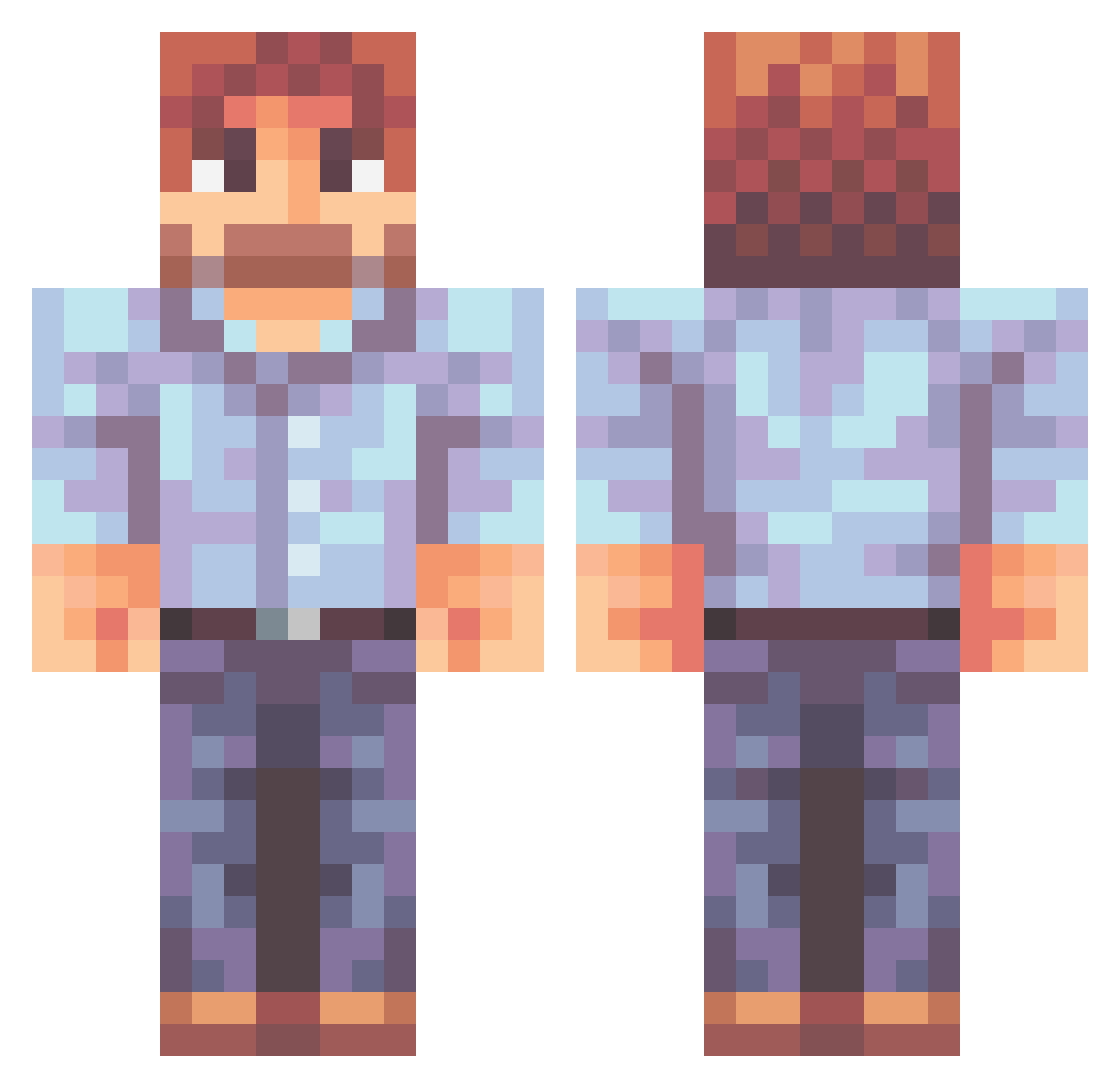
Current Minecraft skin of the player iDavxd, loaded from the official Mojang API. Rotate the 3D model with your mouse or finger, then download the skin as a PNG file and use it in Minecraft: Bedrock Edition or Java Edition for free. When iDavxd changes their skin, this page updates automatically and the old skin stays in the history below.
Other players with this skin (470)
iDavxd was the 31st player we have seen with this skin, first spotted on 30.07.2026. The same skin was seen on these players. Open a nickname to see their current skin and skin history.
 Deafen411 Elzi1 Dipogrif vro_scoob Schnitzelbiggins VelvetSand Barzologe Reymi_Stereo ITRUD Chief_Ekim12 Cmoore35 Yersios1812 HateHerFriendz Snorre_Gaming DragonSlayer72 TwoPraeng d166er ArencyStream Rustiiik_ 3obRoss Daddy_E palma63 schables Cathornton24 Eduard0o Argonix7 HeAyyee chouchouba DragonFafn1r way2deep Langarsten CyberattK Optionull That1DerpyPotato LeoVibes XFacharzt Amphyaraus 0mn0mn0mniv0re Frenzy799 TheDevil97 Juan_Pi Maia01 jlh929 LuciferM0 CyriusRay RandoDrawing13 SiluxHD JughHackman CanibalCat9 _BobRoss Durden1 Thereaper49 Vendeti i6eaL megaman739 Hoodieroman panblanc echowalz KookieO3O b1g
More Beard Minecraft skins
How to install the iDavxd skin
- Press the Download button above to save the skin as a PNG file.
- Minecraft: Bedrock Edition (PE): open the Dressing Room from the main menu (or tap your character → Edit Character), go to Classic Skins → Owned, press the + (new skin) button, choose the downloaded PNG and pick the Classic (Steve) model. Works on PC and mobile; consoles cannot import custom skins.
- Minecraft: Java Edition: open the Minecraft Launcher, go to the Skins tab, click New Skin, load the PNG, pick the Classic (Steve) model and press Save & Use. You can also upload it at minecraft.net → Profile → Change Skin.
The skin does not show up after import - what should I do?
Restart Minecraft and open the Dressing Room again - imported skins sometimes appear only after a restart. Also make sure you selected the imported skin and picked the Classic (Steve) model.
Which model should I choose, Classic or Slim?
This skin is designed for the Classic (Steve) model. If you pick the wrong model, the arms of the skin will look stretched or squeezed.
Is the skin of iDavxd free to download?
Yes. Press Download, save the PNG file and use it in Minecraft: Bedrock Edition or Java Edition - no payment or registration needed. The skin also works on multiplayer servers and Realms.
More skins
Looking for more? Go back to all Minecraft skins and check the top skins of the week, month and all time, or find any player's skin by nickname.