
i24h - Minecraft Skins & Skin History
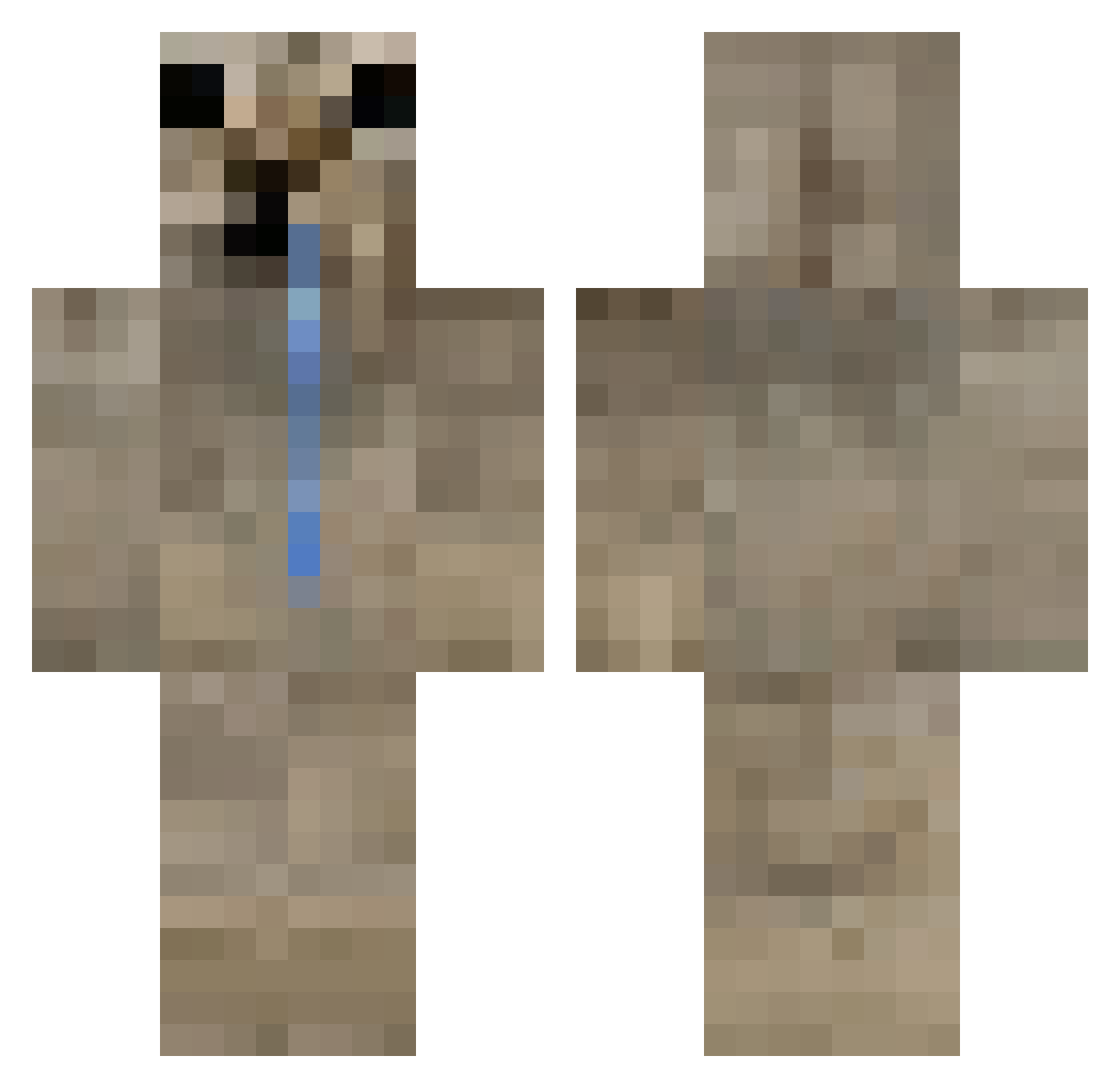
Current Minecraft skin of the player i24h, loaded from the official Mojang API. Rotate the 3D model with your mouse or finger, then download the skin as a PNG file and use it in Minecraft: Bedrock Edition or Java Edition for free. When i24h changes their skin, this page updates automatically and the old skin stays in the history below.
Other players with this skin (64)
i24h was the 23rd player we have seen with this skin, first spotted on 25.08.2026. The same skin was seen on these players. Open a nickname to see their current skin and skin history.
 Pist4cja_ dadbod4l Moonitt OcBoa Sesimaa notsneakyt Monkeybro14 siezzix Gianfrixd sinsmoke
 Zimy1 Chrenz Tony_maxx Donajess angelheart619 aveuglant Marran10 Au5t1n333 NiNinja_II zileliu121 Felix1202 sopaPROGAMEROP_X sebitas100 barin86 pvecoco
 Anndurin Kaijust LukasPlay2010 durachok69
 wiib33 offdata Daiki_444 AngelHe15 BeastMerdo LiuLi2031 Meowskyyy_ Minkx002 Revolters pedroRP
 enchitu FRIJOLILLO1209 GioARTZ DroolingCat afuwl juanjo_kenny Dooglio DoppelV SpaceCadet2999 FragsFlame ExtraNoob_ DangerousCat26 dismanttle Lanterning watermelon20742 Based_json DreaManko white_fluffy _onion_v2 Vixnyy F_G1
More Animal Minecraft skins
How to install the i24h skin
- Press the Download button above to save the skin as a PNG file.
- Minecraft: Bedrock Edition (PE): open the Dressing Room from the main menu (or tap your character → Edit Character), go to Classic Skins → Owned, press the + (new skin) button, choose the downloaded PNG and pick the Classic (Steve) model. Works on PC and mobile; consoles cannot import custom skins.
- Minecraft: Java Edition: open the Minecraft Launcher, go to the Skins tab, click New Skin, load the PNG, pick the Classic (Steve) model and press Save & Use. You can also upload it at minecraft.net → Profile → Change Skin.
The skin does not show up after import - what should I do?
Restart Minecraft and open the Dressing Room again - imported skins sometimes appear only after a restart. Also make sure you selected the imported skin and picked the Classic (Steve) model.
Which model should I choose, Classic or Slim?
This skin is designed for the Classic (Steve) model. If you pick the wrong model, the arms of the skin will look stretched or squeezed.
Is the skin of i24h free to download?
Yes. Press Download, save the PNG file and use it in Minecraft: Bedrock Edition or Java Edition - no payment or registration needed. The skin also works on multiplayer servers and Realms.
More skins
Looking for more? Go back to all Minecraft skins and check the top skins of the week, month and all time, or find any player's skin by nickname.