
huntdog210 - Minecraft Skins & Skin History
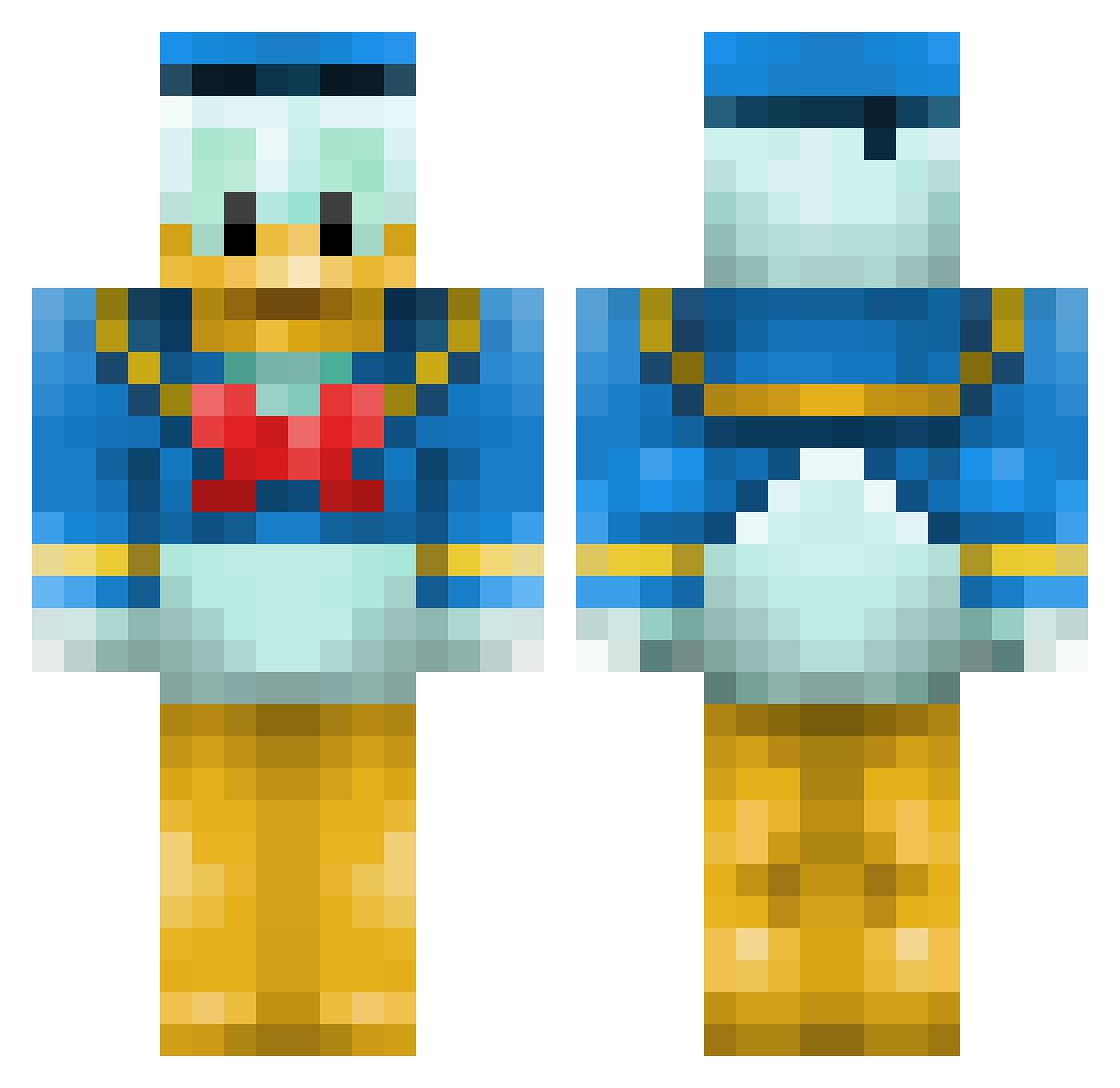
Current Minecraft skin of the player huntdog210, loaded from the official Mojang API. Rotate the 3D model with your mouse or finger, then download the skin as a PNG file and use it in Minecraft: Bedrock Edition or Java Edition for free. When huntdog210 changes their skin, this page updates automatically and the old skin stays in the history below.
Other players with this skin (660)
huntdog210 was the 327th player we have seen with this skin, first spotted on 22.09.2026. The same skin was seen on these players. Open a nickname to see their current skin and skin history.
 _MapKyc_ Dolla_Dolla_Bill BennyBooBear serteNyo NathanStowe simneu firstprice2 Flowstarx3 timHerman cedriccmoi persun Diegocnba ZooomStop nettyks Caanaghem ThaMuppetz MovemntZ THE_CREATOR28 Zcsisco Maxted2401 yoloman0013 Schmax77 tripplethreat21 TeamEthiopia hockey9000 Snyda13 MurrayMint02 thomdomdom adri_dridu_69 Hagazissa Reptil3X Chriswuk92 marrabou111 Sakure_Cherry bobby_the_cow GodAzathoth Dan173 Laserlucas Dulator _RepsaJ_ dasdasdasr Shakurus NotMyProudestFap Sworde78 Scine colourfulkarol batouttahell julien13340 steph30470 gabriel_okc mpi HoneyBadGrrr megaman1999D JackMoxon95 xCopella Nolsinho keepertje28 Woolfy1196 penanetti HogiBear
More Donald Duck Minecraft skins
How to install the huntdog210 skin
- Press the Download button above to save the skin as a PNG file.
- Minecraft: Bedrock Edition (PE): open the Dressing Room from the main menu (or tap your character → Edit Character), go to Classic Skins → Owned, press the + (new skin) button, choose the downloaded PNG and pick the Classic (Steve) model. Works on PC and mobile; consoles cannot import custom skins.
- Minecraft: Java Edition: open the Minecraft Launcher, go to the Skins tab, click New Skin, load the PNG, pick the Classic (Steve) model and press Save & Use. You can also upload it at minecraft.net → Profile → Change Skin.
The skin does not show up after import - what should I do?
Restart Minecraft and open the Dressing Room again - imported skins sometimes appear only after a restart. Also make sure you selected the imported skin and picked the Classic (Steve) model.
Which model should I choose, Classic or Slim?
This skin is designed for the Classic (Steve) model. If you pick the wrong model, the arms of the skin will look stretched or squeezed.
Is the skin of huntdog210 free to download?
Yes. Press Download, save the PNG file and use it in Minecraft: Bedrock Edition or Java Edition - no payment or registration needed. The skin also works on multiplayer servers and Realms.
More skins
Looking for more? Go back to all Minecraft skins and check the top skins of the week, month and all time, or find any player's skin by nickname.