
hulu11 - Minecraft Skins & Skin History
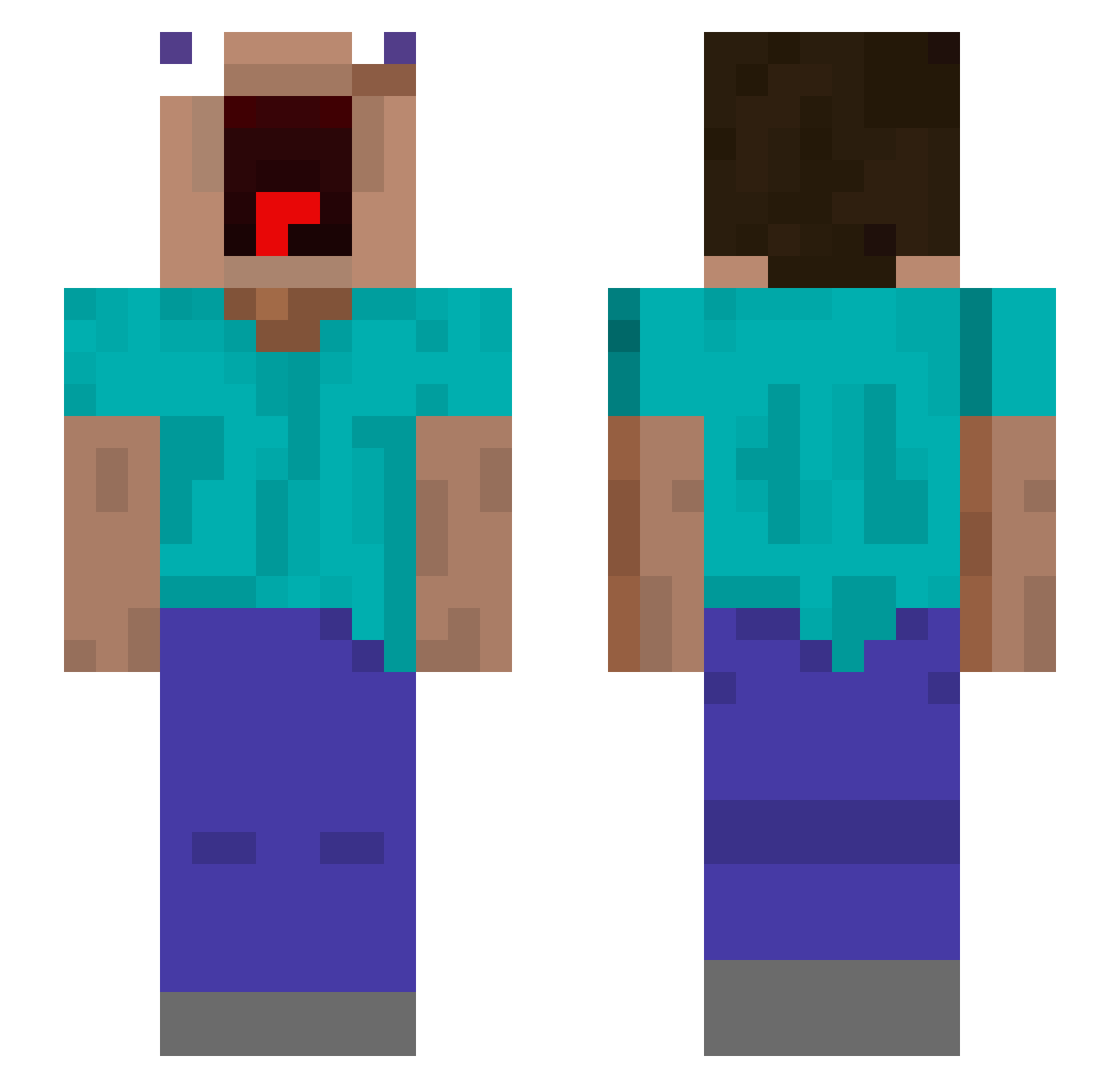
Current Minecraft skin of the player hulu11, loaded from the official Mojang API. Rotate the 3D model with your mouse or finger, then download the skin as a PNG file and use it in Minecraft: Bedrock Edition or Java Edition for free. When hulu11 changes their skin, this page updates automatically and the old skin stays in the history below.
Other players with this skin (515)
hulu11 was the 499th player we have seen with this skin, first spotted on 18.10.2026. The same skin was seen on these players. Open a nickname to see their current skin and skin history.
 Maxxis77 Monaka_00 GagaGameurYT Im_so_sussy Francete moonnice_ its_kal Jucktmichnicht00 absalam00 helkato Reaper232323 skibidislicers89 XProReaperX Rena5212 kldcjyx HenryHurenson69 idk_157 po1234ntus bunnyxy21 DesertThatDesert Rub3n4zz littlelizard708 cigarette_tattoo Liuyuchen2099 BABY_JHS NineNop mallangcow1 armadillo_miki Kaicoke Pander07 Jackie08_6 Sywmz gravestone77 Nywwie ssung_0818 Curtis14 Alvarez04 NFSHG Tutisst RealMcLovin MarryMeOk L1nkxxzz SE753 tresmetros Gaiia06 TheHazunk csmjuicee drottinn666 Arsoo STERNky SSAM96 TyroneJingle Potato4Life85 uncleperc ANGELMATHEO Anngus PvPerdix SlowNugget KumminAlot sokcam
More Screaming Minecraft skins
How to install the hulu11 skin
- Press the Download button above to save the skin as a PNG file.
- Minecraft: Bedrock Edition (PE): open the Dressing Room from the main menu (or tap your character → Edit Character), go to Classic Skins → Owned, press the + (new skin) button, choose the downloaded PNG and pick the Slim (Alex) model. Works on PC and mobile; consoles cannot import custom skins.
- Minecraft: Java Edition: open the Minecraft Launcher, go to the Skins tab, click New Skin, load the PNG, pick the Slim (Alex) model and press Save & Use. You can also upload it at minecraft.net → Profile → Change Skin.
The skin does not show up after import - what should I do?
Restart Minecraft and open the Dressing Room again - imported skins sometimes appear only after a restart. Also make sure you selected the imported skin and picked the Slim (Alex) model.
Which model should I choose, Classic or Slim?
This skin is designed for the Slim (Alex) model. If you pick the wrong model, the arms of the skin will look stretched or squeezed.
Is the skin of hulu11 free to download?
Yes. Press Download, save the PNG file and use it in Minecraft: Bedrock Edition or Java Edition - no payment or registration needed. The skin also works on multiplayer servers and Realms.
More skins
Looking for more? Go back to all Minecraft skins and check the top skins of the week, month and all time, or find any player's skin by nickname.