
hugewater - Minecraft Skins & Skin History
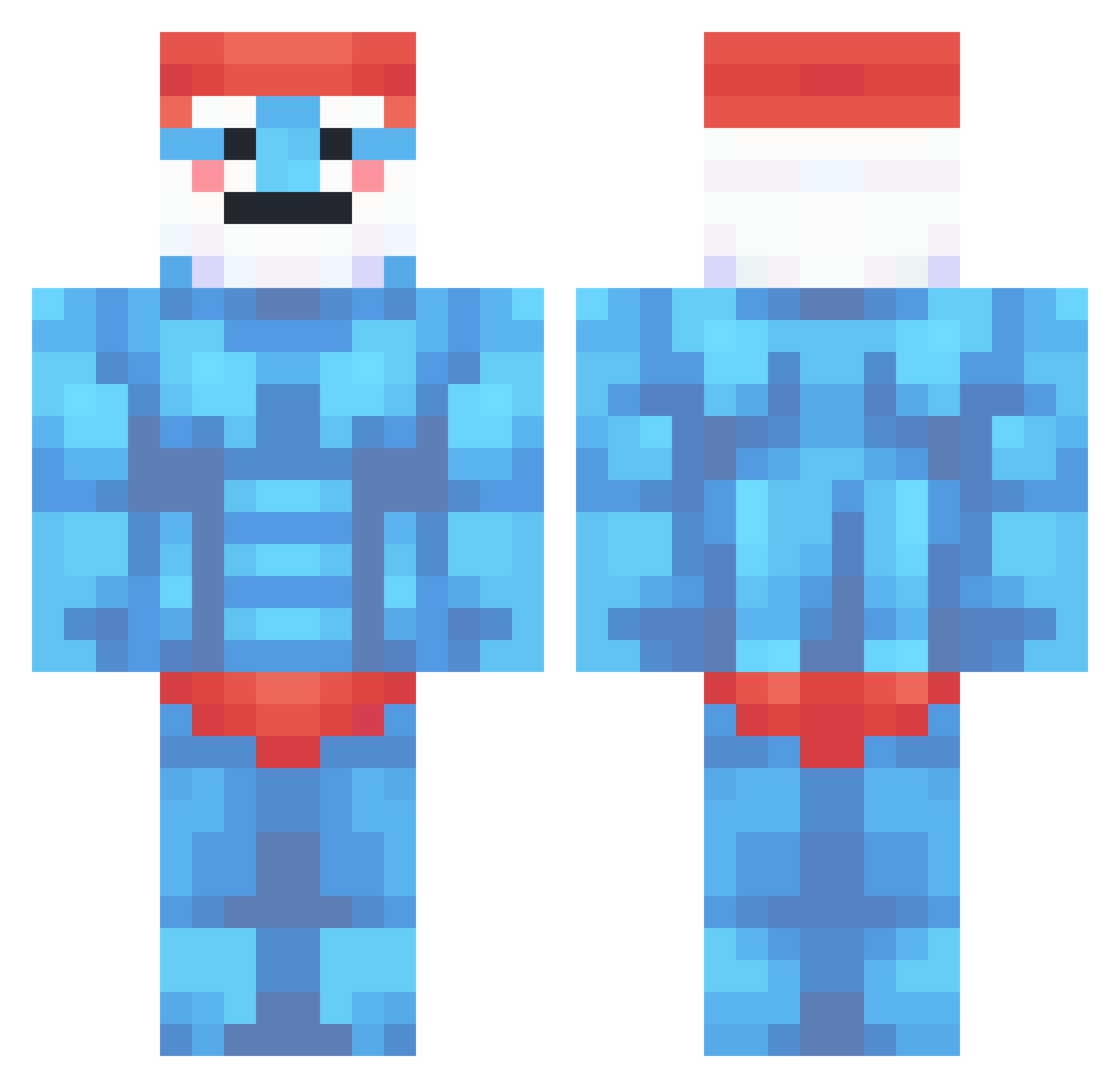
Current Minecraft skin of the player hugewater, loaded from the official Mojang API. Rotate the 3D model with your mouse or finger, then download the skin as a PNG file and use it in Minecraft: Bedrock Edition or Java Edition for free. When hugewater changes their skin, this page updates automatically and the old skin stays in the history below.
Other players with this skin (360)
hugewater was the 245th player we have seen with this skin, first spotted on 03.10.2026. The same skin was seen on these players. Open a nickname to see their current skin and skin history.
 Emiloos_ Spose011 adii15 mockus iTzMikelo SMERF2008 pgegeg MasterYi777 jordjohho CurryBlaster123 JustMayonezz monker1426 dancinPuffdaddy Mr_Papa_P_Smurf RoyalEgo Bogcity Short___ DennySavage haitaow8 Xiunga LaBach2002 SeeJay2 chrzanowski521 Beaqnn i64mg Gaynaci Andri888 CheezCruncher sucukluhamburger Tobakaaaa SuPerKoer17 Baffo63 MematiBas69 Bebo11 Poffii GhosTpeek0 Macaroninelli ebonyenjoyer865 DOMINIK7042 ddiaa BlueRode Jonas21 0r1S Goooberer Saltynity _LasseTasse_ Moedoggy808 I_EDX MARAT993 penguin0956 Steampunk7878 Inheert Jeesussaatana KylianLMT hills1111 Sevi43 FAKEEx Woziix Heavenly_Haori Lovvlylizzie
More Papa Smurf Minecraft skins
How to install the hugewater skin
- Press the Download button above to save the skin as a PNG file.
- Minecraft: Bedrock Edition (PE): open the Dressing Room from the main menu (or tap your character → Edit Character), go to Classic Skins → Owned, press the + (new skin) button, choose the downloaded PNG and pick the Classic (Steve) model. Works on PC and mobile; consoles cannot import custom skins.
- Minecraft: Java Edition: open the Minecraft Launcher, go to the Skins tab, click New Skin, load the PNG, pick the Classic (Steve) model and press Save & Use. You can also upload it at minecraft.net → Profile → Change Skin.
The skin does not show up after import - what should I do?
Restart Minecraft and open the Dressing Room again - imported skins sometimes appear only after a restart. Also make sure you selected the imported skin and picked the Classic (Steve) model.
Which model should I choose, Classic or Slim?
This skin is designed for the Classic (Steve) model. If you pick the wrong model, the arms of the skin will look stretched or squeezed.
Is the skin of hugewater free to download?
Yes. Press Download, save the PNG file and use it in Minecraft: Bedrock Edition or Java Edition - no payment or registration needed. The skin also works on multiplayer servers and Realms.
More skins
Looking for more? Go back to all Minecraft skins and check the top skins of the week, month and all time, or find any player's skin by nickname.