
 Mxngus LwE98 pawelo23121 Poopiness Matrix_World viverez africano3000 PebloSad Poulpeuh_ F4cundo02 ivok15 mishanya_kokos Koli0 varilx Rune10x ercoredecristo02 Xed522 NOTCRYZO MarylkaRodowicz wTz998 AnthonyandJuan tCj222 Grundberg YcR470 PFg626 akP578 elenanitodelbosq rs_27 SpicySoda37 DarthFener501 YTZ305 Ngv812 weenises nWu435 Charmand3rlopez qVD896 Slk802 nippyironic LioBlack Boomyqe BerserkCommon727 FNkid123 Aimstar420 ENe677 Ogy78 owq704 PotPVP_SI 1Bresi1 itswill__ gundi2 Flopppas WUQ597 c4ndre xsayain5703 jaaaaaime hjhhjh08 mmrx308 YJO462 XlQ151 GamblingInfant
Minecraft skin of Ludanek007. Rotate the 3D model with your mouse or finger to view the skin from every angle, then download it as a PNG file and use it in Minecraft: Bedrock Edition or Java Edition for free. Rate the skin with stars to help other players find the best skins in our collection.
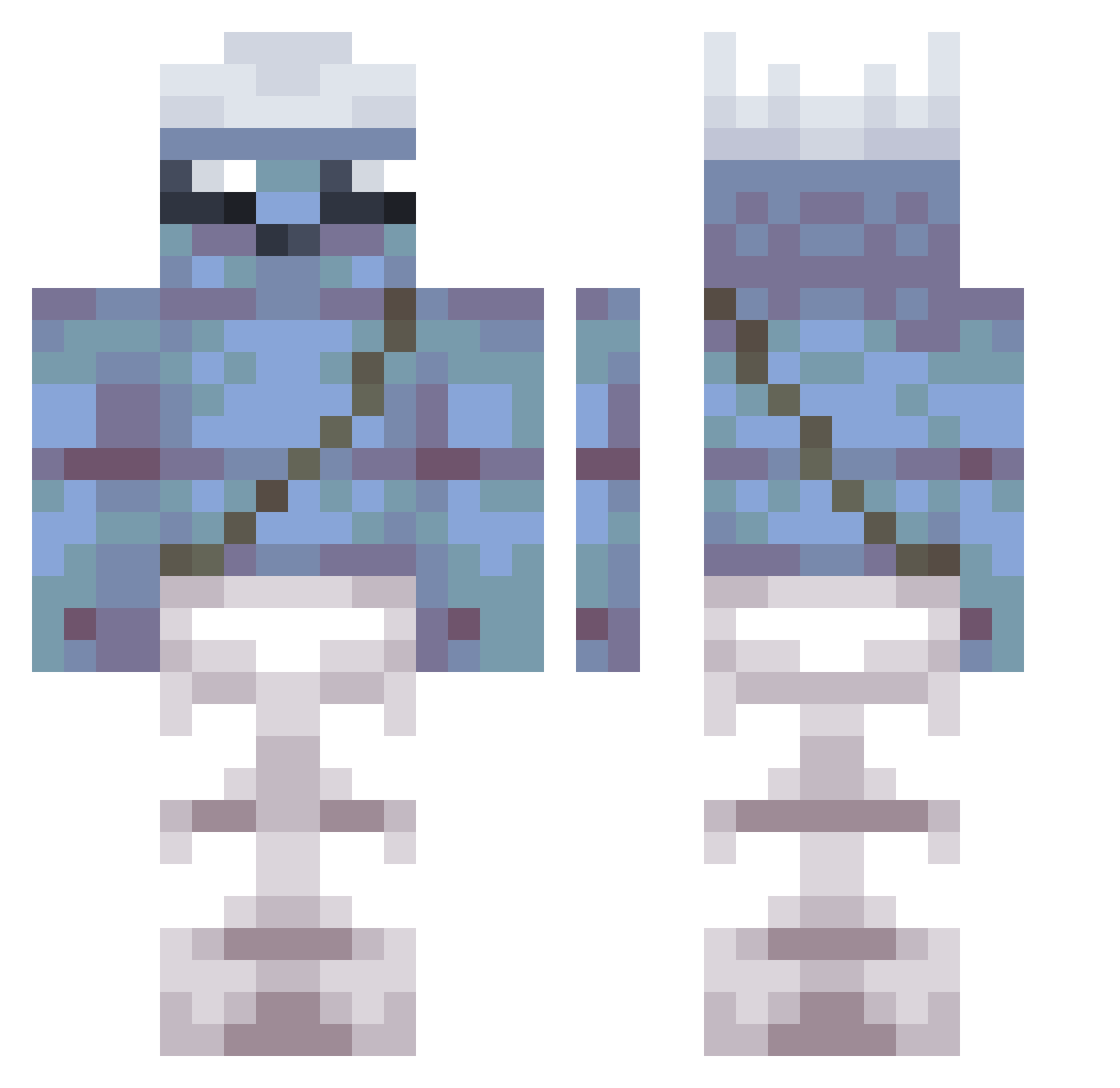
How to install the Ludanek007 skin
- Press the Download button above to save the skin as a PNG file.
- Minecraft: Bedrock Edition (PE): open the Dressing Room from the main menu (or tap your character → Edit Character), go to Classic Skins → Owned, press the + (new skin) button, choose the downloaded PNG and pick the Classic (Steve) model. Works on PC and mobile; consoles cannot import custom skins.
- Minecraft: Java Edition: open the Minecraft Launcher, go to the Skins tab, click New Skin, load the PNG, pick the Classic (Steve) model and press Save & Use. You can also upload it at minecraft.net → Profile → Change Skin.
The skin does not show up after import - what should I do?
Restart Minecraft and open the Dressing Room again - imported skins sometimes appear only after a restart. Also make sure you selected the imported skin and picked the Classic (Steve) model.
Which model should I choose, Classic or Slim?
This skin is designed for the Classic (Steve) model. If you pick the wrong model, the arms of the skin will look stretched or squeezed.
Is this skin free to use?
Yes. Press Download, save the PNG file and use it in Minecraft: Bedrock Edition or Java Edition - no payment or registration needed. The skin also works on multiplayer servers and Realms.
More Papa Smurf Minecraft skins
More skins
Looking for more? Go back to all Minecraft skins and check the top skins of the week, month and all time, or find any player's skin by nickname.