
hofferts2893 - Minecraft Skins & Skin History
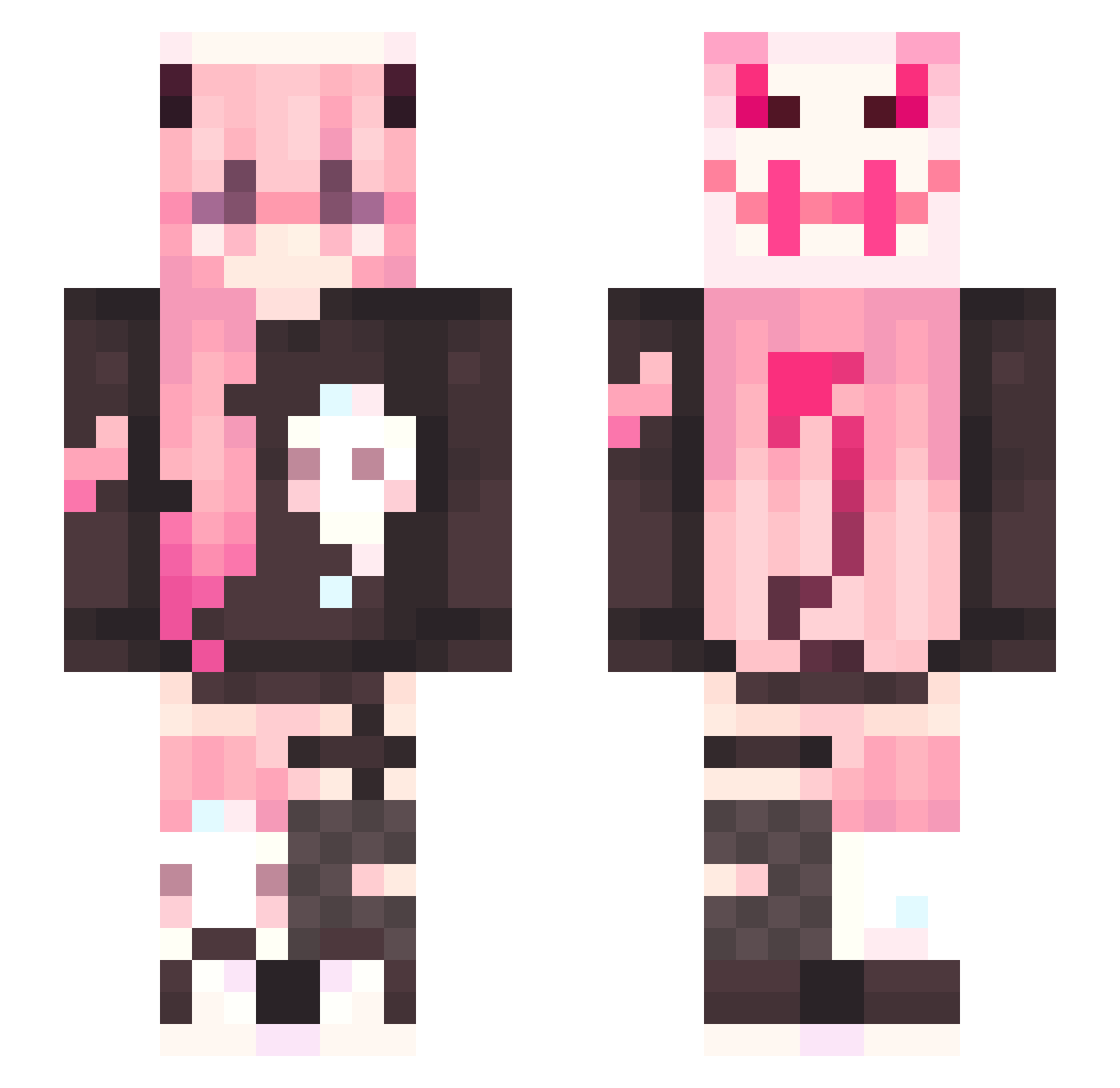
Current Minecraft skin of the player hofferts2893, loaded from the official Mojang API. Rotate the 3D model with your mouse or finger, then download the skin as a PNG file and use it in Minecraft: Bedrock Edition or Java Edition for free. When hofferts2893 changes their skin, this page updates automatically and the old skin stays in the history below.
Other players with this skin (322)
hofferts2893 was the 264th player we have seen with this skin, first spotted on 18.10.2026. The same skin was seen on these players. Open a nickname to see their current skin and skin history.
 Qerane keven_4869 typeryu sickasfrickbro Miyu0722 Hera14519080 FunkeeMonkee06 va1ks yIsolado_Chan mothman430 VastIcey Kitlynzee Sarada1993 DoodleBonkers duality009 Riukin Lionna676 Joker_poi233 LessDDang ZUISxi spookyrxne Zeussdragon IleinV sleep_Child nightwalker78 TibsieMC Park_D XiaoZhengJun Sisdoph EdwardNightmareF Sean_Means Leteya07 VapeUser_p1kachu amaminoe _Eiko tiamack MaryJane25 Hyunmuk_369 ShuttleButt DeadPigeon99 ZT_yeye Z34LOUS Ender_Vinyl sinly34 little_dots pwinkpwincess KozsYi Knsxn Arte77 chirlatto KimchiTacos Jack_Elizabeth peachbruiser Getro281 easyrenji R4ggiB4ggi FW_JB Mystikdreams EllaBean17 Astrid_11
More Demon Minecraft skins
How to install the hofferts2893 skin
- Press the Download button above to save the skin as a PNG file.
- Minecraft: Bedrock Edition (PE): open the Dressing Room from the main menu (or tap your character → Edit Character), go to Classic Skins → Owned, press the + (new skin) button, choose the downloaded PNG and pick the Slim (Alex) model. Works on PC and mobile; consoles cannot import custom skins.
- Minecraft: Java Edition: open the Minecraft Launcher, go to the Skins tab, click New Skin, load the PNG, pick the Slim (Alex) model and press Save & Use. You can also upload it at minecraft.net → Profile → Change Skin.
The skin does not show up after import - what should I do?
Restart Minecraft and open the Dressing Room again - imported skins sometimes appear only after a restart. Also make sure you selected the imported skin and picked the Slim (Alex) model.
Which model should I choose, Classic or Slim?
This skin is designed for the Slim (Alex) model. If you pick the wrong model, the arms of the skin will look stretched or squeezed.
Is the skin of hofferts2893 free to download?
Yes. Press Download, save the PNG file and use it in Minecraft: Bedrock Edition or Java Edition - no payment or registration needed. The skin also works on multiplayer servers and Realms.
More skins
Looking for more? Go back to all Minecraft skins and check the top skins of the week, month and all time, or find any player's skin by nickname.