
heulma - Minecraft Skins & Skin History
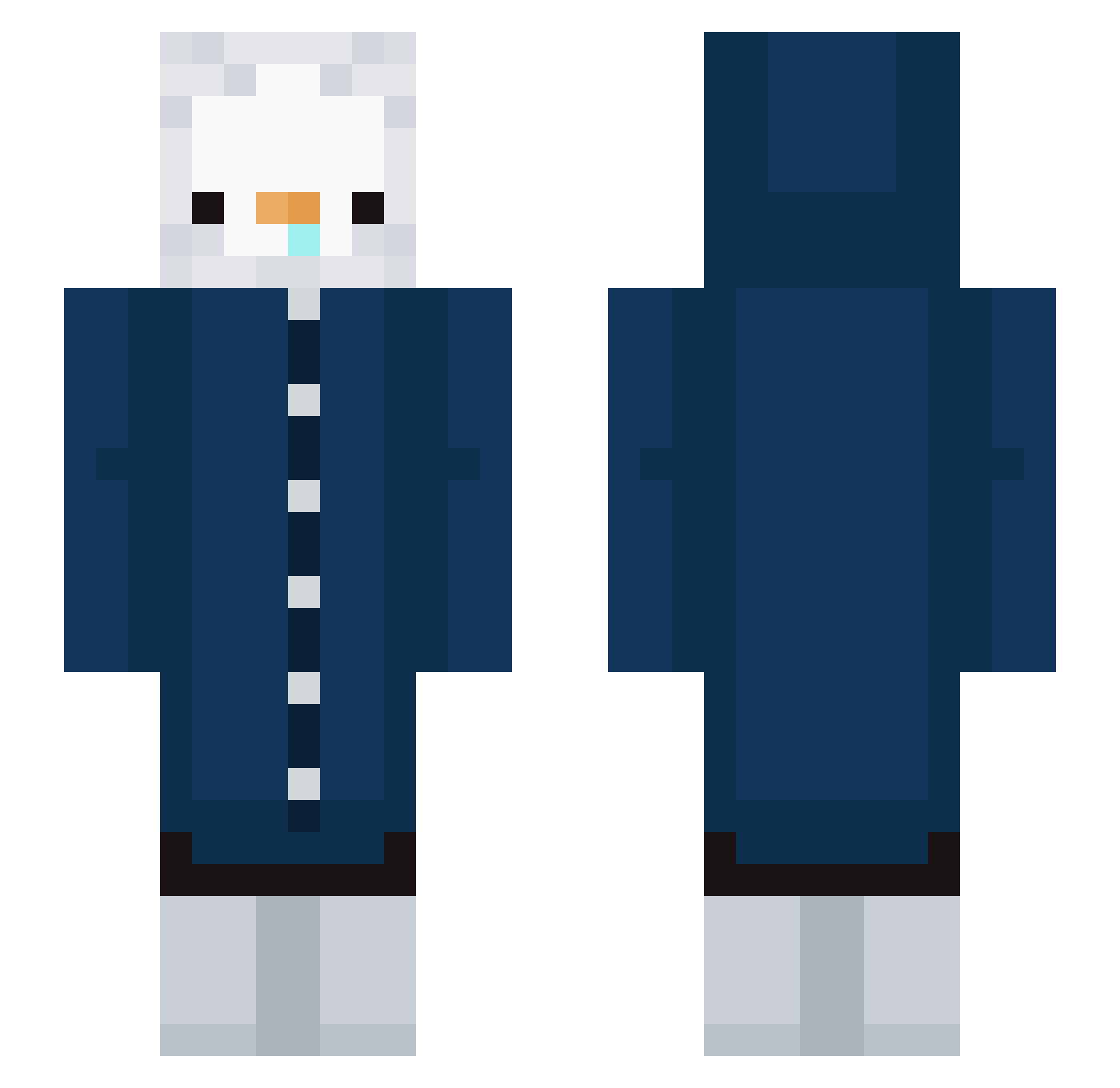
Current Minecraft skin of the player heulma, loaded from the official Mojang API. Rotate the 3D model with your mouse or finger, then download the skin as a PNG file and use it in Minecraft: Bedrock Edition or Java Edition for free. When heulma changes their skin, this page updates automatically and the old skin stays in the history below.
Other players with this skin (223)
heulma was the 60th player we have seen with this skin, first spotted on 16.08.2026. The same skin was seen on these players. Open a nickname to see their current skin and skin history.
 Feriminae Whenru tonyguo1999 Xenl__4 thechalupa cloudyIO gsgold elegant_minjeong robcan ItsPinguuu ddong__go Galiaxy MrDrago_ L_Lui shinny54 PVPland CHANGWOO Yoon_Suk_ Lycorisradiata6 YUJIN8282 SmallYe0816 13luePenguin Wontless Sky_Soul0827 75hye_1 laguu1010g Pandaouoo Cesarrortiz TorbaliGenclik aurora_0622 o_oohyo grimmjow420 shashamatok1 Virtualny Hapaeng NepTac_ Y_JY hwy95 tntnd crafty939
 Blackcat1115 ZEMZEMM Pedro261 Frutella112 MLG_CYBER Nidew QueenYull rlaalsxo0501 ilyaxxx21 jaekyungp jazzigrey PUFFICEK LiKsIr AdiosGUO LianCS RakitHC H4rupkun0226 willmac7 m1kaqn Black_Poni
More Duck Minecraft skins
How to install the heulma skin
- Press the Download button above to save the skin as a PNG file.
- Minecraft: Bedrock Edition (PE): open the Dressing Room from the main menu (or tap your character → Edit Character), go to Classic Skins → Owned, press the + (new skin) button, choose the downloaded PNG and pick the Slim (Alex) model. Works on PC and mobile; consoles cannot import custom skins.
- Minecraft: Java Edition: open the Minecraft Launcher, go to the Skins tab, click New Skin, load the PNG, pick the Slim (Alex) model and press Save & Use. You can also upload it at minecraft.net → Profile → Change Skin.
The skin does not show up after import - what should I do?
Restart Minecraft and open the Dressing Room again - imported skins sometimes appear only after a restart. Also make sure you selected the imported skin and picked the Slim (Alex) model.
Which model should I choose, Classic or Slim?
This skin is designed for the Slim (Alex) model. If you pick the wrong model, the arms of the skin will look stretched or squeezed.
Is the skin of heulma free to download?
Yes. Press Download, save the PNG file and use it in Minecraft: Bedrock Edition or Java Edition - no payment or registration needed. The skin also works on multiplayer servers and Realms.
More skins
Looking for more? Go back to all Minecraft skins and check the top skins of the week, month and all time, or find any player's skin by nickname.