
haschaflow - Minecraft Skins & Skin History
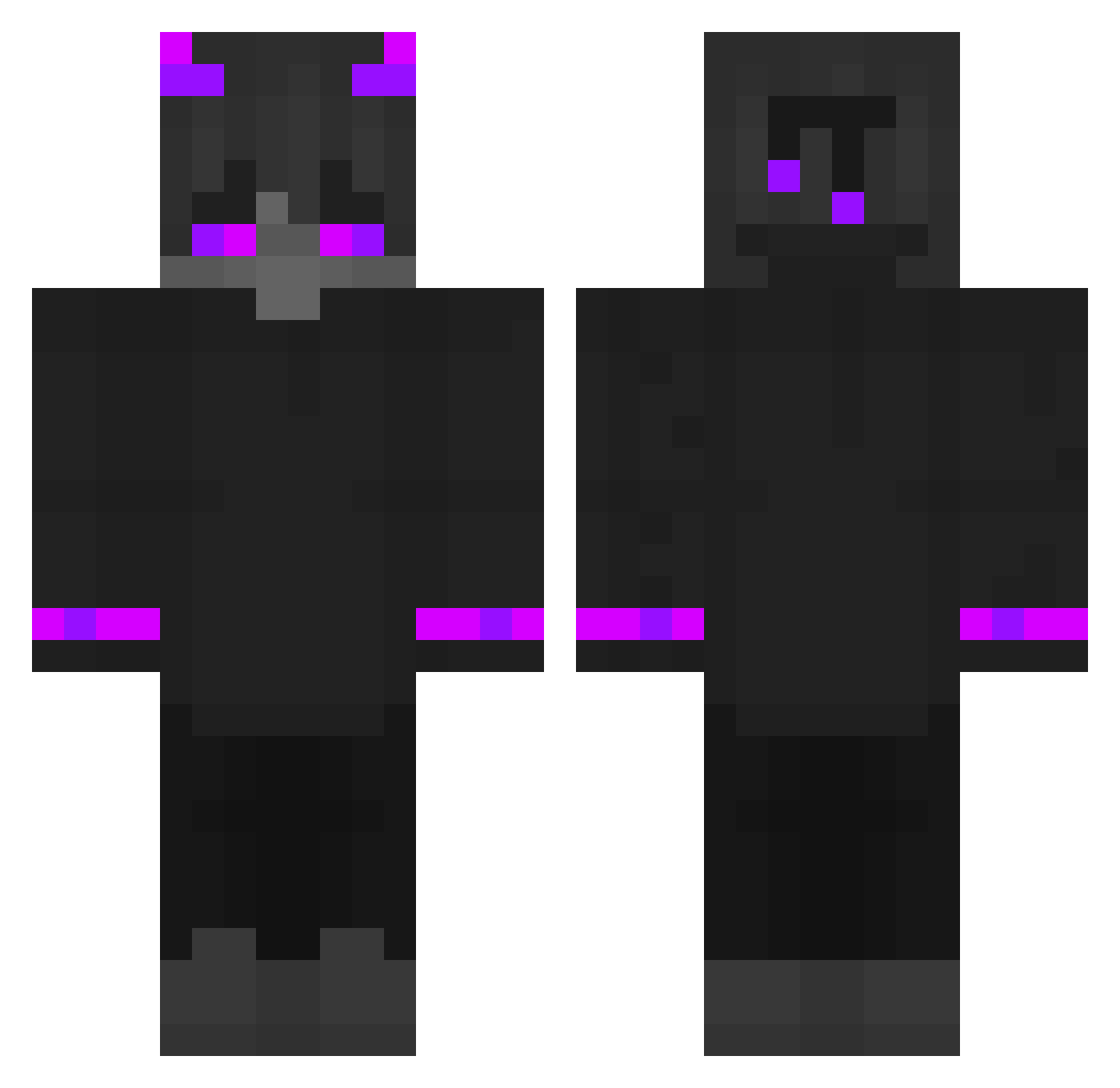
Current Minecraft skin of the player haschaflow, loaded from the official Mojang API. Rotate the 3D model with your mouse or finger, then download the skin as a PNG file and use it in Minecraft: Bedrock Edition or Java Edition for free. When haschaflow changes their skin, this page updates automatically and the old skin stays in the history below.
Other players with this skin (192)
haschaflow was the 54th player we have seen with this skin, first spotted on 31.08.2026. The same skin was seen on these players. Open a nickname to see their current skin and skin history.
 Extictor evnie_ Szczerbatek___ Seiiji TavarNash Wolff46 lorcanwalterz 777_XEO_777 mangwoo9 Dirolin15 TomasManuelk124 mlgpvpgod 9KLS PhyodorXS DFGx K_jak_Krzys Sage_Art _underscord Lubkins bababoui Omega_44 thorik666 Funt_Play ArkStxr SryImLazy pyy0302 Quick_Scope77 RorGlaider Chrachator CRAZYKL3R Selfishyy Ness154 Ent0c x2Sodiacxz gucci_kid17 yong1234 Jong_Bam lingdulingyun Silentwraith09 _shurp_ REMMY153 Horo_ru sn1pxs Qbxzzz Die1zigeLegende LoGamer_YTB vFxZ Santa3q vaster_top4ik kawachuu sergiomino _MVP_MastaFa Squibbllee Sayluxas Bankao8 Chester_TV ryanku0627 giov0 0FFICER NinjaSpid3r
More Demon Minecraft skins
How to install the haschaflow skin
- Press the Download button above to save the skin as a PNG file.
- Minecraft: Bedrock Edition (PE): open the Dressing Room from the main menu (or tap your character → Edit Character), go to Classic Skins → Owned, press the + (new skin) button, choose the downloaded PNG and pick the Classic (Steve) model. Works on PC and mobile; consoles cannot import custom skins.
- Minecraft: Java Edition: open the Minecraft Launcher, go to the Skins tab, click New Skin, load the PNG, pick the Classic (Steve) model and press Save & Use. You can also upload it at minecraft.net → Profile → Change Skin.
The skin does not show up after import - what should I do?
Restart Minecraft and open the Dressing Room again - imported skins sometimes appear only after a restart. Also make sure you selected the imported skin and picked the Classic (Steve) model.
Which model should I choose, Classic or Slim?
This skin is designed for the Classic (Steve) model. If you pick the wrong model, the arms of the skin will look stretched or squeezed.
Is the skin of haschaflow free to download?
Yes. Press Download, save the PNG file and use it in Minecraft: Bedrock Edition or Java Edition - no payment or registration needed. The skin also works on multiplayer servers and Realms.
More skins
Looking for more? Go back to all Minecraft skins and check the top skins of the week, month and all time, or find any player's skin by nickname.