
harceleur2sdf - Minecraft Skins & Skin History
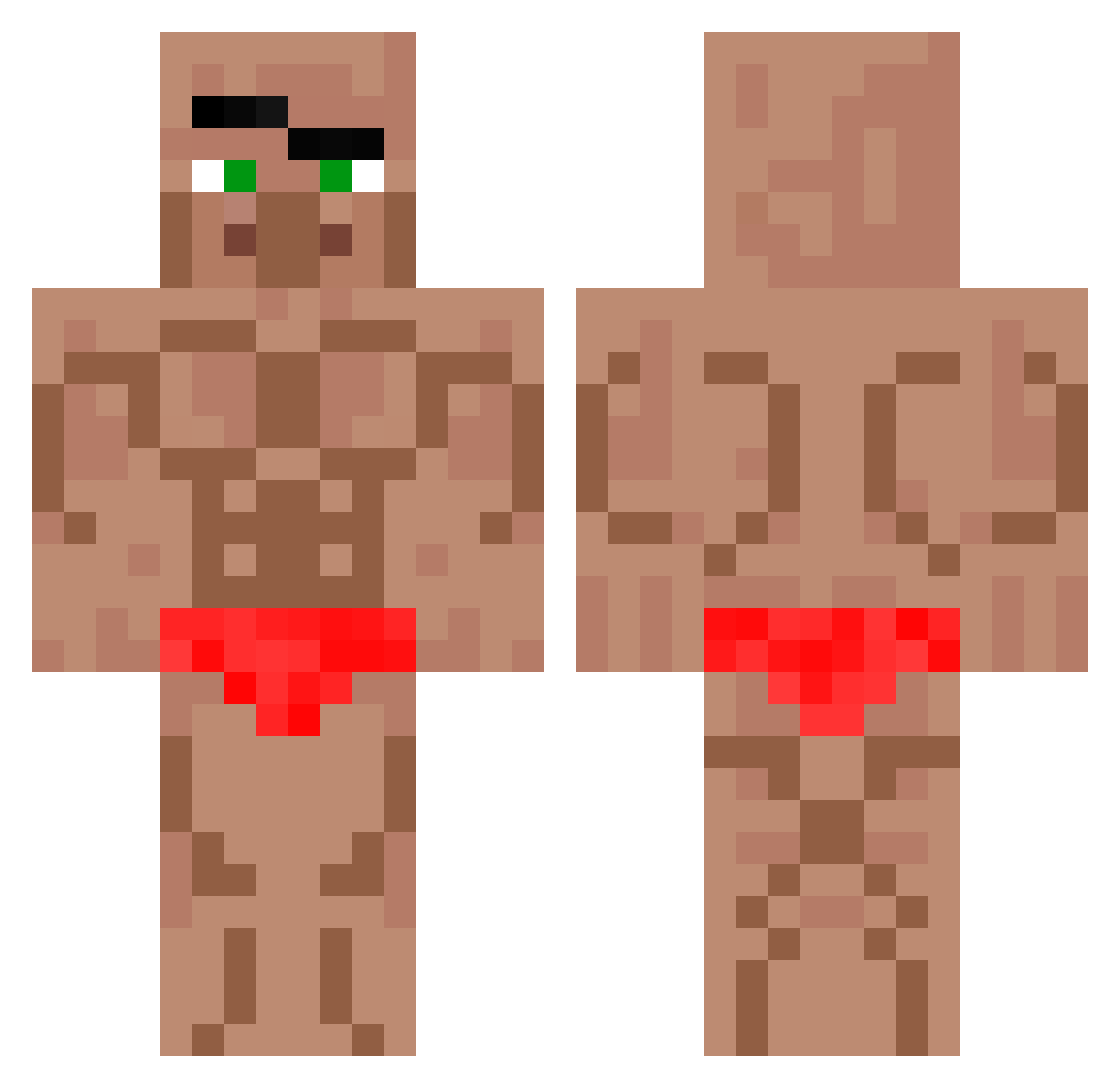
Current Minecraft skin of the player harceleur2sdf, loaded from the official Mojang API. Rotate the 3D model with your mouse or finger, then download the skin as a PNG file and use it in Minecraft: Bedrock Edition or Java Edition for free. When harceleur2sdf changes their skin, this page updates automatically and the old skin stays in the history below.
Other players with this skin (571)
harceleur2sdf was the 337th player we have seen with this skin, first spotted on 19.09.2026. The same skin was seen on these players. Open a nickname to see their current skin and skin history.
 Contraceptions SkinnyJeansNils EveMeredith hanweng1 PLM12_23 zdrawie Cookiedeluxe Michelue CrazyWendy Arctic_Freezer_ POTCC JaydenOnTour TheDucking4152 Model_Worker ExplQde_ Astry1up Bomburas JIMIN38532809 BigPoppaSerch XNSIS Jaciking mrchristhegreat ThyElite Raybbo0 prestigeman49 sugii__ Juanitollamss123 Giles2 Sjulek CocoNut006 _pala_2137 Manuchi00 JeremyAddict Ramsie_Hardman Gaaaman xzppp Aziz810 Priestro jamminkyu titikomalaki Ernest75 MTRv44 Lacoste_DenisXX robinholzi13 Maibank1 Heyloseboy nikorp Karlitos7774409 hang0029 GamerDUD2010 Agg3losss_ OIOIOOIIOIIO Yuruid JokerUnit89 ButteredWaffles3 frldayy samuellecool FappyKillmore Maxi5TV PxMandarinxP
More Buff Minecraft skins
How to install the harceleur2sdf skin
- Press the Download button above to save the skin as a PNG file.
- Minecraft: Bedrock Edition (PE): open the Dressing Room from the main menu (or tap your character → Edit Character), go to Classic Skins → Owned, press the + (new skin) button, choose the downloaded PNG and pick the Classic (Steve) model. Works on PC and mobile; consoles cannot import custom skins.
- Minecraft: Java Edition: open the Minecraft Launcher, go to the Skins tab, click New Skin, load the PNG, pick the Classic (Steve) model and press Save & Use. You can also upload it at minecraft.net → Profile → Change Skin.
The skin does not show up after import - what should I do?
Restart Minecraft and open the Dressing Room again - imported skins sometimes appear only after a restart. Also make sure you selected the imported skin and picked the Classic (Steve) model.
Which model should I choose, Classic or Slim?
This skin is designed for the Classic (Steve) model. If you pick the wrong model, the arms of the skin will look stretched or squeezed.
Is the skin of harceleur2sdf free to download?
Yes. Press Download, save the PNG file and use it in Minecraft: Bedrock Edition or Java Edition - no payment or registration needed. The skin also works on multiplayer servers and Realms.
More skins
Looking for more? Go back to all Minecraft skins and check the top skins of the week, month and all time, or find any player's skin by nickname.