
gijssie77 - Minecraft Skins & Skin History
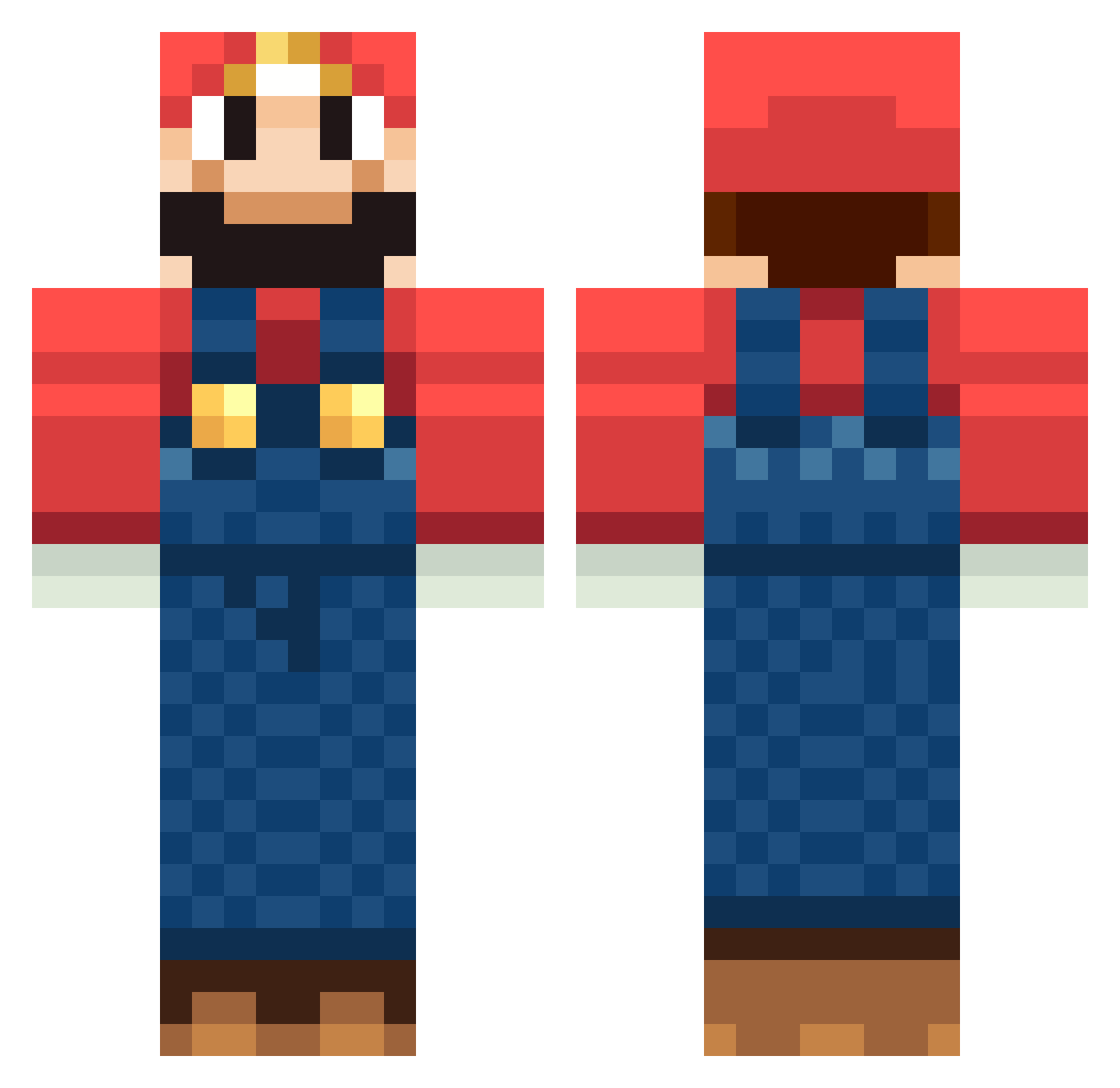
Current Minecraft skin of the player gijssie77, loaded from the official Mojang API. Rotate the 3D model with your mouse or finger, then download the skin as a PNG file and use it in Minecraft: Bedrock Edition or Java Edition for free. When gijssie77 changes their skin, this page updates automatically and the old skin stays in the history below.
Other players with this skin (1266)
gijssie77 was the 617th player we have seen with this skin, first spotted on 19.09.2026. The same skin was seen on these players. Open a nickname to see their current skin and skin history.
 victor_piessens abronco BrunoPettipas x3Addicts downderry01 battlescar34 CuJoWeezy THE_PURPLE_MAN AgentLachlanH iLoVeCHICKEN1234 Ljackh1604 ivo013 dabossinator dunstan669 danibiza KingOfTheCox Lehn87 Ditzel21 Vokthedwarf1 XLS202 Cherrypopper17 Ultra_Mario97 Heartbeat91 Ziaru italysfinest Supermario_1924 kolli99 crowe420 Cana_Connection cameron461 FuriousLuigi blacksuperman21 Mori_sh taba1997 ogAngle gam3tap ryoheti Nicolinux HenryTaylor ltdude2014 Hundekothaufen iArab gaiaglory JayBay1995 wiseminded jarlysands ProfessnlGriefer Churkennium Hathor86 STEALurFACE MrMoj0 KingMrHappy nilsmaan Killer_Squid Yomomma20 ericthegreat12 GoliardicaMente Sahbe baseball1231 vernereal
More Mario Minecraft skins
How to install the gijssie77 skin
- Press the Download button above to save the skin as a PNG file.
- Minecraft: Bedrock Edition (PE): open the Dressing Room from the main menu (or tap your character → Edit Character), go to Classic Skins → Owned, press the + (new skin) button, choose the downloaded PNG and pick the Classic (Steve) model. Works on PC and mobile; consoles cannot import custom skins.
- Minecraft: Java Edition: open the Minecraft Launcher, go to the Skins tab, click New Skin, load the PNG, pick the Classic (Steve) model and press Save & Use. You can also upload it at minecraft.net → Profile → Change Skin.
The skin does not show up after import - what should I do?
Restart Minecraft and open the Dressing Room again - imported skins sometimes appear only after a restart. Also make sure you selected the imported skin and picked the Classic (Steve) model.
Which model should I choose, Classic or Slim?
This skin is designed for the Classic (Steve) model. If you pick the wrong model, the arms of the skin will look stretched or squeezed.
Is the skin of gijssie77 free to download?
Yes. Press Download, save the PNG file and use it in Minecraft: Bedrock Edition or Java Edition - no payment or registration needed. The skin also works on multiplayer servers and Realms.
More skins
Looking for more? Go back to all Minecraft skins and check the top skins of the week, month and all time, or find any player's skin by nickname.