
gabigul - Minecraft Skins & Skin History
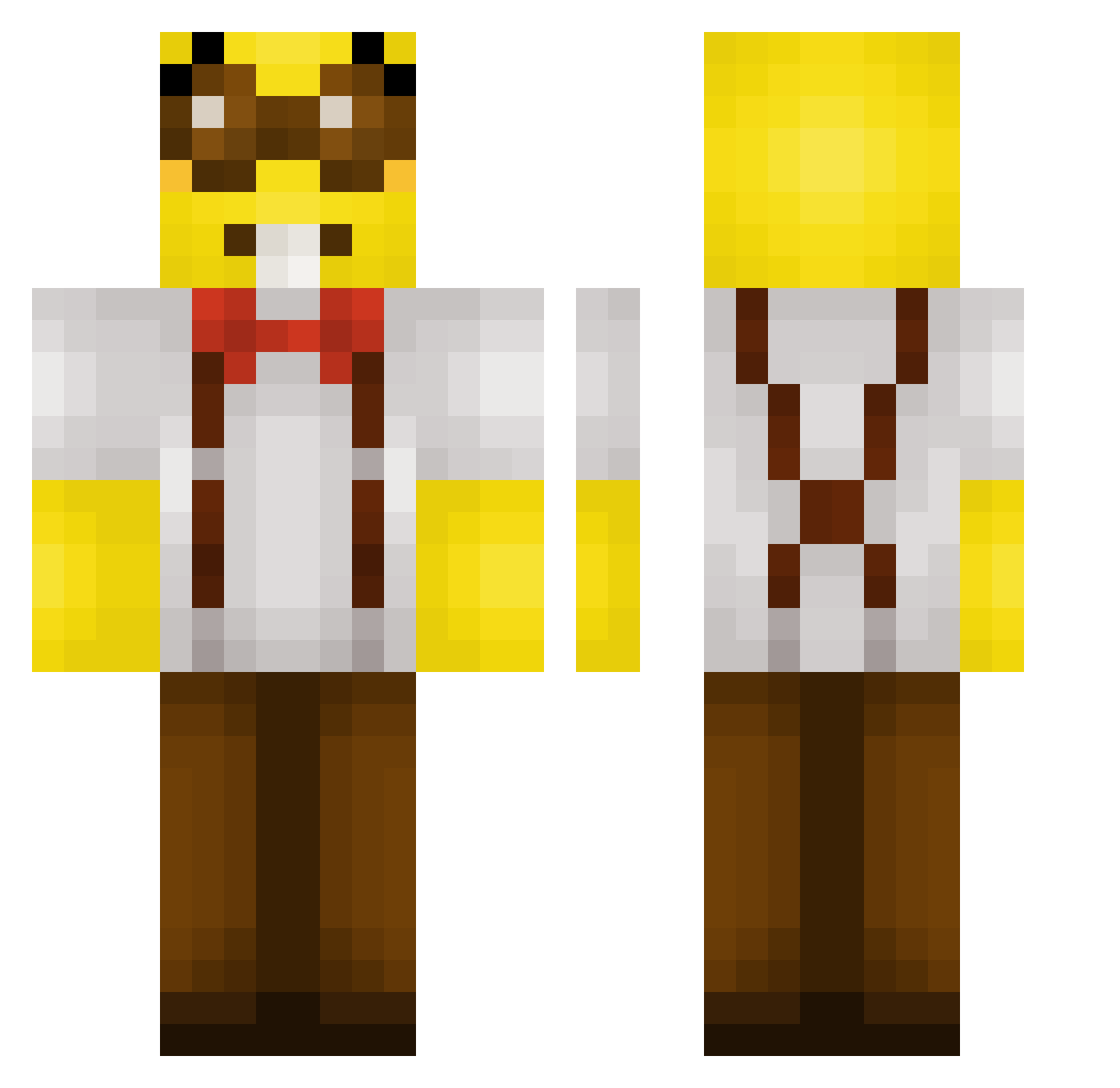
Current Minecraft skin of the player gabigul, loaded from the official Mojang API. Rotate the 3D model with your mouse or finger, then download the skin as a PNG file and use it in Minecraft: Bedrock Edition or Java Edition for free. When gabigul changes their skin, this page updates automatically and the old skin stays in the history below.
Other players with this skin (64)
gabigul was the 42nd player we have seen with this skin, first spotted on 19.09.2026. The same skin was seen on these players. Open a nickname to see their current skin and skin history.
 SimplyRacc KayGetto Popsimon23 Alcxholism jaxpapi rheekid2211 FIVE___5 WormlikeMike garlikHamster mixapotion gvatte2 Rhyzdo SebbimxnYT Elijahrools CI5V SillyYapper MVCHMXYO MilesMan68 PonyLover230 Meliterf AngryChapStick OrlandoZadel Vetle7 Darekius BlackGreenFox shonsopretty lizzle2560 Jaylen766 Plinkoballz Seal618 V_OR Jaydeszs abavix viking7797 Lonkkuu Mat_112 Cavahn4923 AttiHatti2 curlybrando Faierstein Marlonher2000 ABDU36EF cafezimn mvpgod honneyberry Golbola92 somerandomguy994 diegoesniper Ember2208 LouGHG ricemuncher1738 wave48 Way2Sloow decembers_ THREISNOGODHERE Sean_Irish SerafimCh Toastedstix samisurdad_mc 77mortician
More Minion Minecraft skins
How to install the gabigul skin
- Press the Download button above to save the skin as a PNG file.
- Minecraft: Bedrock Edition (PE): open the Dressing Room from the main menu (or tap your character → Edit Character), go to Classic Skins → Owned, press the + (new skin) button, choose the downloaded PNG and pick the Classic (Steve) model. Works on PC and mobile; consoles cannot import custom skins.
- Minecraft: Java Edition: open the Minecraft Launcher, go to the Skins tab, click New Skin, load the PNG, pick the Classic (Steve) model and press Save & Use. You can also upload it at minecraft.net → Profile → Change Skin.
The skin does not show up after import - what should I do?
Restart Minecraft and open the Dressing Room again - imported skins sometimes appear only after a restart. Also make sure you selected the imported skin and picked the Classic (Steve) model.
Which model should I choose, Classic or Slim?
This skin is designed for the Classic (Steve) model. If you pick the wrong model, the arms of the skin will look stretched or squeezed.
Is the skin of gabigul free to download?
Yes. Press Download, save the PNG file and use it in Minecraft: Bedrock Edition or Java Edition - no payment or registration needed. The skin also works on multiplayer servers and Realms.
More skins
Looking for more? Go back to all Minecraft skins and check the top skins of the week, month and all time, or find any player's skin by nickname.