
fernandoj - Minecraft Skins & Skin History
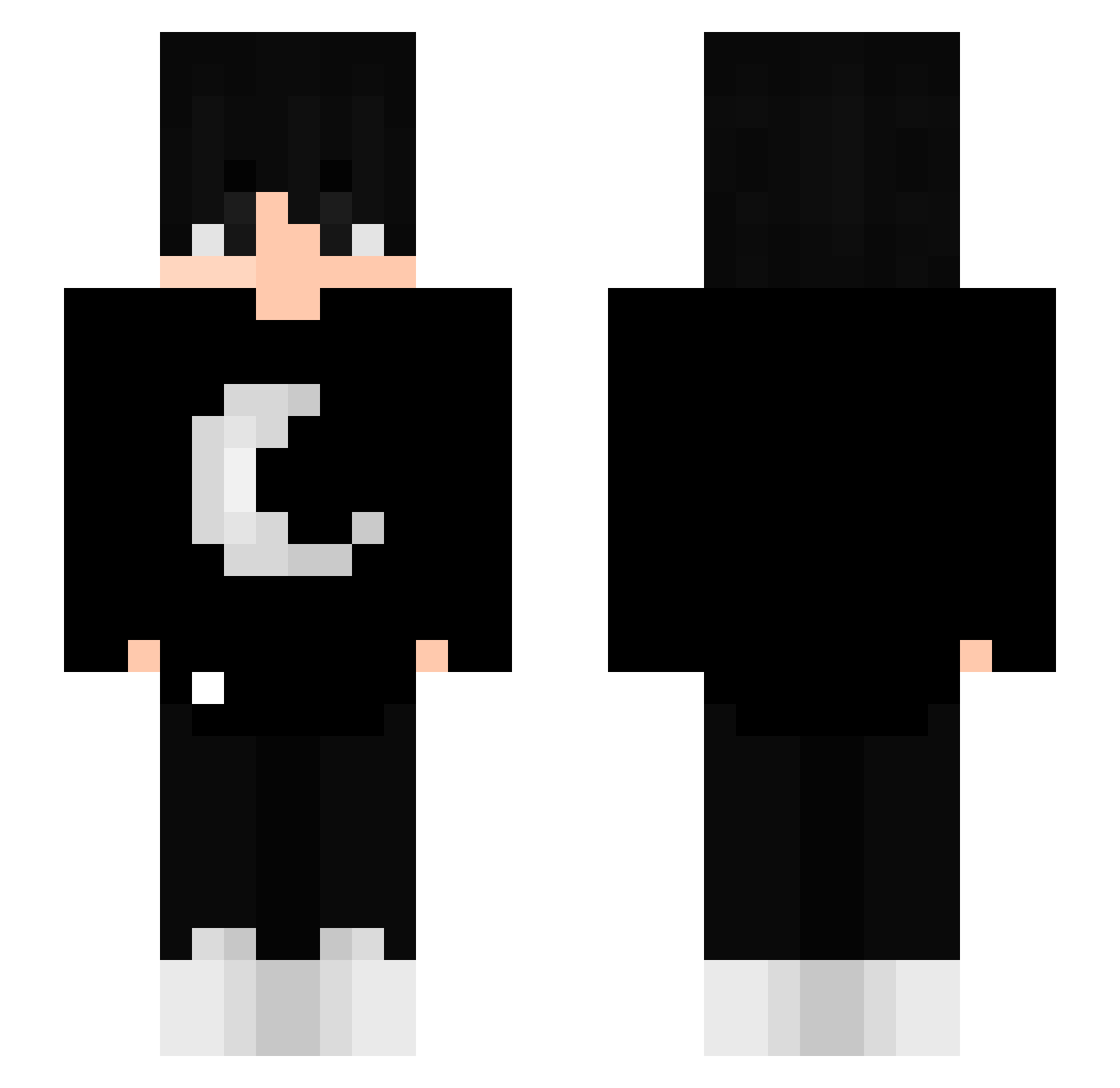
Current Minecraft skin of the player fernandoj, loaded from the official Mojang API. Rotate the 3D model with your mouse or finger, then download the skin as a PNG file and use it in Minecraft: Bedrock Edition or Java Edition for free. When fernandoj changes their skin, this page updates automatically and the old skin stays in the history below.
Other players with this skin (261)
fernandoj was the 138th player we have seen with this skin, first spotted on 23.09.2026. The same skin was seen on these players. Open a nickname to see their current skin and skin history.
 MonsterDeLimon Marshmlo_dori madara236 iPaiiiNx3 jaozika_ ixoriy Legends_Will Arascaeta ItsNike_ hmj0607 BeyondSilentZ MigiLeVrai Sanek_Dizofik Fernn ASGGOM tokiske Fildas_10 EvilDread jerm98 IIharryII pA0Ll abrw TeoTomi06 l1ttl3_hunt3r Fernando27 _Uwe187_ Shiinxsz WhiteWizurd MiguelPvPgamer Logzc rockingross 1nonly997 Demilitarization mxnite SeungHwanCheong iFeltz Elix_0619 Imsofa_xD kroganlord sleepygroves Zyfhon ap1xx jaycreepa PuchYep Nerf_Mazen nran Rabotox zPopi gabquatro l3onX BlazeXYajat PartyHans Scholars Abdullah0260 KiKuRu_0618 jojosiwaGaming LeeSinV Jakubos88 Itz_Stfan russianrugrat
More Goth Minecraft skins
How to install the fernandoj skin
- Press the Download button above to save the skin as a PNG file.
- Minecraft: Bedrock Edition (PE): open the Dressing Room from the main menu (or tap your character → Edit Character), go to Classic Skins → Owned, press the + (new skin) button, choose the downloaded PNG and pick the Slim (Alex) model. Works on PC and mobile; consoles cannot import custom skins.
- Minecraft: Java Edition: open the Minecraft Launcher, go to the Skins tab, click New Skin, load the PNG, pick the Slim (Alex) model and press Save & Use. You can also upload it at minecraft.net → Profile → Change Skin.
The skin does not show up after import - what should I do?
Restart Minecraft and open the Dressing Room again - imported skins sometimes appear only after a restart. Also make sure you selected the imported skin and picked the Slim (Alex) model.
Which model should I choose, Classic or Slim?
This skin is designed for the Slim (Alex) model. If you pick the wrong model, the arms of the skin will look stretched or squeezed.
Is the skin of fernandoj free to download?
Yes. Press Download, save the PNG file and use it in Minecraft: Bedrock Edition or Java Edition - no payment or registration needed. The skin also works on multiplayer servers and Realms.
More skins
Looking for more? Go back to all Minecraft skins and check the top skins of the week, month and all time, or find any player's skin by nickname.