
enigmaguy7 - Minecraft Skins & Skin History
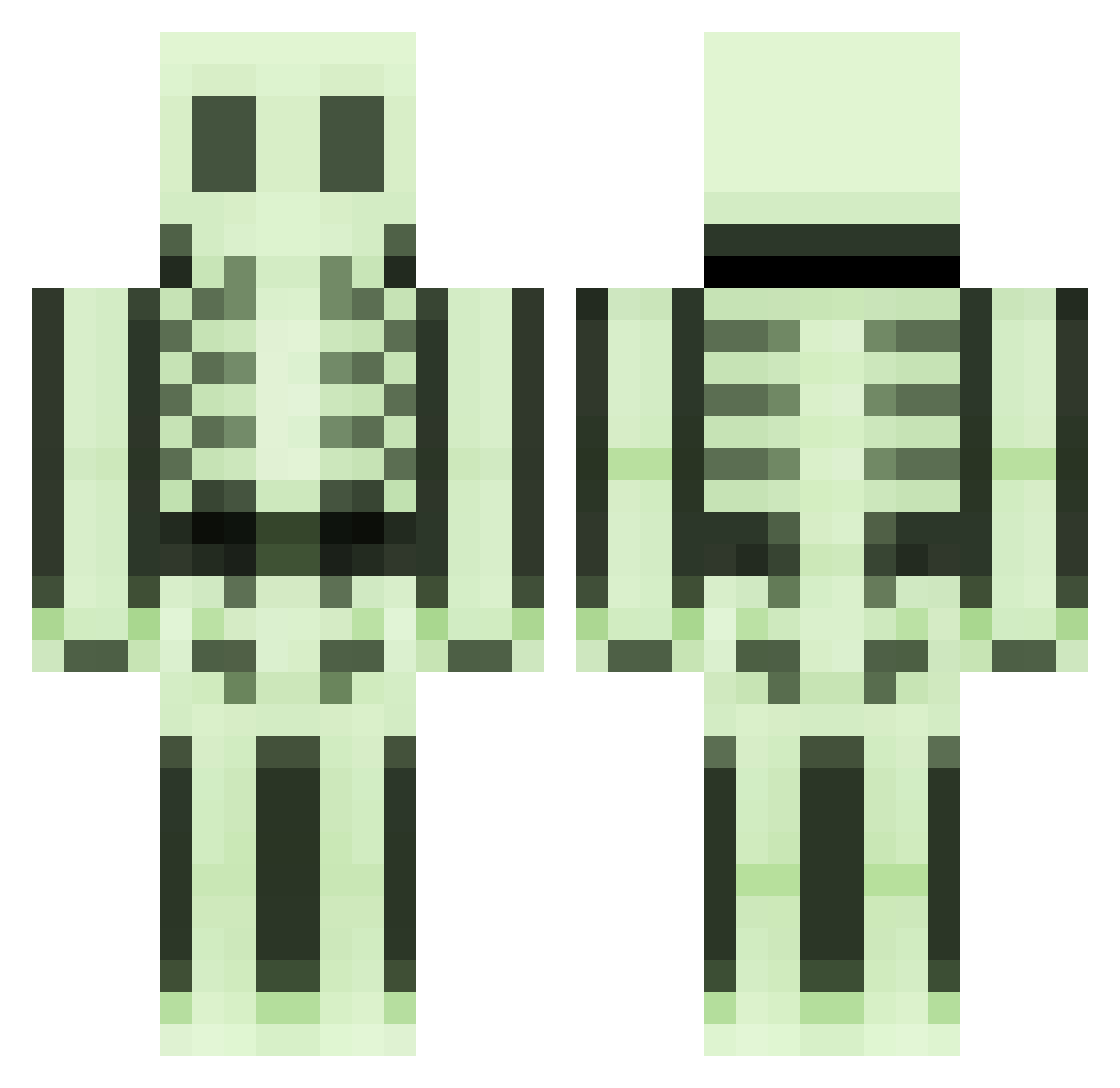
Current Minecraft skin of the player enigmaguy7, loaded from the official Mojang API. Rotate the 3D model with your mouse or finger, then download the skin as a PNG file and use it in Minecraft: Bedrock Edition or Java Edition for free. When enigmaguy7 changes their skin, this page updates automatically and the old skin stays in the history below.
Other players with this skin (496)
enigmaguy7 was the 244th player we have seen with this skin, first spotted on 21.09.2026. The same skin was seen on these players. Open a nickname to see their current skin and skin history.
 1332961913 ILDDRAGEN Koseon Bendy_bob Jaraguan scooter_2 Gummihund MacCreeping Pandasaurus001 violentshadows ivarsc helfley GrimWeaper kokiloten diskasting dudinsky62110 Nordwacht Unbegabt83 Fieldki thebearkid mikeczcom princejk64 Drop_Dead9 MinMinlight401 laller4b MAXILEPGM TommyHatemonger JoNation josephday206 Cronos21 Coralshark11 ephrog Keuponk nightreaper187 Ptitale minecraftninja05 BunnyDIGIT flumble01 _mats1234_ iTom13011 Thewhistlerr zzzobel HTRM2002 rivanum Devilliz83 Deepdesert SirAlli GummyBearBear dragunov144 cskull96 firemblem MostDeaf lucmac7803 zappozappo98 tontur PremixedBones r3nn1b SweeneyTodd555 Mr_Peanut_ anders479
More Skeleton Minecraft skins
How to install the enigmaguy7 skin
- Press the Download button above to save the skin as a PNG file.
- Minecraft: Bedrock Edition (PE): open the Dressing Room from the main menu (or tap your character → Edit Character), go to Classic Skins → Owned, press the + (new skin) button, choose the downloaded PNG and pick the Classic (Steve) model. Works on PC and mobile; consoles cannot import custom skins.
- Minecraft: Java Edition: open the Minecraft Launcher, go to the Skins tab, click New Skin, load the PNG, pick the Classic (Steve) model and press Save & Use. You can also upload it at minecraft.net → Profile → Change Skin.
The skin does not show up after import - what should I do?
Restart Minecraft and open the Dressing Room again - imported skins sometimes appear only after a restart. Also make sure you selected the imported skin and picked the Classic (Steve) model.
Which model should I choose, Classic or Slim?
This skin is designed for the Classic (Steve) model. If you pick the wrong model, the arms of the skin will look stretched or squeezed.
Is the skin of enigmaguy7 free to download?
Yes. Press Download, save the PNG file and use it in Minecraft: Bedrock Edition or Java Edition - no payment or registration needed. The skin also works on multiplayer servers and Realms.
More skins
Looking for more? Go back to all Minecraft skins and check the top skins of the week, month and all time, or find any player's skin by nickname.