
 sudhirthelegend Minnz Mescolatino evettja90 CHAOS1102 bawlplayer LeaderCorbett Fint skulldigger86 Mads0093 truckr2581 Hockeyfan55 seenyou AshtonKouzan thekilleure joshai1990 StanTheHuman cherezz Piratsmeden BrownSpider1986 Wafflebunny_13 Tradast SquagWagon randeloj xxxfrany69xxx svgnnblnc rodrigolorencin roomonthebroom evol_kobk Mephistoxv nightmare1306 Mikk Nopo622 intrigorap daVale rort55 tntcrew Tommasino2002 Memomind MC_PVP_OP DARKEDEVIL74 Reign932 bluesskys FacelessFace41 ElFamosoClmt minecarlz Alkis908 timtimll myles1988 Fallenangel7707 iLapp umadfc210 ZaFuLiO skellytones rtlr billybob13579 SkepticalTurtles Toomie88 cadicius 702scout
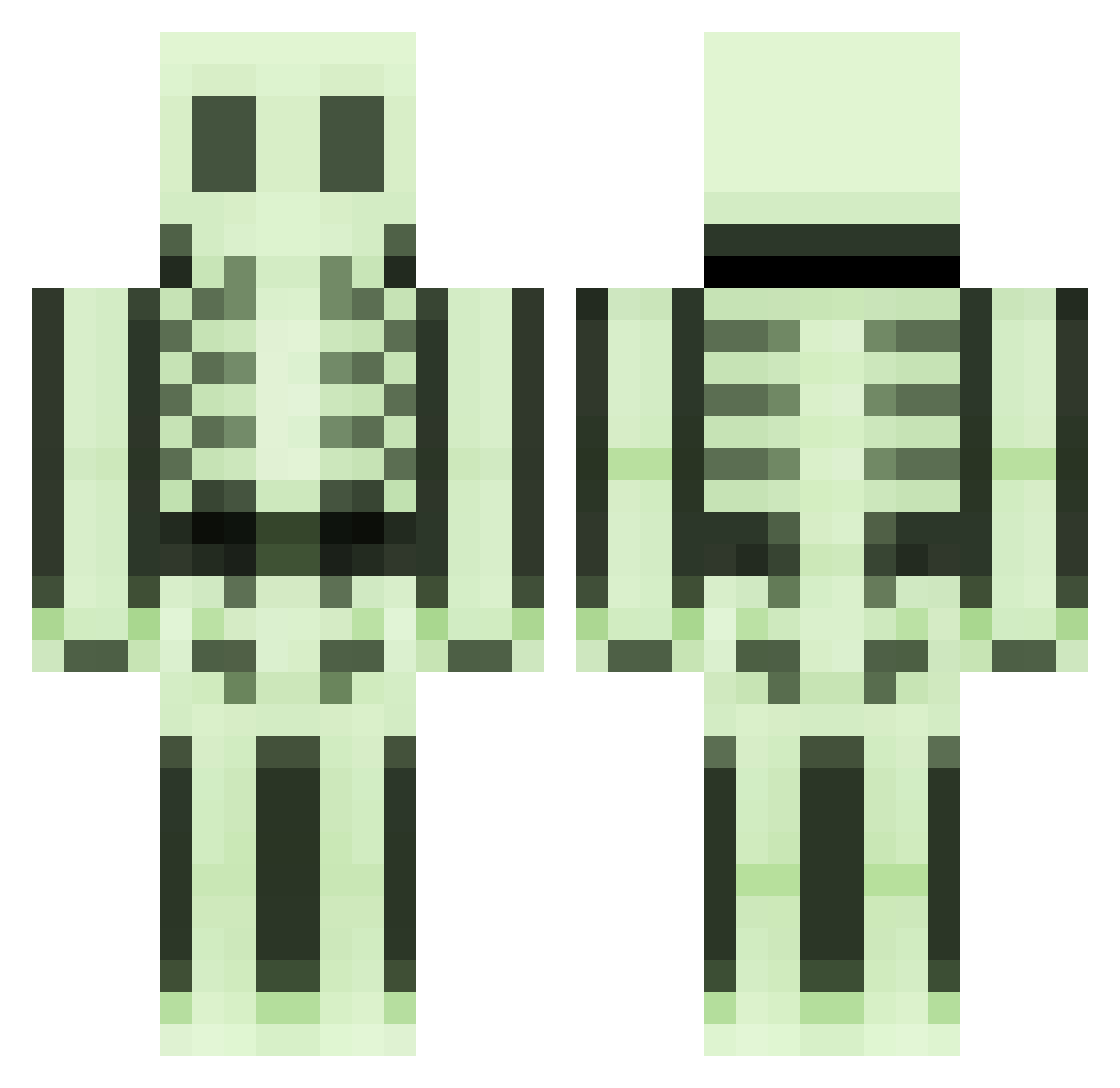
Minecraft skin of Mr_Blackthorne. Rotate the 3D model with your mouse or finger to view the skin from every angle, then download it as a PNG file and use it in Minecraft: Bedrock Edition or Java Edition for free. Rate the skin with stars to help other players find the best skins in our collection.
How to install the Mr_Blackthorne skin
- Press the Download button above to save the skin as a PNG file.
- Minecraft: Bedrock Edition (PE): open the Dressing Room from the main menu (or tap your character → Edit Character), go to Classic Skins → Owned, press the + (new skin) button, choose the downloaded PNG and pick the Classic (Steve) model. Works on PC and mobile; consoles cannot import custom skins.
- Minecraft: Java Edition: open the Minecraft Launcher, go to the Skins tab, click New Skin, load the PNG, pick the Classic (Steve) model and press Save & Use. You can also upload it at minecraft.net → Profile → Change Skin.
The skin does not show up after import - what should I do?
Restart Minecraft and open the Dressing Room again - imported skins sometimes appear only after a restart. Also make sure you selected the imported skin and picked the Classic (Steve) model.
Which model should I choose, Classic or Slim?
This skin is designed for the Classic (Steve) model. If you pick the wrong model, the arms of the skin will look stretched or squeezed.
Is this skin free to use?
Yes. Press Download, save the PNG file and use it in Minecraft: Bedrock Edition or Java Edition - no payment or registration needed. The skin also works on multiplayer servers and Realms.
More Skeleton Minecraft skins
More skins
Looking for more? Go back to all Minecraft skins and check the top skins of the week, month and all time, or find any player's skin by nickname.