
elitefighter04 - Minecraft Skins & Skin History
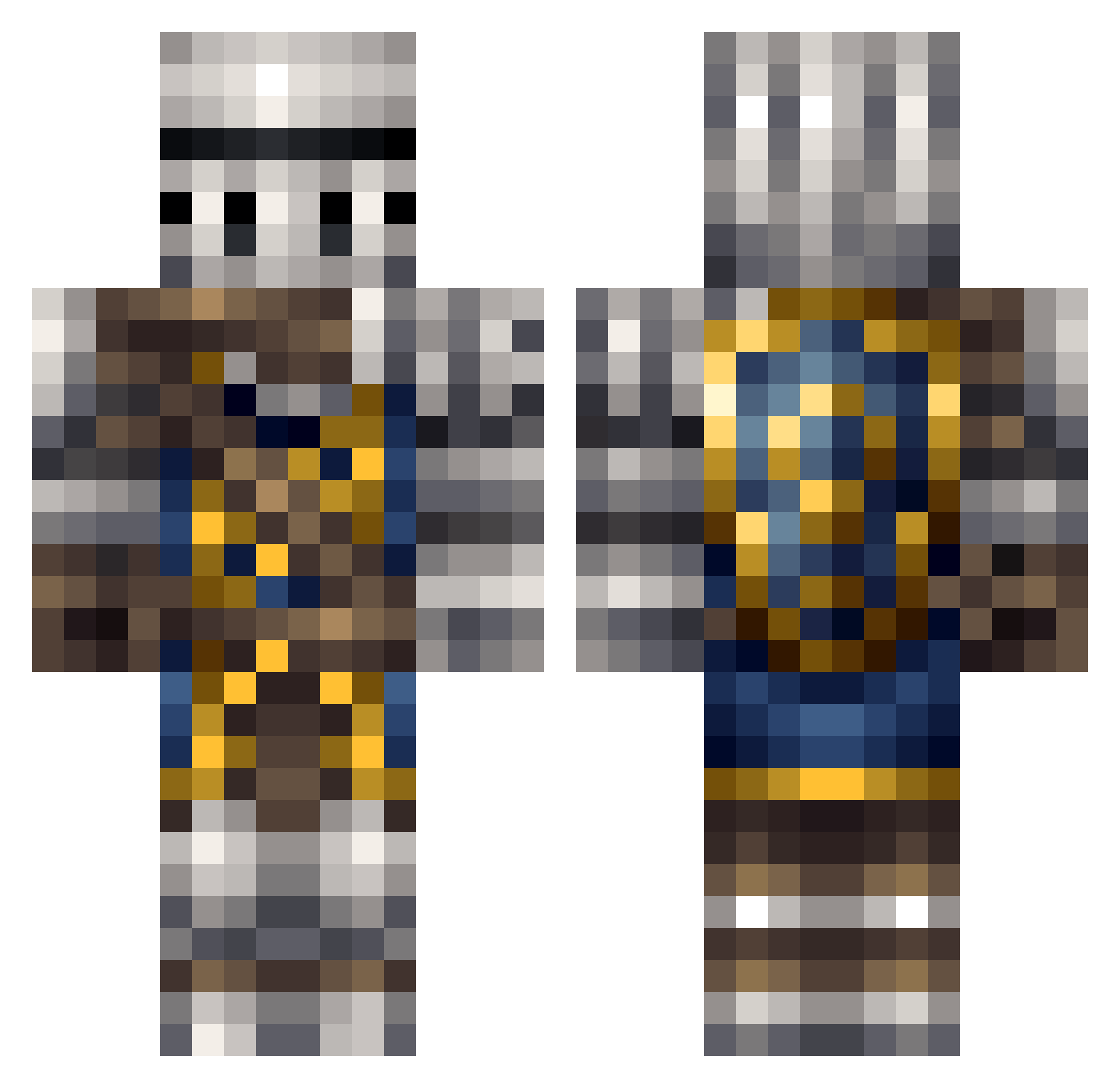
Current Minecraft skin of the player elitefighter04, loaded from the official Mojang API. Rotate the 3D model with your mouse or finger, then download the skin as a PNG file and use it in Minecraft: Bedrock Edition or Java Edition for free. When elitefighter04 changes their skin, this page updates automatically and the old skin stays in the history below.
Other players with this skin (210)
elitefighter04 was the 63rd player we have seen with this skin, first spotted on 29.08.2026. The same skin was seen on these players. Open a nickname to see their current skin and skin history.
 ninjafish909 qevlhma Melitics daniqo Thunderproof Markwell Jupemus AlwaysFadedHD Daiyouko Pyrothemew Braydn778 AyeWhatever Evir Hyaku7 TheDragynovich CloudZero58 Unifm ninthbelief Idealise Drean93 Enragedmustard taizan8192 Maka_Nani _iWood_ jdc2698 RustySandusky LoneComplex Necronicon The_Sheep7 MaKraken13 Drawsmepants Beanpot mogura07 cagedelephant DarthGrundle Tackts TheBestIdiot Nugh_the_Thug Joshpb51 Diplomacy Eketsei Danny5o ILstMyPc lotsofcats Soviet_Shiba mrbazooka12345 kraftingking Dragonheat53 lucbot Ice_cake Scatman22 TheLegendSword xKeyZx TaMarchewka Procrasto Obsydiann xzoons Hecktiic bribribribri ninjadolphin108
More Shield Minecraft skins
How to install the elitefighter04 skin
- Press the Download button above to save the skin as a PNG file.
- Minecraft: Bedrock Edition (PE): open the Dressing Room from the main menu (or tap your character → Edit Character), go to Classic Skins → Owned, press the + (new skin) button, choose the downloaded PNG and pick the Classic (Steve) model. Works on PC and mobile; consoles cannot import custom skins.
- Minecraft: Java Edition: open the Minecraft Launcher, go to the Skins tab, click New Skin, load the PNG, pick the Classic (Steve) model and press Save & Use. You can also upload it at minecraft.net → Profile → Change Skin.
The skin does not show up after import - what should I do?
Restart Minecraft and open the Dressing Room again - imported skins sometimes appear only after a restart. Also make sure you selected the imported skin and picked the Classic (Steve) model.
Which model should I choose, Classic or Slim?
This skin is designed for the Classic (Steve) model. If you pick the wrong model, the arms of the skin will look stretched or squeezed.
Is the skin of elitefighter04 free to download?
Yes. Press Download, save the PNG file and use it in Minecraft: Bedrock Edition or Java Edition - no payment or registration needed. The skin also works on multiplayer servers and Realms.
More skins
Looking for more? Go back to all Minecraft skins and check the top skins of the week, month and all time, or find any player's skin by nickname.