
dxpr56 - Minecraft Skins & Skin History
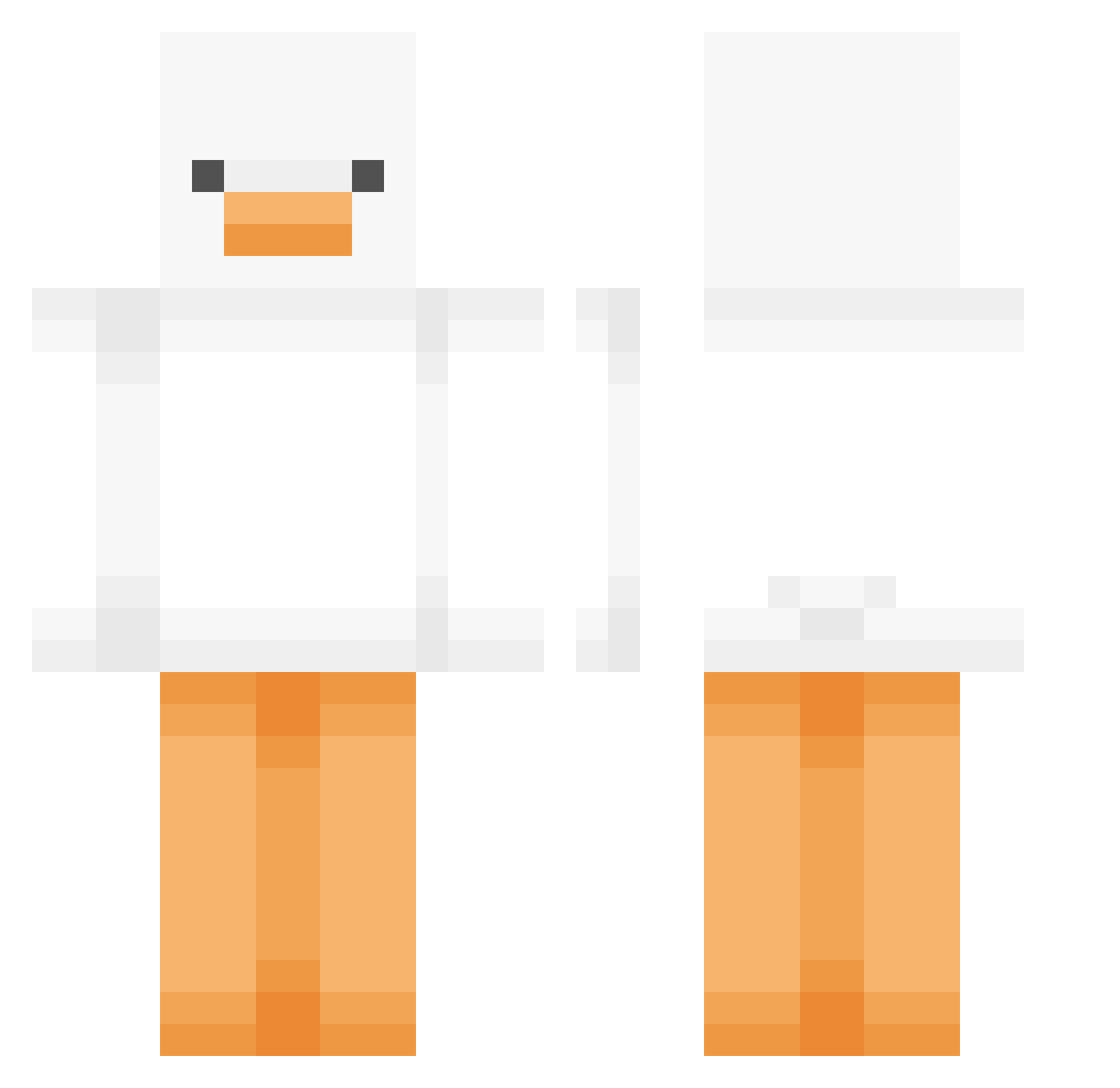
Current Minecraft skin of the player dxpr56, loaded from the official Mojang API. Rotate the 3D model with your mouse or finger, then download the skin as a PNG file and use it in Minecraft: Bedrock Edition or Java Edition for free. When dxpr56 changes their skin, this page updates automatically and the old skin stays in the history below.
Other players with this skin (449)
dxpr56 was the 143rd player we have seen with this skin, first spotted on 22.08.2026. The same skin was seen on these players. Open a nickname to see their current skin and skin history.
 suncheondongguk rebichuu the_unkown709 Chicken9771 90won dimolein nejo51 Mycri69 Mikan1209 jiongbr goncalogamer2022 Noi31 CYDW_L G_yu03 kewinn1 GogJan Ki5c awainz 2jin_ Uber25 GhostFace047
 fleshy0 M3LCOKE yomothermygf honkistador NebularAsteroid Yuuunnn skyji59 woomi Riolose Bubbles25233 parksein1119 Mincy286 Barbby kkw2375 milo_dinosaurr Sir3n6483 Funnerving ArashiChan NotOldFrog barm8714 hayan00 purupupi GrimmReaper00 JJingJu JESSSUSS Momothicc meddieee Reiame1111 Dokiisan Jeon_so iRamal mumalng_e sillygoose1906 Dione14 rizzycat23 ThatRando22 ProduktMoewe863 koofinni TheMustangDevYT
More Duck Minecraft skins
How to install the dxpr56 skin
- Press the Download button above to save the skin as a PNG file.
- Minecraft: Bedrock Edition (PE): open the Dressing Room from the main menu (or tap your character → Edit Character), go to Classic Skins → Owned, press the + (new skin) button, choose the downloaded PNG and pick the Classic (Steve) model. Works on PC and mobile; consoles cannot import custom skins.
- Minecraft: Java Edition: open the Minecraft Launcher, go to the Skins tab, click New Skin, load the PNG, pick the Classic (Steve) model and press Save & Use. You can also upload it at minecraft.net → Profile → Change Skin.
The skin does not show up after import - what should I do?
Restart Minecraft and open the Dressing Room again - imported skins sometimes appear only after a restart. Also make sure you selected the imported skin and picked the Classic (Steve) model.
Which model should I choose, Classic or Slim?
This skin is designed for the Classic (Steve) model. If you pick the wrong model, the arms of the skin will look stretched or squeezed.
Is the skin of dxpr56 free to download?
Yes. Press Download, save the PNG file and use it in Minecraft: Bedrock Edition or Java Edition - no payment or registration needed. The skin also works on multiplayer servers and Realms.
More skins
Looking for more? Go back to all Minecraft skins and check the top skins of the week, month and all time, or find any player's skin by nickname.