
doppo55480 - Minecraft Skins & Skin History
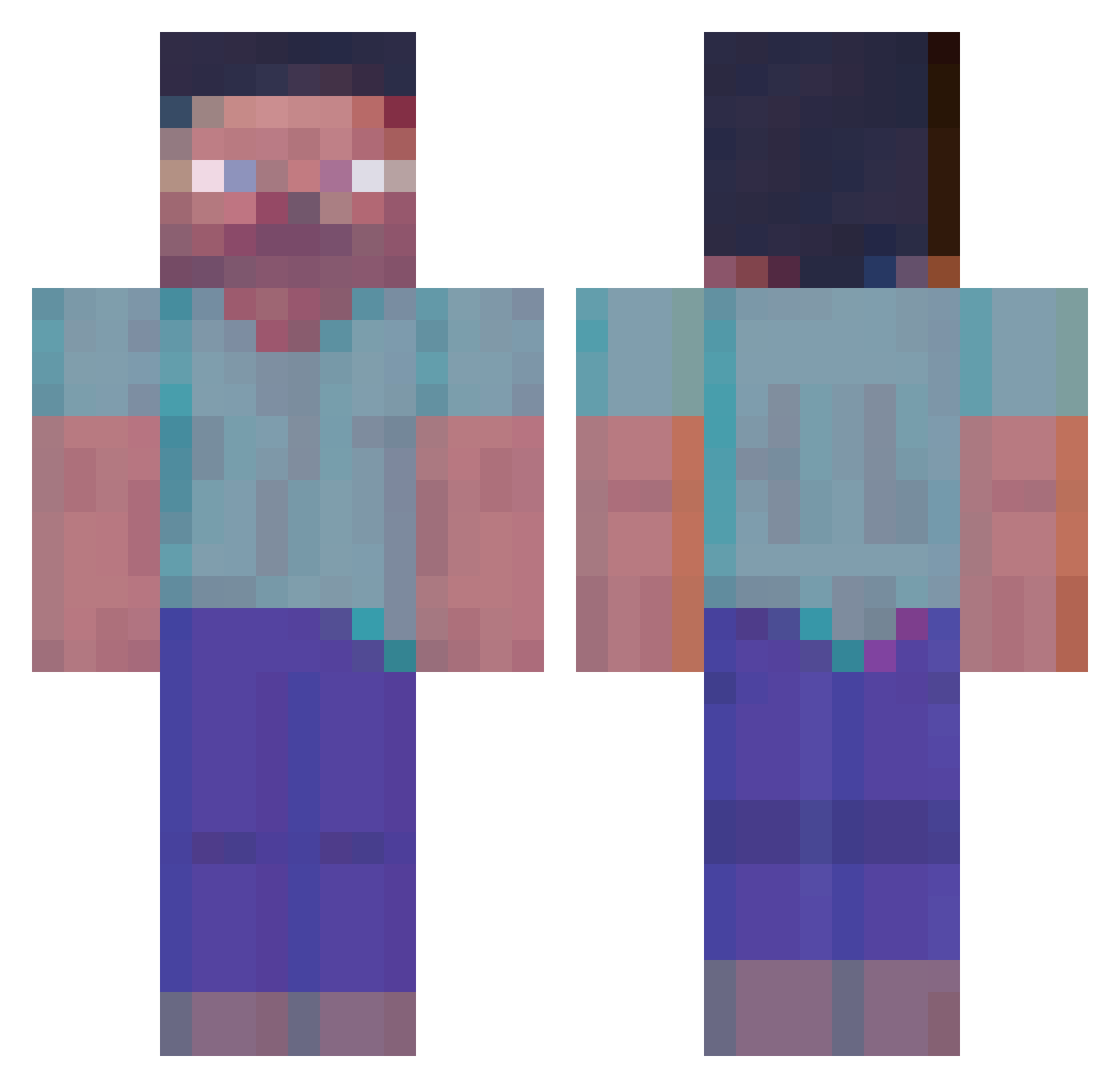
Current Minecraft skin of the player doppo55480, loaded from the official Mojang API. Rotate the 3D model with your mouse or finger, then download the skin as a PNG file and use it in Minecraft: Bedrock Edition or Java Edition for free. When doppo55480 changes their skin, this page updates automatically and the old skin stays in the history below.
Other players with this skin (112)
doppo55480 was the 21st player we have seen with this skin, first spotted on 11.08.2026. The same skin was seen on these players. Open a nickname to see their current skin and skin history.
 tobehip MrShark turboman420 thelasst Kermit_Chicken pekwush SM_SongJoonHo jdeax AmiciaDev anspid altissimode l1nk1337 Landdoraine stew216 kitkatkoe1 leprosinho PecSon xmtrcv Geagg427 Diols popbobabooey Deepspaceman KerbeuZ yoskie arthur9410 brobs TKsoul BOOTM ViTrex96
 xCheeseSlice Piolex ISIEIXI ub3rr KickedTax savvag13 MinecraftJonnie accountfraud LordCubed Vaiolo00 K__F Raccomodage Taxc woonam02 123Oweee Knekko voeci CarsonBrow dagao2009 IM_HIRUKO YomaL TegantheSeal trippymush Jonzkii Dover73 pewdipie900 inuyama1224 killded56 Metroplex356 T33ger yumin10
More Herobrine Minecraft skins
How to install the doppo55480 skin
- Press the Download button above to save the skin as a PNG file.
- Minecraft: Bedrock Edition (PE): open the Dressing Room from the main menu (or tap your character → Edit Character), go to Classic Skins → Owned, press the + (new skin) button, choose the downloaded PNG and pick the Classic (Steve) model. Works on PC and mobile; consoles cannot import custom skins.
- Minecraft: Java Edition: open the Minecraft Launcher, go to the Skins tab, click New Skin, load the PNG, pick the Classic (Steve) model and press Save & Use. You can also upload it at minecraft.net → Profile → Change Skin.
The skin does not show up after import - what should I do?
Restart Minecraft and open the Dressing Room again - imported skins sometimes appear only after a restart. Also make sure you selected the imported skin and picked the Classic (Steve) model.
Which model should I choose, Classic or Slim?
This skin is designed for the Classic (Steve) model. If you pick the wrong model, the arms of the skin will look stretched or squeezed.
Is the skin of doppo55480 free to download?
Yes. Press Download, save the PNG file and use it in Minecraft: Bedrock Edition or Java Edition - no payment or registration needed. The skin also works on multiplayer servers and Realms.
More skins
Looking for more? Go back to all Minecraft skins and check the top skins of the week, month and all time, or find any player's skin by nickname.