
dogette0481 - Minecraft Skins & Skin History
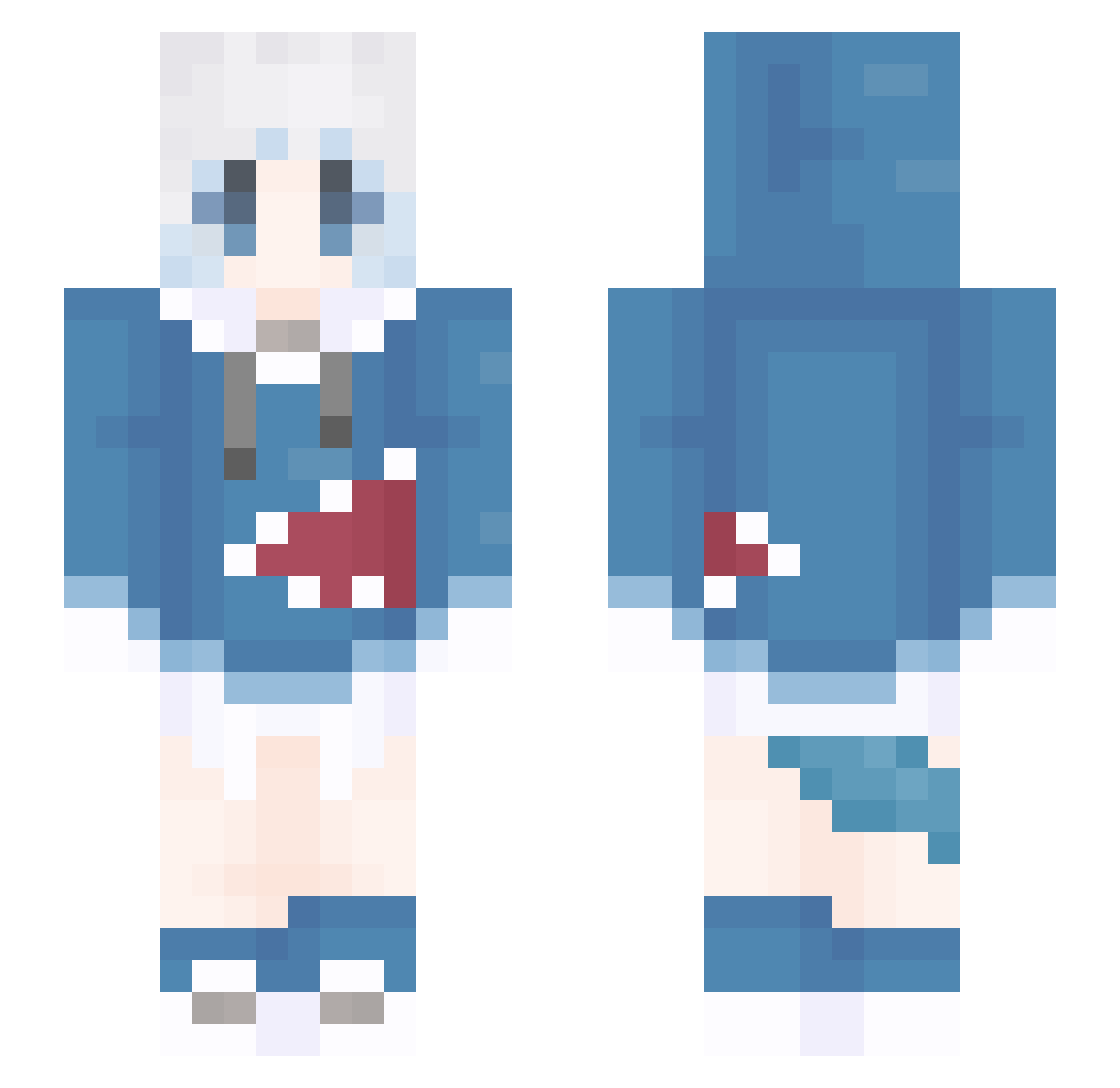
Current Minecraft skin of the player dogette0481, loaded from the official Mojang API. Rotate the 3D model with your mouse or finger, then download the skin as a PNG file and use it in Minecraft: Bedrock Edition or Java Edition for free. When dogette0481 changes their skin, this page updates automatically and the old skin stays in the history below.
Other players with this skin (1310)
dogette0481 was the 727th player we have seen with this skin, first spotted on 26.09.2026. The same skin was seen on these players. Open a nickname to see their current skin and skin history.
 CheesePotato MiManChiCC Willy9210 TheYIHAN1 MMMZI BoA3q clall0 Jack520 HaliaArtisan BuMa555 trytothrow_ Xilinx520 windyQAQ chennianw mokomokokunn tangshi1 Guraarwa daoren5660 Cbsanan charasbb IkunZW Tricker___ shisukon dragonthe01 qingmingyushang_ yYa_1vdkmy_05_02 ningleyu xianzou DreamTime_ KeKK666 Jelly12138 BuKaQiu Youyun_ xiaogu521 shupian416 Hekkitop deceivees W1NGQAQ LING_YUN666 Ayevn THE_YANA KouBOSS TissueSJ Todestrieb15 MYBJ 8_xia yolyn DD0818 NotAVapeUser_ MrSquidle123 OPEzreal yopera Shameimaru_ Tlye_ cookieduk TRDVG yuxiaojiang Hujinchangsha Jord3156 SanTI91L
More Gawr Gura Minecraft skins
How to install the dogette0481 skin
- Press the Download button above to save the skin as a PNG file.
- Minecraft: Bedrock Edition (PE): open the Dressing Room from the main menu (or tap your character → Edit Character), go to Classic Skins → Owned, press the + (new skin) button, choose the downloaded PNG and pick the Slim (Alex) model. Works on PC and mobile; consoles cannot import custom skins.
- Minecraft: Java Edition: open the Minecraft Launcher, go to the Skins tab, click New Skin, load the PNG, pick the Slim (Alex) model and press Save & Use. You can also upload it at minecraft.net → Profile → Change Skin.
The skin does not show up after import - what should I do?
Restart Minecraft and open the Dressing Room again - imported skins sometimes appear only after a restart. Also make sure you selected the imported skin and picked the Slim (Alex) model.
Which model should I choose, Classic or Slim?
This skin is designed for the Slim (Alex) model. If you pick the wrong model, the arms of the skin will look stretched or squeezed.
Is the skin of dogette0481 free to download?
Yes. Press Download, save the PNG file and use it in Minecraft: Bedrock Edition or Java Edition - no payment or registration needed. The skin also works on multiplayer servers and Realms.
More skins
Looking for more? Go back to all Minecraft skins and check the top skins of the week, month and all time, or find any player's skin by nickname.