
dhTY_ - Minecraft Skins & Skin History
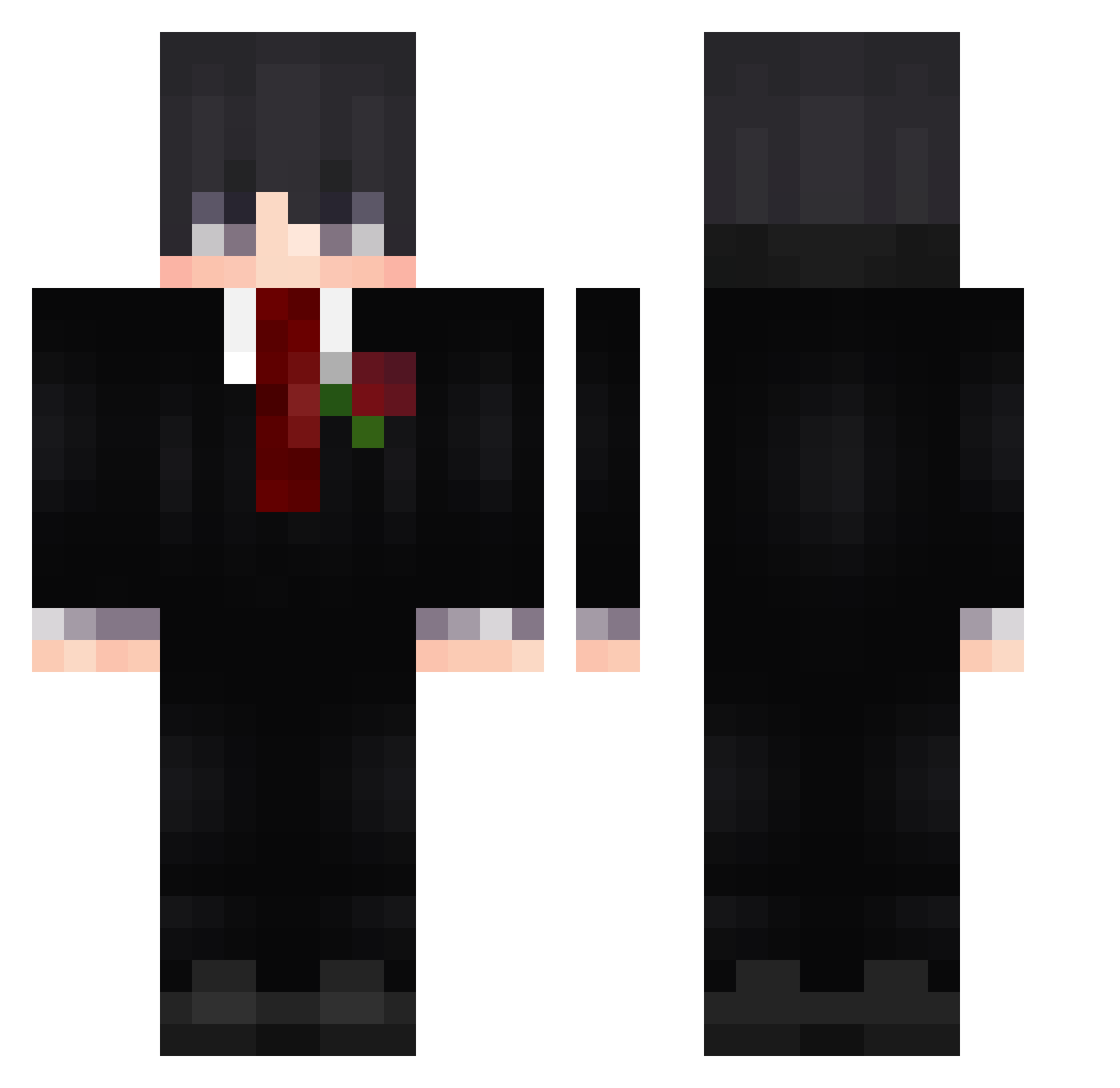
Current Minecraft skin of the player dhTY_, loaded from the official Mojang API. Rotate the 3D model with your mouse or finger, then download the skin as a PNG file and use it in Minecraft: Bedrock Edition or Java Edition for free. When dhTY_ changes their skin, this page updates automatically and the old skin stays in the history below.
Other players with this skin (594)
dhTY_ was the 561st player we have seen with this skin, first spotted on 26.10.2026. The same skin was seen on these players. Open a nickname to see their current skin and skin history.
 MINE240 yee3487 LanceMoretti MilkoKartacha SoumiXoK9 kingkong_gun Kielnia123 ali_dzl_the_goat Zeroks18 LEOproXD79 BaishiS Wilson_Lee_OuO jokavavai Torque1304 Dyskyt peemjay IamtheG0d jiangchengy __FSK__ Azezzf Tang_1314 Skoskos lvboss666 Agrey_11 ROND0G MMMichaelllll MaximeLachapelle ImTengan Brian66277 zThiago666 Reapzzxxx L_G_A_05 zzt_1234 juanda2908 Shadowstrike_456 _Crestar blackvsilent D3hghaNi muring_098 v1ntage777 CanoTD AleeIj kelouwu Gurusami MIRACLE2001 BagbagJo49 DonEmox OZ___DM Lahutte lixxarrd BlessYou11 ShardesTR Stinky_Cheezy Aaron166450 3arsk2 iMaxi_ hudsonso sebas141011 Eguwua daki4a
More Rose Minecraft skins
How to install the dhTY_ skin
- Press the Download button above to save the skin as a PNG file.
- Minecraft: Bedrock Edition (PE): open the Dressing Room from the main menu (or tap your character → Edit Character), go to Classic Skins → Owned, press the + (new skin) button, choose the downloaded PNG and pick the Classic (Steve) model. Works on PC and mobile; consoles cannot import custom skins.
- Minecraft: Java Edition: open the Minecraft Launcher, go to the Skins tab, click New Skin, load the PNG, pick the Classic (Steve) model and press Save & Use. You can also upload it at minecraft.net → Profile → Change Skin.
The skin does not show up after import - what should I do?
Restart Minecraft and open the Dressing Room again - imported skins sometimes appear only after a restart. Also make sure you selected the imported skin and picked the Classic (Steve) model.
Which model should I choose, Classic or Slim?
This skin is designed for the Classic (Steve) model. If you pick the wrong model, the arms of the skin will look stretched or squeezed.
Is the skin of dhTY_ free to download?
Yes. Press Download, save the PNG file and use it in Minecraft: Bedrock Edition or Java Edition - no payment or registration needed. The skin also works on multiplayer servers and Realms.
More skins
Looking for more? Go back to all Minecraft skins and check the top skins of the week, month and all time, or find any player's skin by nickname.