
da_neel - Minecraft Skins & Skin History
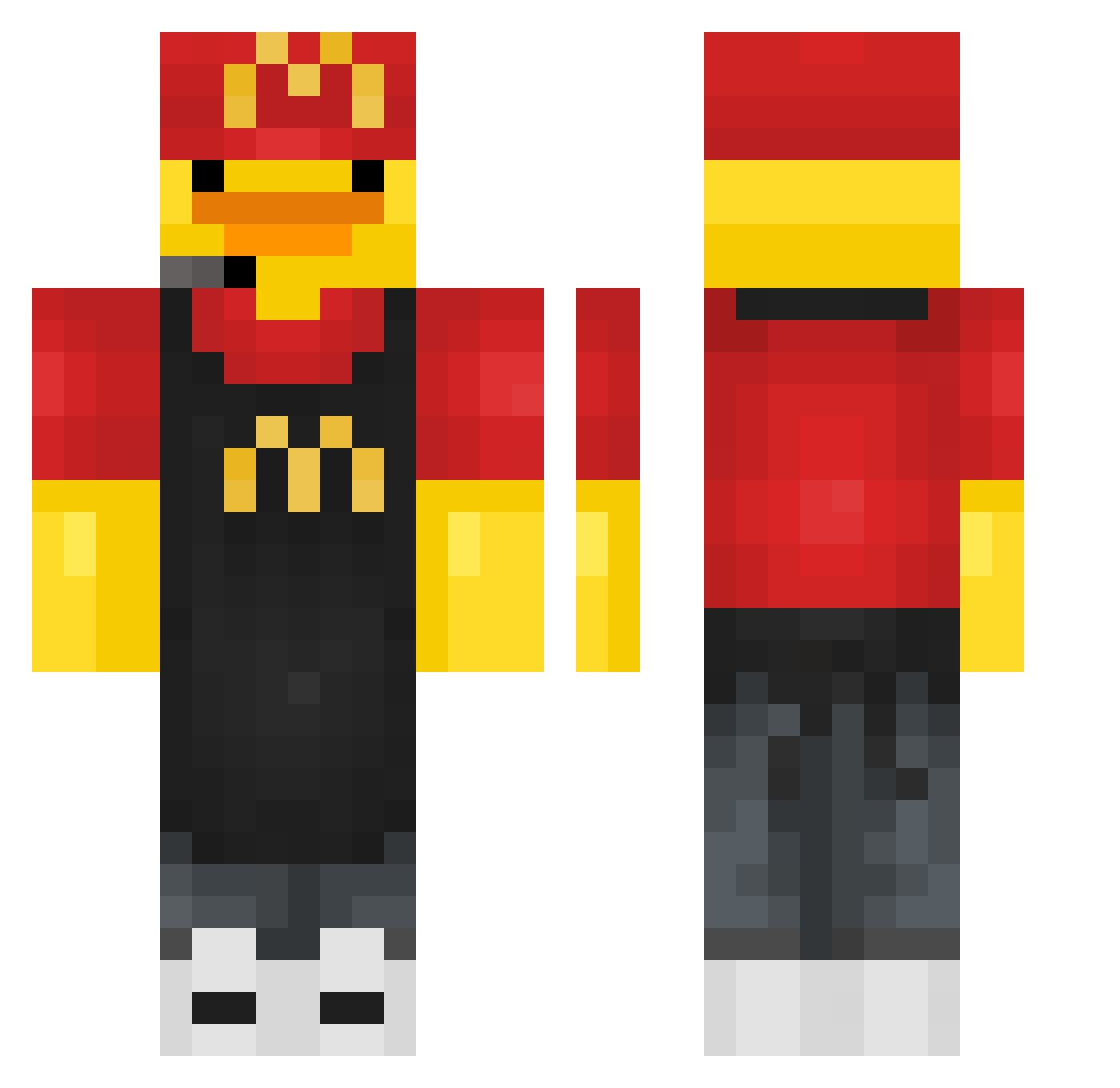
Current Minecraft skin of the player da_neel, loaded from the official Mojang API. Rotate the 3D model with your mouse or finger, then download the skin as a PNG file and use it in Minecraft: Bedrock Edition or Java Edition for free. When da_neel changes their skin, this page updates automatically and the old skin stays in the history below.
Other players with this skin (433)
da_neel was the 74th player we have seen with this skin, first spotted on 13.08.2026. The same skin was seen on these players. Open a nickname to see their current skin and skin history.
 MrBoblebob chino2323 Bigbadvenus Uwuuku Jungarino Abelmaol
 SebbyWebby13 victor12sej cfel2137 Visionary_Dream Ninja_God123 BartosBoy Zile__ SinsyV1 RECCTINCEL 4iz NerminTheVermin Spryciarz2012 unkn0wndud3 clemistry xcuq youngin2010 zhisan SigmaBoy17823 CherryQing V2007usa SFSeriestorm cotolito TheRealGabeV10 ADRIDAIX Narvalos Sky8150 HBstar13 CaptainKirk_Matt Lundiinn ChristineLovEver TeyykoLeDz HONTAMAN cygan48 McArthurRawks nicoa153 Mrintito Nothing_17 Sexychlorine ElSolep BOBoKLM GaMerREX5 TTV_zer000zzzz FaseQ__ Crazysx Pachama05 yofeliz3 Eason_777 PakoLakospa EKKOREE_VY3gZ27 AkinCosine36138
 _Back_0 iamluxe ElMenymx
 faya313jnr
More Fast Food Worker Minecraft skins
See all 389 Fast Food Worker skins
How to install the da_neel skin
- Press the Download button above to save the skin as a PNG file.
- Minecraft: Bedrock Edition (PE): open the Dressing Room from the main menu (or tap your character → Edit Character), go to Classic Skins → Owned, press the + (new skin) button, choose the downloaded PNG and pick the Classic (Steve) model. Works on PC and mobile; consoles cannot import custom skins.
- Minecraft: Java Edition: open the Minecraft Launcher, go to the Skins tab, click New Skin, load the PNG, pick the Classic (Steve) model and press Save & Use. You can also upload it at minecraft.net → Profile → Change Skin.
The skin does not show up after import - what should I do?
Restart Minecraft and open the Dressing Room again - imported skins sometimes appear only after a restart. Also make sure you selected the imported skin and picked the Classic (Steve) model.
Which model should I choose, Classic or Slim?
This skin is designed for the Classic (Steve) model. If you pick the wrong model, the arms of the skin will look stretched or squeezed.
Is the skin of da_neel free to download?
Yes. Press Download, save the PNG file and use it in Minecraft: Bedrock Edition or Java Edition - no payment or registration needed. The skin also works on multiplayer servers and Realms.
More skins
Looking for more? Go back to all Minecraft skins and check the top skins of the week, month and all time, or find any player's skin by nickname.