
creeper13241 - Minecraft Skins & Skin History
Current Minecraft skin of the player creeper13241, loaded from the official Mojang API. Rotate the 3D model with your mouse or finger, then download the skin as a PNG file and use it in Minecraft: Bedrock Edition or Java Edition for free. When creeper13241 changes their skin, this page updates automatically and the old skin stays in the history below.
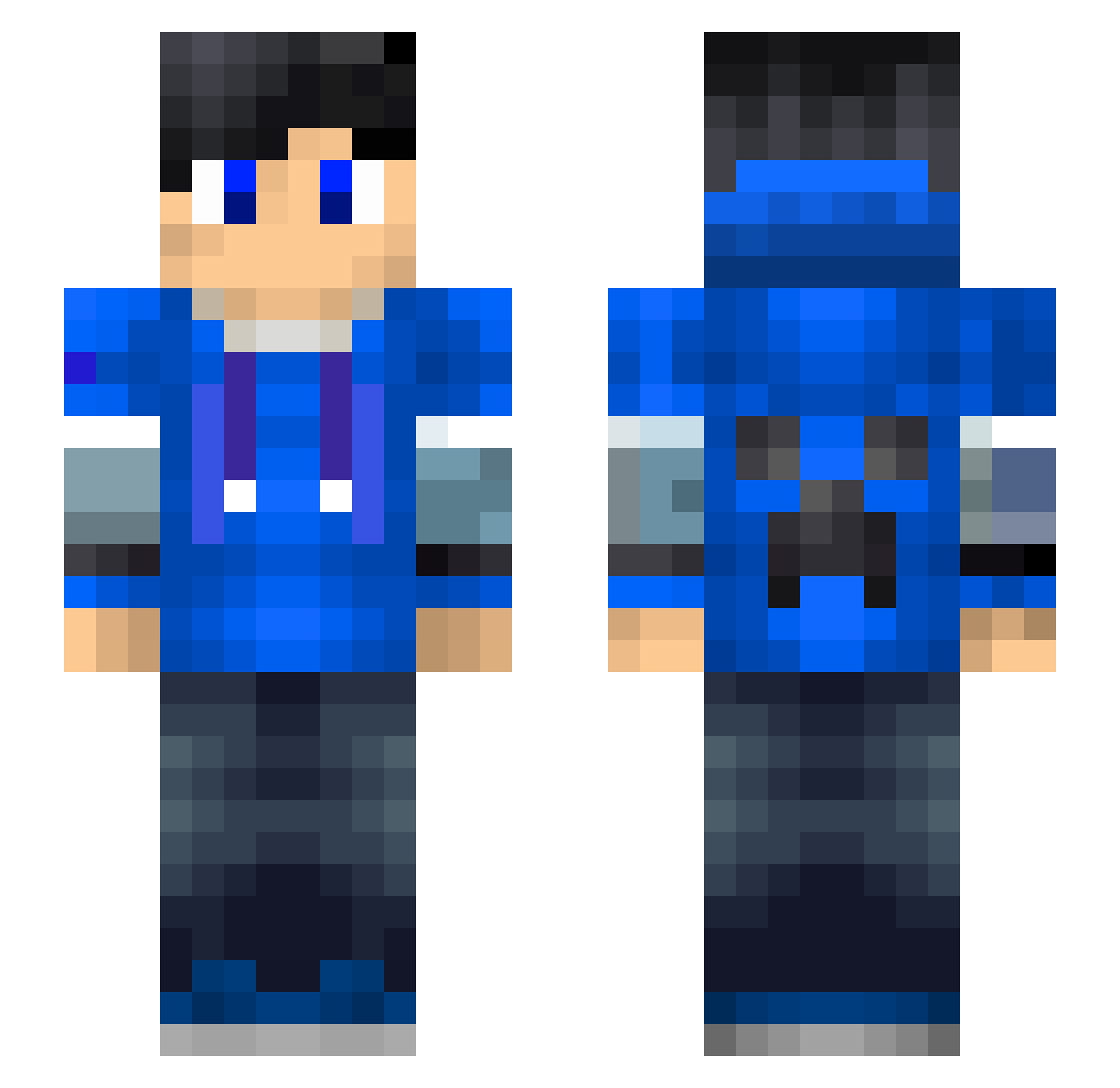
Other players with this skin (194)
creeper13241 was the 117th player we have seen with this skin, first spotted on 02.10.2026. The same skin was seen on these players. Open a nickname to see their current skin and skin history.
 Soap8 palansil Mike029 Krypton6746 Juju932 Jayczq Finalry blwhi mcmobai Drag0nD0g D_Z5408 ChococTaco Semantic1 Black__cat_ sas__F Crafter_LP0608 DaDaDaNiu Tiley00 quequezi karima1 JumboJente YellowQT Bizzgo xiao_tian_ya Riki779 Paddy155 sarqy24 Tudousi1275 KILMORE_COVE ChampionNZ braylon233 Jayson_Zhou wcf419 LcReEE jiangsu01 adsfafe lenderbreak liangling1 Audblue ccwwei xXantor Arrow168 Legoblock3000 YT_TrixToftuz MengXun666 LuoMengLiShang TUDOUYI xiaofeng2230 Minecraft6310 Tmacca24 Wolfhammar Jesse_meeuse Twyffar kub3kk_79 VYCMa7 Xia0j1e GAMETWANNIE cjx1314520 CGMVP Sharkis
More Creeper Minecraft skins
How to install the creeper13241 skin
- Press the Download button above to save the skin as a PNG file.
- Minecraft: Bedrock Edition (PE): open the Dressing Room from the main menu (or tap your character → Edit Character), go to Classic Skins → Owned, press the + (new skin) button, choose the downloaded PNG and pick the Slim (Alex) model. Works on PC and mobile; consoles cannot import custom skins.
- Minecraft: Java Edition: open the Minecraft Launcher, go to the Skins tab, click New Skin, load the PNG, pick the Slim (Alex) model and press Save & Use. You can also upload it at minecraft.net → Profile → Change Skin.
The skin does not show up after import - what should I do?
Restart Minecraft and open the Dressing Room again - imported skins sometimes appear only after a restart. Also make sure you selected the imported skin and picked the Slim (Alex) model.
Which model should I choose, Classic or Slim?
This skin is designed for the Slim (Alex) model. If you pick the wrong model, the arms of the skin will look stretched or squeezed.
Is the skin of creeper13241 free to download?
Yes. Press Download, save the PNG file and use it in Minecraft: Bedrock Edition or Java Edition - no payment or registration needed. The skin also works on multiplayer servers and Realms.
More skins
Looking for more? Go back to all Minecraft skins and check the top skins of the week, month and all time, or find any player's skin by nickname.