
cplane95 - Minecraft Skins & Skin History
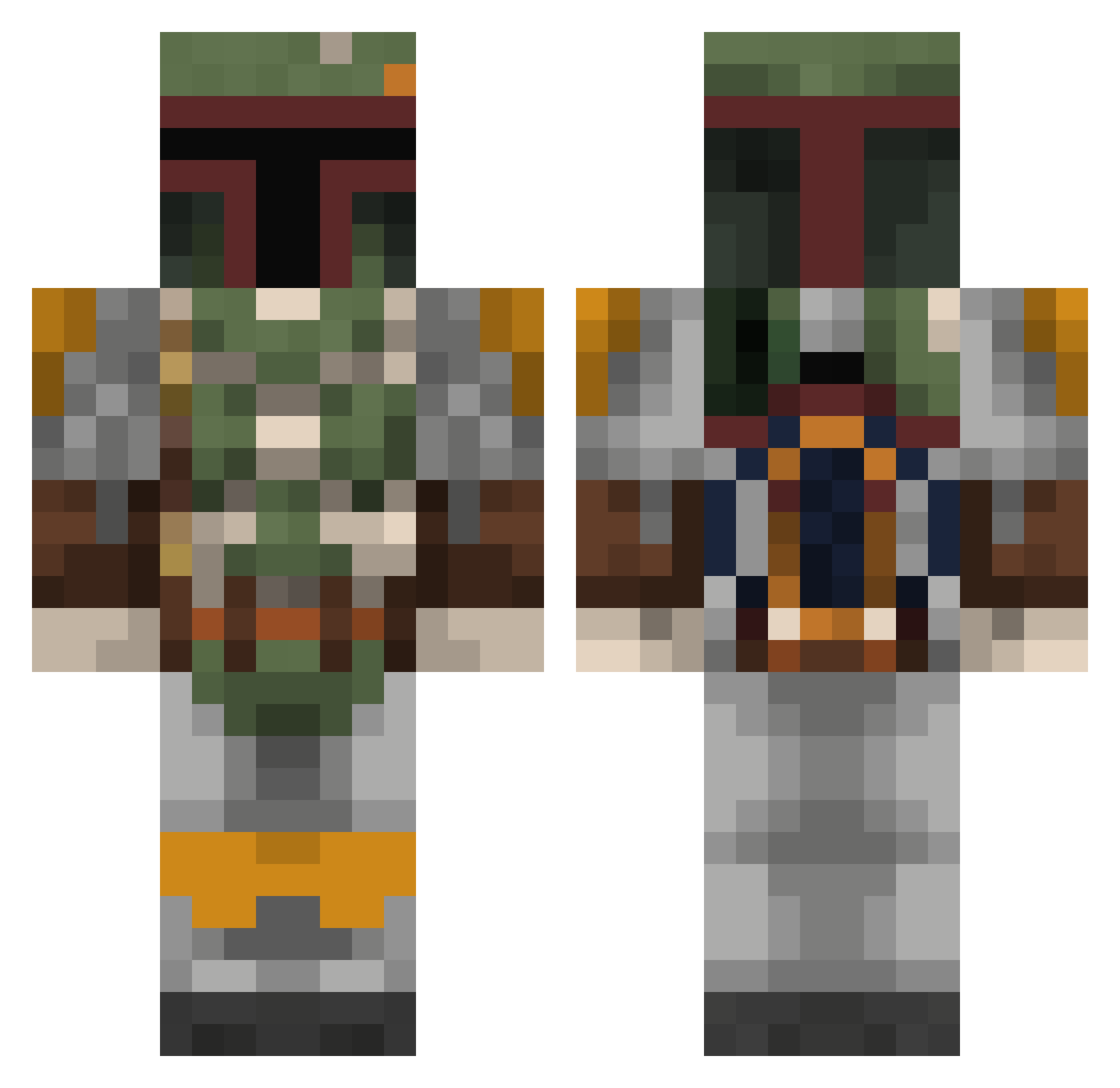
Current Minecraft skin of the player cplane95, loaded from the official Mojang API. Rotate the 3D model with your mouse or finger, then download the skin as a PNG file and use it in Minecraft: Bedrock Edition or Java Edition for free. When cplane95 changes their skin, this page updates automatically and the old skin stays in the history below.
Other players with this skin (803)
cplane95 was the 159th player we have seen with this skin, first spotted on 17.08.2026. The same skin was seen on these players. Open a nickname to see their current skin and skin history.
 cpuwiz2 dadfett Doomy803 Jonty_SportFreak Paladin369 ThirdDegree333 Maria_Brink C_Erik Like_a_Boss4044 vossboss161 Lustfuljeans Easylaird egillij Narbbles MrAcaelus Otter_Rage porschedonald austinherr EPICGAMERZZZZZZ Hidrated beattietwins1 Priorrr TMoneySartwell atle95 Ammorn BicepTickle noonanbabe69 Wo1fD3X aqua6000 TheInnocence ExperiencE90 KnotuAgain TheHeroOfChaos SwedishGold Rosey0 Odinsbeard ghostrider5050 blockheadlucas EkiamX Alcane Gorebasher76 mcmouse123 juncmodule BearJew4224 npltc2 vetteman1986 impy95 thebigdudee Ossa247 ThePureAutism jmb05 SteveTheBeav luckylos poindexter98 Legit_Rastin VladXavier olivechucks JediLMT mrpenski gamblebc
More Boba Fett Minecraft skins
How to install the cplane95 skin
- Press the Download button above to save the skin as a PNG file.
- Minecraft: Bedrock Edition (PE): open the Dressing Room from the main menu (or tap your character → Edit Character), go to Classic Skins → Owned, press the + (new skin) button, choose the downloaded PNG and pick the Classic (Steve) model. Works on PC and mobile; consoles cannot import custom skins.
- Minecraft: Java Edition: open the Minecraft Launcher, go to the Skins tab, click New Skin, load the PNG, pick the Classic (Steve) model and press Save & Use. You can also upload it at minecraft.net → Profile → Change Skin.
The skin does not show up after import - what should I do?
Restart Minecraft and open the Dressing Room again - imported skins sometimes appear only after a restart. Also make sure you selected the imported skin and picked the Classic (Steve) model.
Which model should I choose, Classic or Slim?
This skin is designed for the Classic (Steve) model. If you pick the wrong model, the arms of the skin will look stretched or squeezed.
Is the skin of cplane95 free to download?
Yes. Press Download, save the PNG file and use it in Minecraft: Bedrock Edition or Java Edition - no payment or registration needed. The skin also works on multiplayer servers and Realms.
More skins
Looking for more? Go back to all Minecraft skins and check the top skins of the week, month and all time, or find any player's skin by nickname.