
coolmanlol900 - Minecraft Skins & Skin History
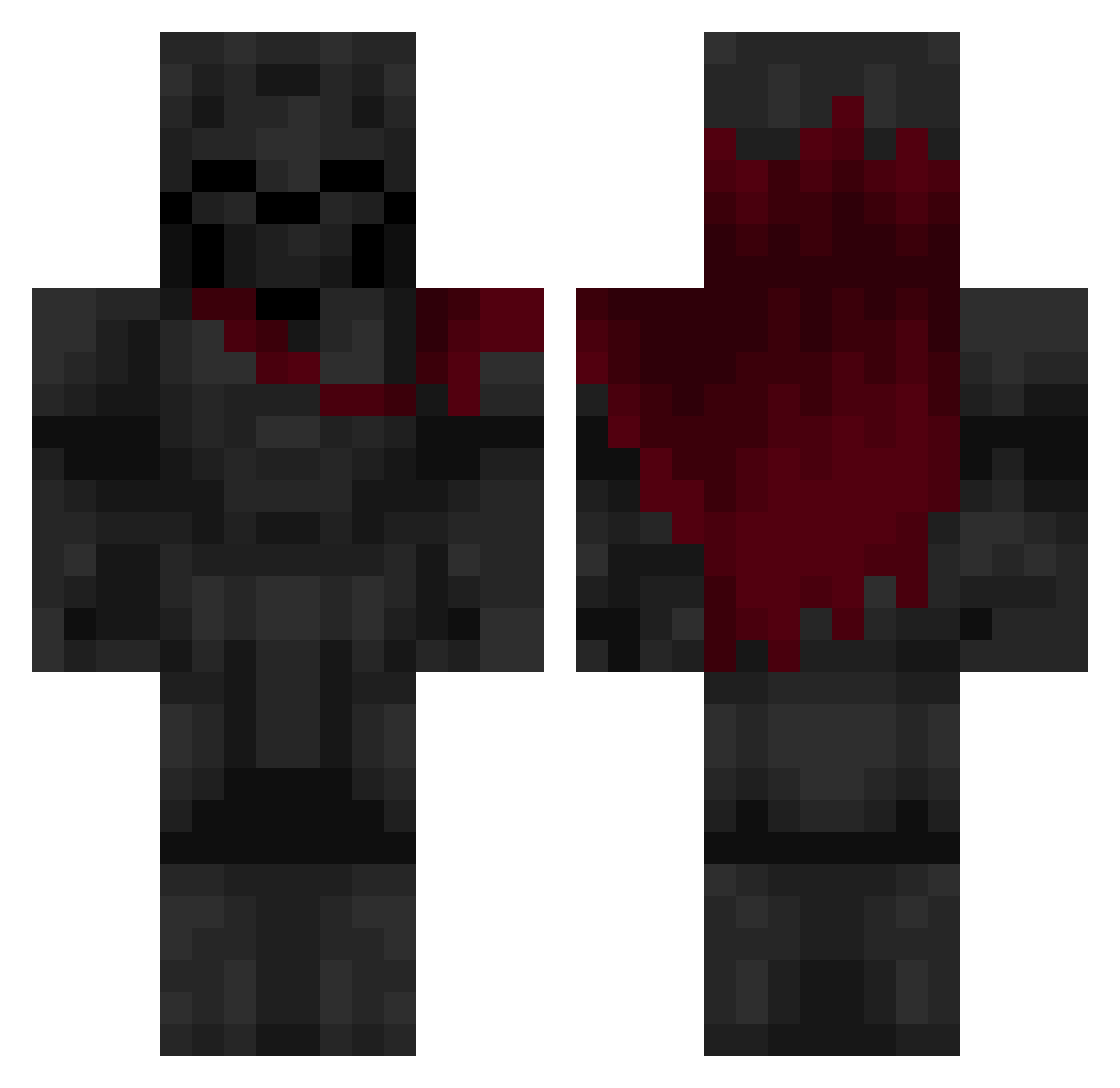
Current Minecraft skin of the player coolmanlol900, loaded from the official Mojang API. Rotate the 3D model with your mouse or finger, then download the skin as a PNG file and use it in Minecraft: Bedrock Edition or Java Edition for free. When coolmanlol900 changes their skin, this page updates automatically and the old skin stays in the history below.
Other players with this skin (640)
coolmanlol900 was the 135th player we have seen with this skin, first spotted on 16.08.2026. The same skin was seen on these players. Open a nickname to see their current skin and skin history.
 TenCentNickle Apolo_SC RaggleG TheBeast549 Redstone_Rage Starlinges Godested Xx_Rogash_xX Dravonn Lakupekka2015 cocosina2008 NKC1832 999_Frost
 Mogli42 memerioys zeffyros AliIsrael brandenew ErikFlatner ShadeRaevn ghostMC14 Archangel0002 Haisei1 iywjvxl Xdes33 The_4SHAME Ormoc breit_bau TheLambKid FrukOo10 Pedro17_ Crow_11 GamepTroll J104
 ThinMarow XXC5 Walter170 mmWZ Batoncik14
 Kingdemon1226 VaribleNote60 Kaynup Zoroark1212 enddragon65 10A_8579 Satauro FirstFromAbove brucevila23 ELITEASSASS1N vjchand immortalgrape420 nedk Drako04 Harun_tuenay TNLONE thejagger77
 afjt inimigodemulher Jelly2197 Rouroule
More Knight Minecraft skins
How to install the coolmanlol900 skin
- Press the Download button above to save the skin as a PNG file.
- Minecraft: Bedrock Edition (PE): open the Dressing Room from the main menu (or tap your character → Edit Character), go to Classic Skins → Owned, press the + (new skin) button, choose the downloaded PNG and pick the Classic (Steve) model. Works on PC and mobile; consoles cannot import custom skins.
- Minecraft: Java Edition: open the Minecraft Launcher, go to the Skins tab, click New Skin, load the PNG, pick the Classic (Steve) model and press Save & Use. You can also upload it at minecraft.net → Profile → Change Skin.
The skin does not show up after import - what should I do?
Restart Minecraft and open the Dressing Room again - imported skins sometimes appear only after a restart. Also make sure you selected the imported skin and picked the Classic (Steve) model.
Which model should I choose, Classic or Slim?
This skin is designed for the Classic (Steve) model. If you pick the wrong model, the arms of the skin will look stretched or squeezed.
Is the skin of coolmanlol900 free to download?
Yes. Press Download, save the PNG file and use it in Minecraft: Bedrock Edition or Java Edition - no payment or registration needed. The skin also works on multiplayer servers and Realms.
More skins
Looking for more? Go back to all Minecraft skins and check the top skins of the week, month and all time, or find any player's skin by nickname.