
climbing_TKM - Minecraft Skins & Skin History
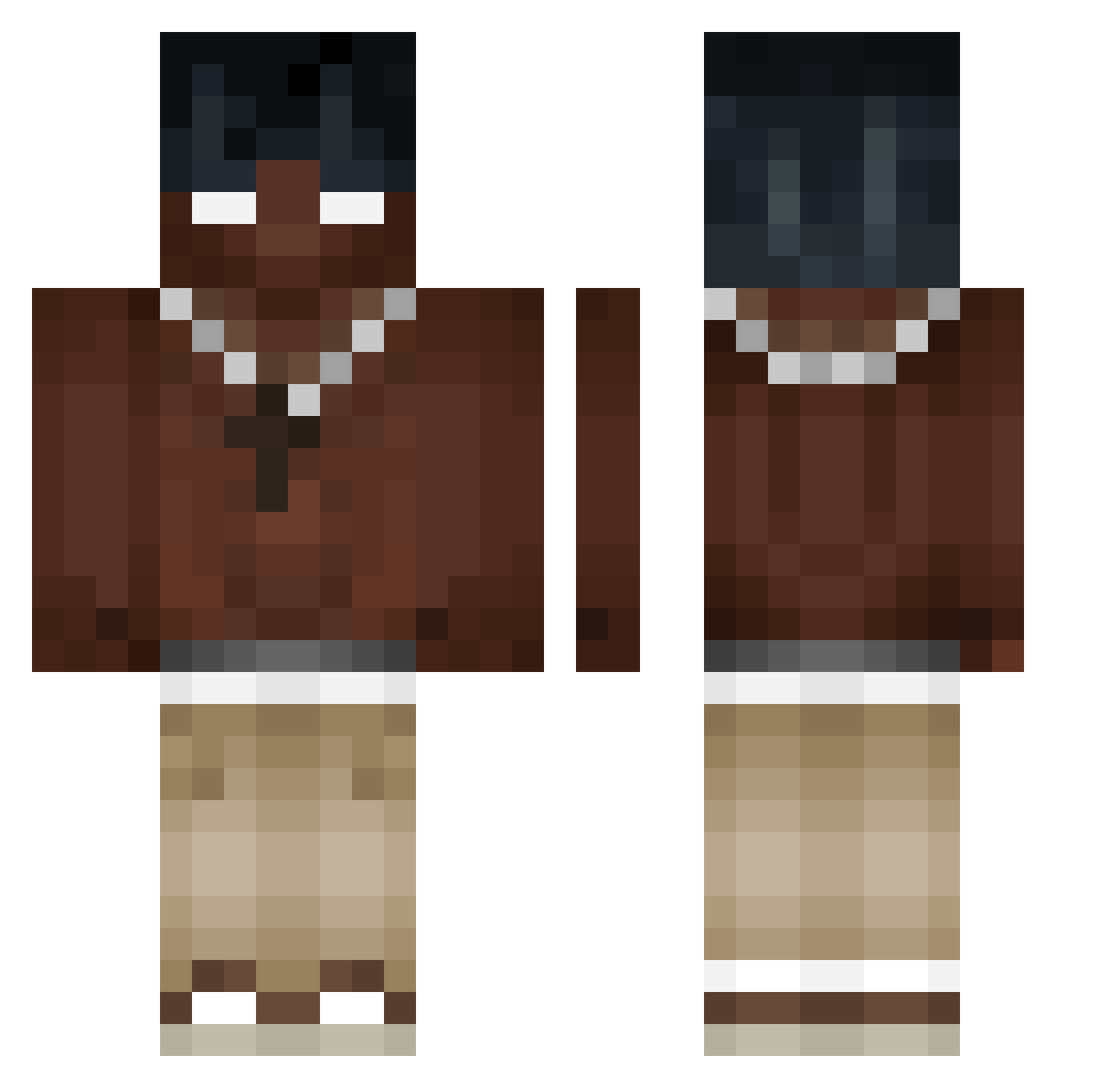
Current Minecraft skin of the player climbing_TKM, loaded from the official Mojang API. Rotate the 3D model with your mouse or finger, then download the skin as a PNG file and use it in Minecraft: Bedrock Edition or Java Edition for free. When climbing_TKM changes their skin, this page updates automatically and the old skin stays in the history below.
Other players with this skin (490)
climbing_TKM was the 354th player we have seen with this skin, first spotted on 12.10.2026. The same skin was seen on these players. Open a nickname to see their current skin and skin history.
 objtan FranekADHD cinvx Biggnez Freskay Degas Luccraftas popopapapipipopo B0bsonik Samurah Naheetalala Pietrucha0912 Nople_11 Cinder7203 kimyyyyy tingamazin__ orzelek123 jawor_natopce Taticul69 tarikbyrk GregEblo xkss4L polkaroz Ennesgamer NoahGlyn xCarteXx krypz123 kevnnard mss0432 frequentantS Van682 H3KI_ PopelDarin VaTARUs CatUmbra53 FenixNXZ Canierovic14 soyme autisticdog52 K1nqTy solidnation Ulti77 n180sx PROplayerX Supremekk Mordeon FoxyThePirate11 Arabdeska Eschewed FAZE_MARTIN_17 DennerSFS Rungullibleflowi Al3xFC MRINCREIBLE24 EginesPanagia _TLExD_ MisterOfcoco icebucket_nep kuch4rz ImRue3310
More Necklace Minecraft skins
How to install the climbing_TKM skin
- Press the Download button above to save the skin as a PNG file.
- Minecraft: Bedrock Edition (PE): open the Dressing Room from the main menu (or tap your character → Edit Character), go to Classic Skins → Owned, press the + (new skin) button, choose the downloaded PNG and pick the Classic (Steve) model. Works on PC and mobile; consoles cannot import custom skins.
- Minecraft: Java Edition: open the Minecraft Launcher, go to the Skins tab, click New Skin, load the PNG, pick the Classic (Steve) model and press Save & Use. You can also upload it at minecraft.net → Profile → Change Skin.
The skin does not show up after import - what should I do?
Restart Minecraft and open the Dressing Room again - imported skins sometimes appear only after a restart. Also make sure you selected the imported skin and picked the Classic (Steve) model.
Which model should I choose, Classic or Slim?
This skin is designed for the Classic (Steve) model. If you pick the wrong model, the arms of the skin will look stretched or squeezed.
Is the skin of climbing_TKM free to download?
Yes. Press Download, save the PNG file and use it in Minecraft: Bedrock Edition or Java Edition - no payment or registration needed. The skin also works on multiplayer servers and Realms.
More skins
Looking for more? Go back to all Minecraft skins and check the top skins of the week, month and all time, or find any player's skin by nickname.