
clairbear619 - Minecraft Skins & Skin History
Current Minecraft skin of the player clairbear619, loaded from the official Mojang API. Rotate the 3D model with your mouse or finger, then download the skin as a PNG file and use it in Minecraft: Bedrock Edition or Java Edition for free. When clairbear619 changes their skin, this page updates automatically and the old skin stays in the history below.
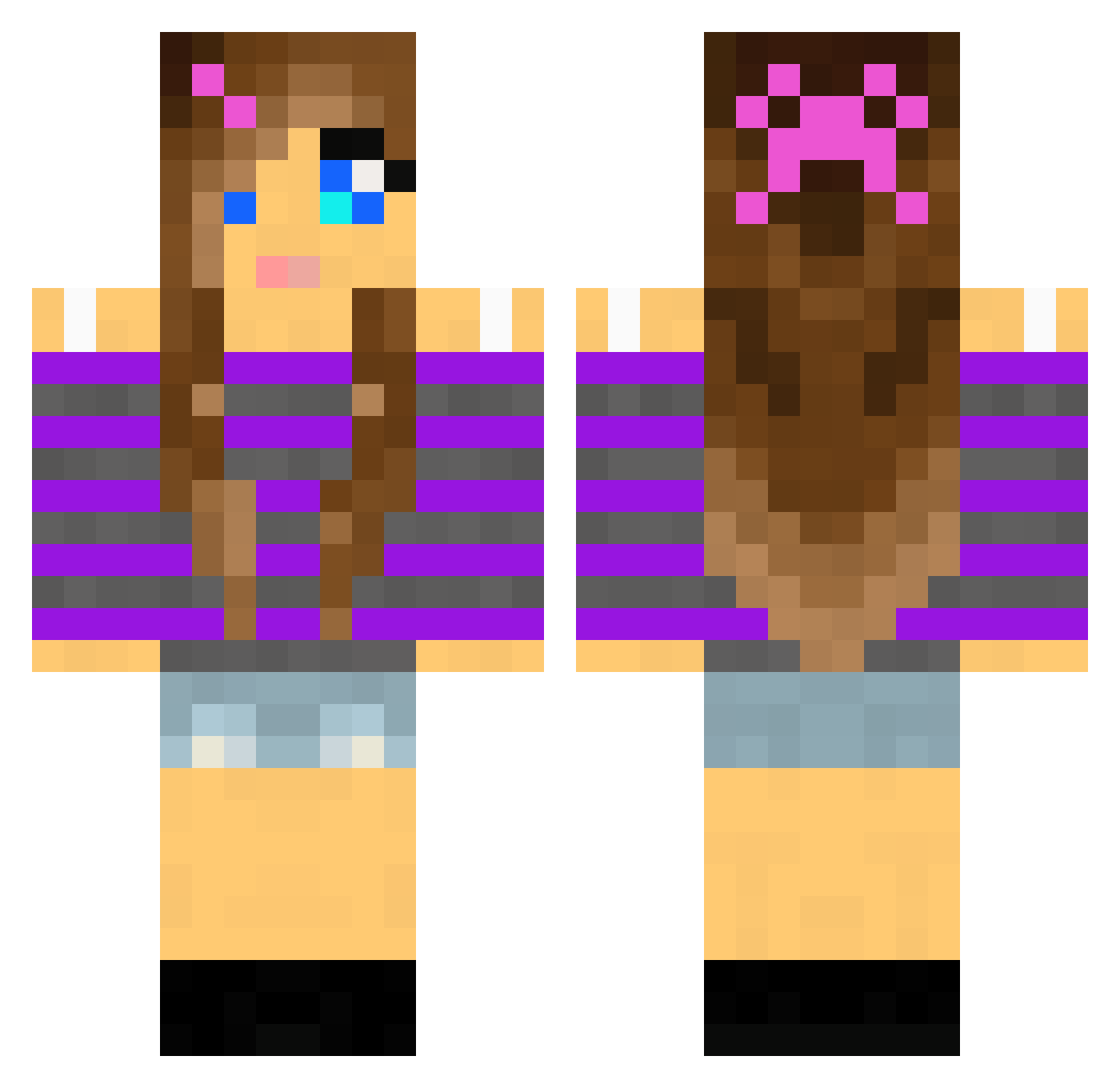
Other players with this skin (2011)
clairbear619 was the 1494th player we have seen with this skin, first spotted on 13.10.2026. The same skin was seen on these players. Open a nickname to see their current skin and skin history.
 Noble782 Kate7600 Rhiazzle Jacalicious purple030404 crystalcelesteG Lilly1310 theViking96 Victoria3455 SexyCowgirl93 iceprincess05 maria5857865 puppyluver11 Hodaku megancmurphy lolly164 allinm DeviDoodles AshleyBelnap madichloe ILIKETACOSTHE3 zoesonkin Superllama98 BabyBeret11 TISCHLER_1011 honormack Kaybailey Australia14 ashley_808 hails14 Turtl3bomb HACKFAM gregle987 RachP999 COCOPUFFS970 L333M Xanarok Madkicker audiogreen jewel_lee sessan53 FlowerFighter ciegray cheerhail futte0 MegD8 Empress_Aimee MetteStromer Piefe purplepup1 carocola21 EliseStoro AnikaOlsen candy67416 missprox23 RosieLynn2004 puckidin starbar100 aracely1 Mrtaztyz
More Girl Minecraft skins
How to install the clairbear619 skin
- Press the Download button above to save the skin as a PNG file.
- Minecraft: Bedrock Edition (PE): open the Dressing Room from the main menu (or tap your character → Edit Character), go to Classic Skins → Owned, press the + (new skin) button, choose the downloaded PNG and pick the Classic (Steve) model. Works on PC and mobile; consoles cannot import custom skins.
- Minecraft: Java Edition: open the Minecraft Launcher, go to the Skins tab, click New Skin, load the PNG, pick the Classic (Steve) model and press Save & Use. You can also upload it at minecraft.net → Profile → Change Skin.
The skin does not show up after import - what should I do?
Restart Minecraft and open the Dressing Room again - imported skins sometimes appear only after a restart. Also make sure you selected the imported skin and picked the Classic (Steve) model.
Which model should I choose, Classic or Slim?
This skin is designed for the Classic (Steve) model. If you pick the wrong model, the arms of the skin will look stretched or squeezed.
Is the skin of clairbear619 free to download?
Yes. Press Download, save the PNG file and use it in Minecraft: Bedrock Edition or Java Edition - no payment or registration needed. The skin also works on multiplayer servers and Realms.
More skins
Looking for more? Go back to all Minecraft skins and check the top skins of the week, month and all time, or find any player's skin by nickname.