
cheaterbeatz - Minecraft Skins & Skin History
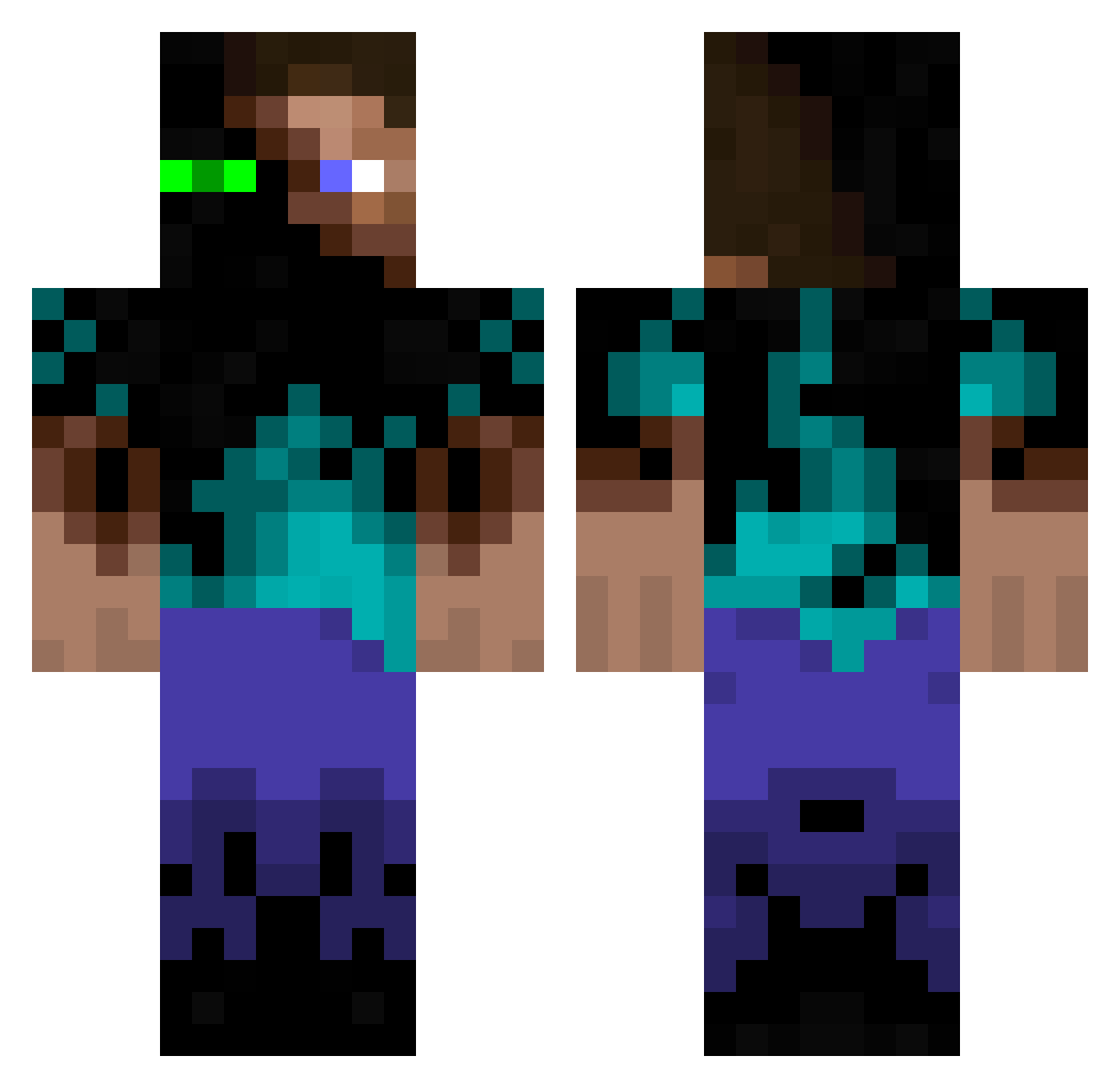
Current Minecraft skin of the player cheaterbeatz, loaded from the official Mojang API. Rotate the 3D model with your mouse or finger, then download the skin as a PNG file and use it in Minecraft: Bedrock Edition or Java Edition for free. When cheaterbeatz changes their skin, this page updates automatically and the old skin stays in the history below.
Other players with this skin (936)
cheaterbeatz was the 582nd player we have seen with this skin, first spotted on 21.09.2026. The same skin was seen on these players. Open a nickname to see their current skin and skin history.
 R2_77 wlswo Diego_23_ AnneFrank96 mhardwick vhardy7 ZombiePepsi DeadlyMangoJuice themaster131299 90lochie90 JJkHammer eli_harr SAVAGE_Pineapple Aramirezg091 Minecraft111502 Domo_Jesse sdijkman1 JKTM2014 DIAMONDBOY3248 Harri_5 mineprodave Ar_Raver K1LL3RK3KS Deand0 leroy0108 awesomefella23 BR_MIST lucasthoren s_lukas MilIenium Bananensmoothie deadend21371 Blandman69 Maaasi TiLiMuRkA ThenameisJake oscartorre12345 MikeRoses Blaketisawsome ollehaha97 TooActive miniman1479 HuJons themexecutioner JDP245 ChristianM666 TryyItt nagi66 deth2955 beastgaming1234 24Fritz24 lolofanylols Lunorak Tripacolypse solder_boy77 ItsNapo RingmasterHD Naate99 wolverine3532 wdyar
More Glowing Eyes Minecraft skins
See all 2312 Glowing Eyes skins
How to install the cheaterbeatz skin
- Press the Download button above to save the skin as a PNG file.
- Minecraft: Bedrock Edition (PE): open the Dressing Room from the main menu (or tap your character → Edit Character), go to Classic Skins → Owned, press the + (new skin) button, choose the downloaded PNG and pick the Classic (Steve) model. Works on PC and mobile; consoles cannot import custom skins.
- Minecraft: Java Edition: open the Minecraft Launcher, go to the Skins tab, click New Skin, load the PNG, pick the Classic (Steve) model and press Save & Use. You can also upload it at minecraft.net → Profile → Change Skin.
The skin does not show up after import - what should I do?
Restart Minecraft and open the Dressing Room again - imported skins sometimes appear only after a restart. Also make sure you selected the imported skin and picked the Classic (Steve) model.
Which model should I choose, Classic or Slim?
This skin is designed for the Classic (Steve) model. If you pick the wrong model, the arms of the skin will look stretched or squeezed.
Is the skin of cheaterbeatz free to download?
Yes. Press Download, save the PNG file and use it in Minecraft: Bedrock Edition or Java Edition - no payment or registration needed. The skin also works on multiplayer servers and Realms.
More skins
Looking for more? Go back to all Minecraft skins and check the top skins of the week, month and all time, or find any player's skin by nickname.