
c0smix - Minecraft Skins & Skin History
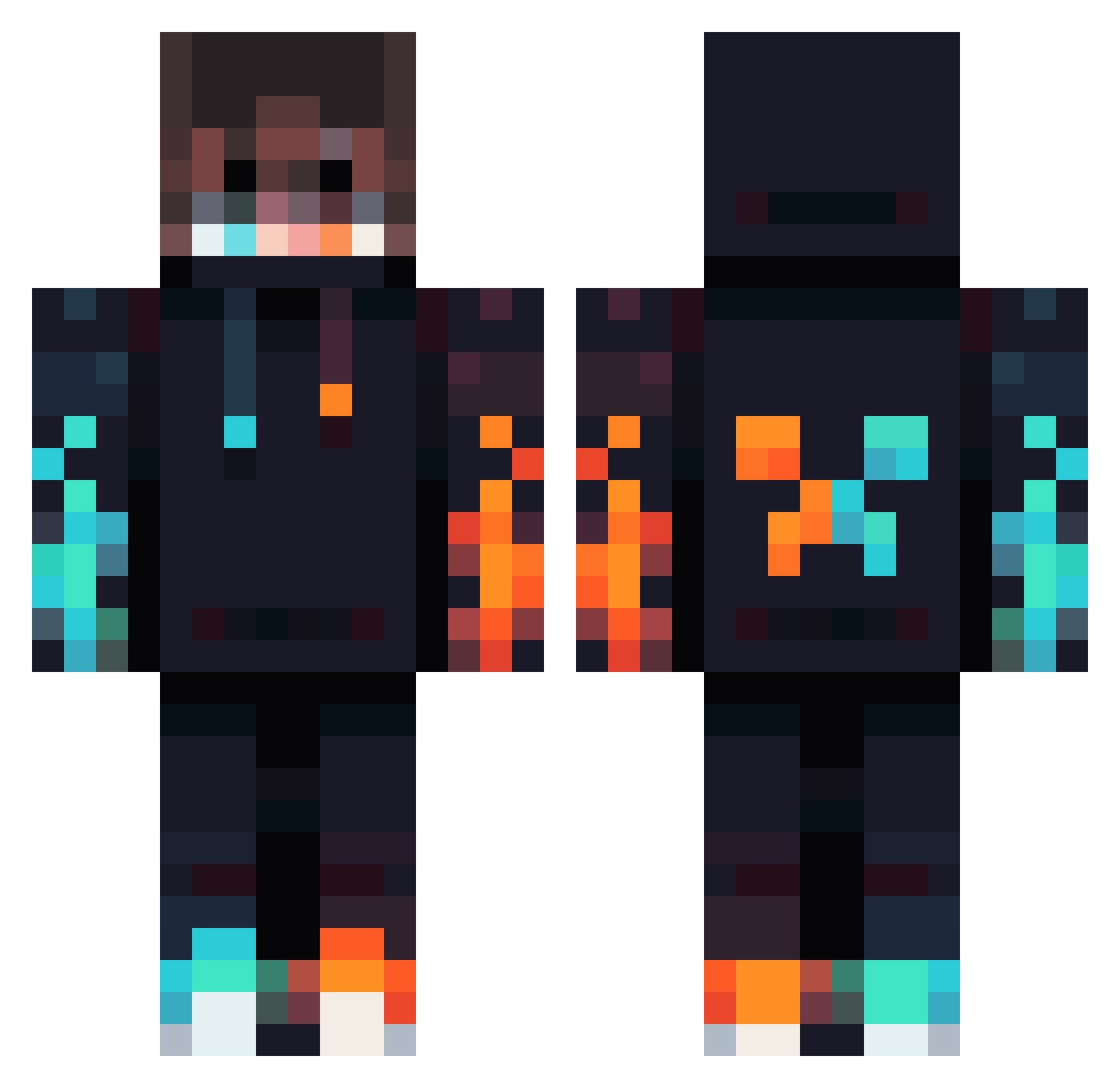
Current Minecraft skin of the player c0smix, loaded from the official Mojang API. Rotate the 3D model with your mouse or finger, then download the skin as a PNG file and use it in Minecraft: Bedrock Edition or Java Edition for free. When c0smix changes their skin, this page updates automatically and the old skin stays in the history below.
Other players with this skin (834)
c0smix was the 786th player we have seen with this skin, first spotted on 27.10.2026. The same skin was seen on these players. Open a nickname to see their current skin and skin history.
 LandeXD Joyous_Gaming Exumairr ironwalll Shenron1122 Feuerknilch2006 benzo874 Gamerprofi70 wolfdude5635 P4x_4 Merxexe Striderrr_ insaneguy400 NiHo115 Thorr23 SwiftBack TheChickenBo Dutagebule PedroGamePlayz18 Boubou20 UtmostTripod669 eagle4444 itsVarun CoolBubs2015 pierreo2qc SuperAdamBH azzu1798 Xaliat Habbs88 Haytham189 Aasaal123 darkslayer3311 Meg1stanas Doboxik BroemmelBeere CROXBIT juanjo92005 Falla_006 SpanishLatee operatoroffhan77 MysticDoggo9876 JackGreed leo170313 Lloydundzayn FishyFrog457 Monkey_ManO_O Kylo5107 Reggen04 tecnicalboy008 Posebruh CoolCreeperBen GameNight5 CraCCrux BananaTanner Tornadochaser517 AaronaPark games_ok14 Laser_Farmer NobleOleg HogWarts060
More Fire Minecraft skins
How to install the c0smix skin
- Press the Download button above to save the skin as a PNG file.
- Minecraft: Bedrock Edition (PE): open the Dressing Room from the main menu (or tap your character → Edit Character), go to Classic Skins → Owned, press the + (new skin) button, choose the downloaded PNG and pick the Classic (Steve) model. Works on PC and mobile; consoles cannot import custom skins.
- Minecraft: Java Edition: open the Minecraft Launcher, go to the Skins tab, click New Skin, load the PNG, pick the Classic (Steve) model and press Save & Use. You can also upload it at minecraft.net → Profile → Change Skin.
The skin does not show up after import - what should I do?
Restart Minecraft and open the Dressing Room again - imported skins sometimes appear only after a restart. Also make sure you selected the imported skin and picked the Classic (Steve) model.
Which model should I choose, Classic or Slim?
This skin is designed for the Classic (Steve) model. If you pick the wrong model, the arms of the skin will look stretched or squeezed.
Is the skin of c0smix free to download?
Yes. Press Download, save the PNG file and use it in Minecraft: Bedrock Edition or Java Edition - no payment or registration needed. The skin also works on multiplayer servers and Realms.
More skins
Looking for more? Go back to all Minecraft skins and check the top skins of the week, month and all time, or find any player's skin by nickname.