
bhs989 - Minecraft Skins & Skin History
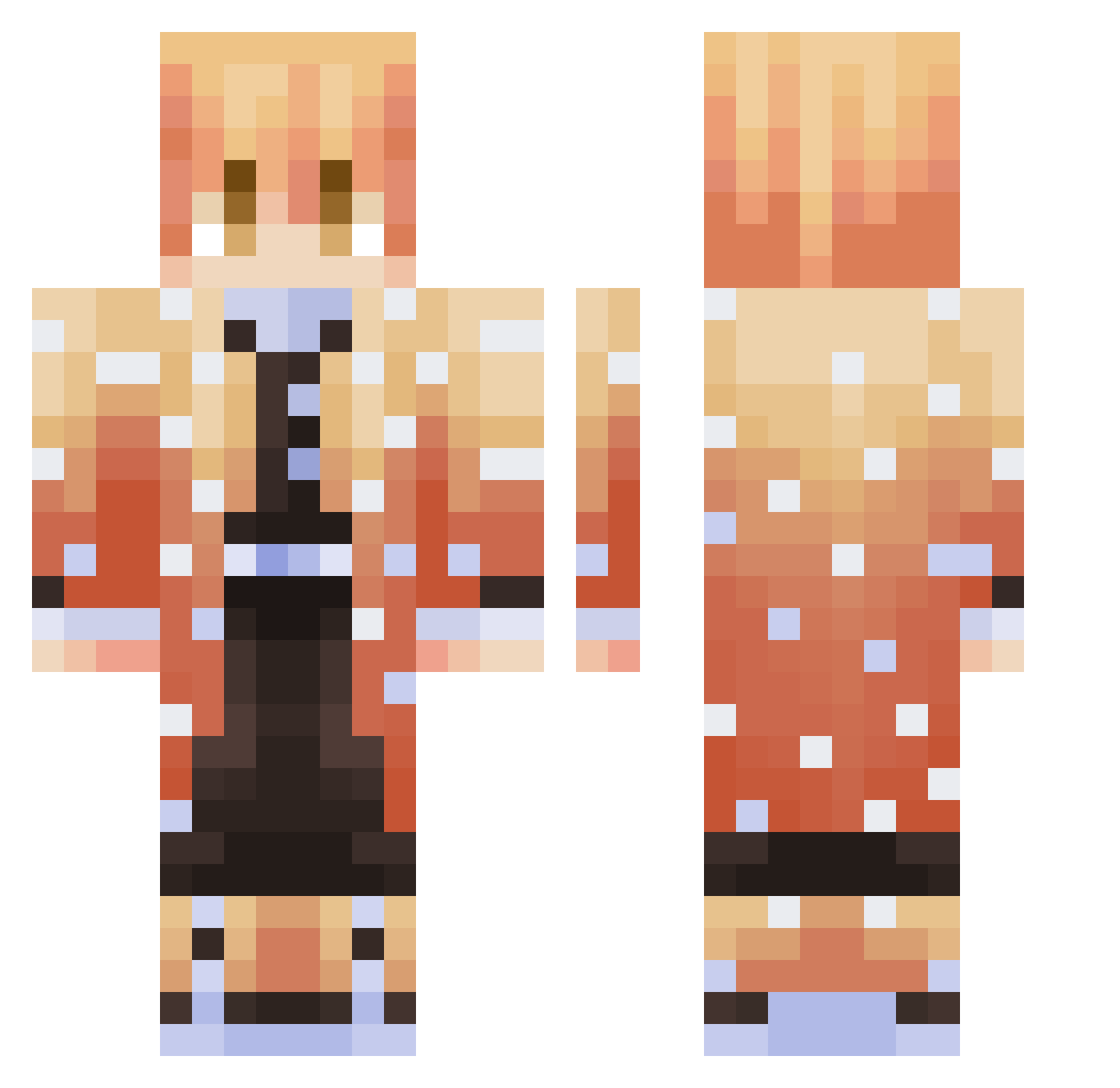
Current Minecraft skin of the player bhs989, loaded from the official Mojang API. Rotate the 3D model with your mouse or finger, then download the skin as a PNG file and use it in Minecraft: Bedrock Edition or Java Edition for free. When bhs989 changes their skin, this page updates automatically and the old skin stays in the history below.
Other players with this skin (362)
bhs989 was the 158th player we have seen with this skin, first spotted on 12.09.2026. The same skin was seen on these players. Open a nickname to see their current skin and skin history.
 k7lll ChiragSony NikLBag N4R4_ Lord_FreeZou kernnix Insvne14 pip006 ichigo697 ColorfulY VelenLa kimbonghyeon888 iJustin7 Toshi2811 conca_ ZenitsuXx Escanor5461 david1122 marcwarwick zenitsouda kjijmd bithcboy wiggy_mcshades braxtonL10 H1gh_Pery BouncyBouncy2020 Turtletrosity jambonmou WejdeneFeuneu DarkDecembee SnowyDeath BubbledMilk GIJino BiskyTako Alexpi1997 Alimbkk FerCidoncha08 _imZezo Samuraika HKOuyang lKenjiro Yuuji_san Wernep xiaoxinlaoshi SEME4KATOP Duo_Duo_ ILOVEUMIN JOSU37 ReviewedNest385 HiItsDiss yaboiCLYD iamjadxx apolo_l LaTuaille tipp_07 Kenny30678 DenYzel Pooky_66 ULTRAmiki taz1x_stick
More Zenitsu Agatsuma Minecraft skins
See all 204 Zenitsu Agatsuma skins
How to install the bhs989 skin
- Press the Download button above to save the skin as a PNG file.
- Minecraft: Bedrock Edition (PE): open the Dressing Room from the main menu (or tap your character → Edit Character), go to Classic Skins → Owned, press the + (new skin) button, choose the downloaded PNG and pick the Classic (Steve) model. Works on PC and mobile; consoles cannot import custom skins.
- Minecraft: Java Edition: open the Minecraft Launcher, go to the Skins tab, click New Skin, load the PNG, pick the Classic (Steve) model and press Save & Use. You can also upload it at minecraft.net → Profile → Change Skin.
The skin does not show up after import - what should I do?
Restart Minecraft and open the Dressing Room again - imported skins sometimes appear only after a restart. Also make sure you selected the imported skin and picked the Classic (Steve) model.
Which model should I choose, Classic or Slim?
This skin is designed for the Classic (Steve) model. If you pick the wrong model, the arms of the skin will look stretched or squeezed.
Is the skin of bhs989 free to download?
Yes. Press Download, save the PNG file and use it in Minecraft: Bedrock Edition or Java Edition - no payment or registration needed. The skin also works on multiplayer servers and Realms.
More skins
Looking for more? Go back to all Minecraft skins and check the top skins of the week, month and all time, or find any player's skin by nickname.