
balldose - Minecraft Skins & Skin History
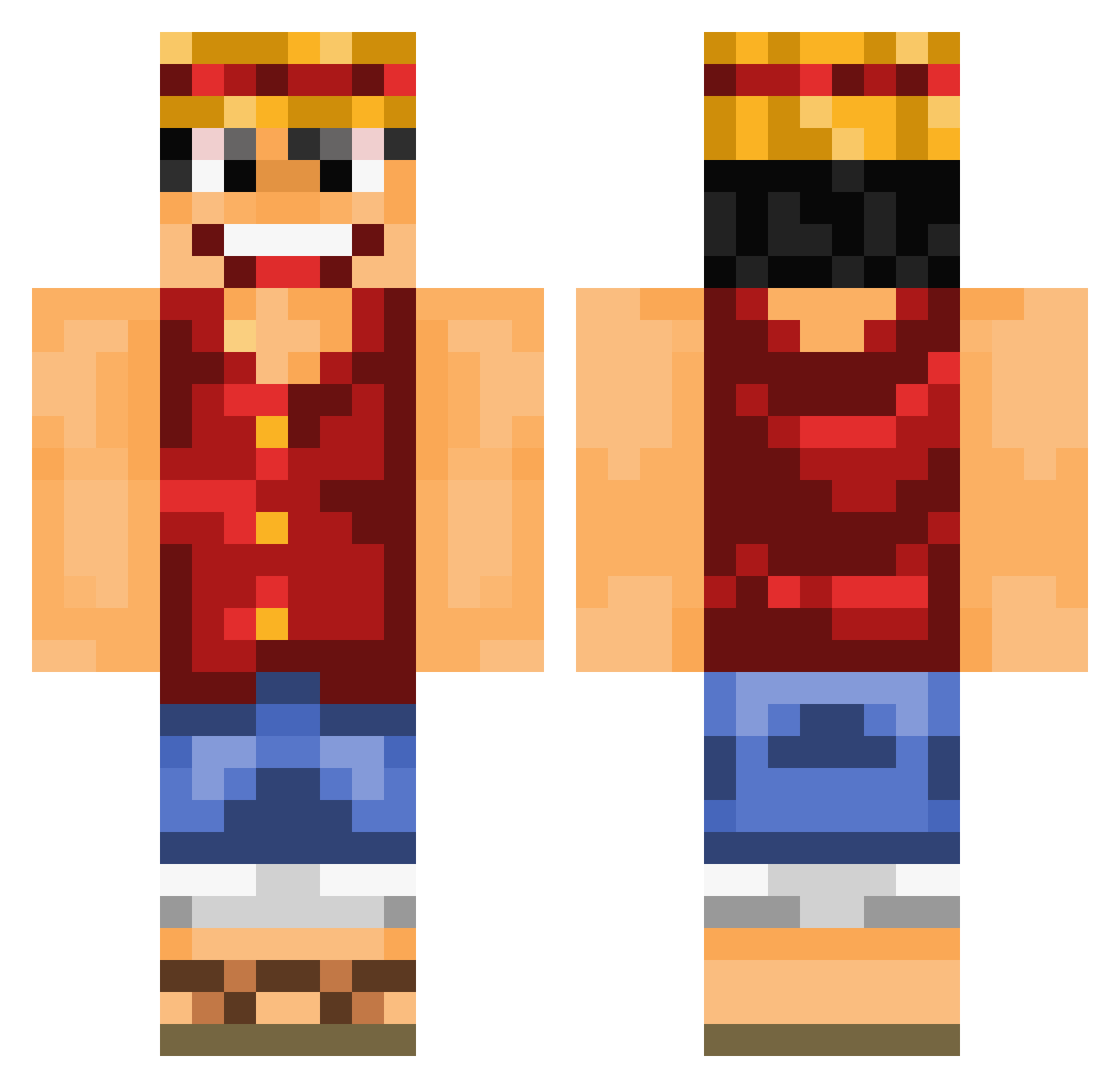
Current Minecraft skin of the player balldose, loaded from the official Mojang API. Rotate the 3D model with your mouse or finger, then download the skin as a PNG file and use it in Minecraft: Bedrock Edition or Java Edition for free. When balldose changes their skin, this page updates automatically and the old skin stays in the history below.
Other players with this skin (1016)
balldose was the 857th player we have seen with this skin, first spotted on 02.11.2026. The same skin was seen on these players. Open a nickname to see their current skin and skin history.
 xilf1 Robokabel VolcanicCosine5 Yuqii123 BrownMan708 vesesm rhum35 shippar blaze11201 olista01 Luismos Psycos34 ShinToRee lecharclopropre fRESHj_ pablofv04 lucielululabest Peschex Fidget57 BarlyChrown Jack1brown hector5874 Mat2e85 _asd123_ FishermansFiend SpoonMenace KanicDE Mixerscook paulju2010 PuckishPlatypus T3re8_Sky Koutas4 alansama420 Klako76 lxDeathl Iniuro Linkola28 goxxau MIXent EDQT_CRIS black_shadow132 NooTrue Bluman109 paz7 FlyteGuy Darek23 BigbyWolf1 Rolenzo11 JunSuGod LoKout81 Pfadi29 Duncanzn s1oks feu_glacial ranranou opdurugamer NathanBousq biriyani CookieOz Deymian22
More Monkey D Luffy Minecraft skins
See all 1046 Monkey D Luffy skins
How to install the balldose skin
- Press the Download button above to save the skin as a PNG file.
- Minecraft: Bedrock Edition (PE): open the Dressing Room from the main menu (or tap your character → Edit Character), go to Classic Skins → Owned, press the + (new skin) button, choose the downloaded PNG and pick the Classic (Steve) model. Works on PC and mobile; consoles cannot import custom skins.
- Minecraft: Java Edition: open the Minecraft Launcher, go to the Skins tab, click New Skin, load the PNG, pick the Classic (Steve) model and press Save & Use. You can also upload it at minecraft.net → Profile → Change Skin.
The skin does not show up after import - what should I do?
Restart Minecraft and open the Dressing Room again - imported skins sometimes appear only after a restart. Also make sure you selected the imported skin and picked the Classic (Steve) model.
Which model should I choose, Classic or Slim?
This skin is designed for the Classic (Steve) model. If you pick the wrong model, the arms of the skin will look stretched or squeezed.
Is the skin of balldose free to download?
Yes. Press Download, save the PNG file and use it in Minecraft: Bedrock Edition or Java Edition - no payment or registration needed. The skin also works on multiplayer servers and Realms.
More skins
Looking for more? Go back to all Minecraft skins and check the top skins of the week, month and all time, or find any player's skin by nickname.