
Deymian22 - Minecraft Skins & Skin History
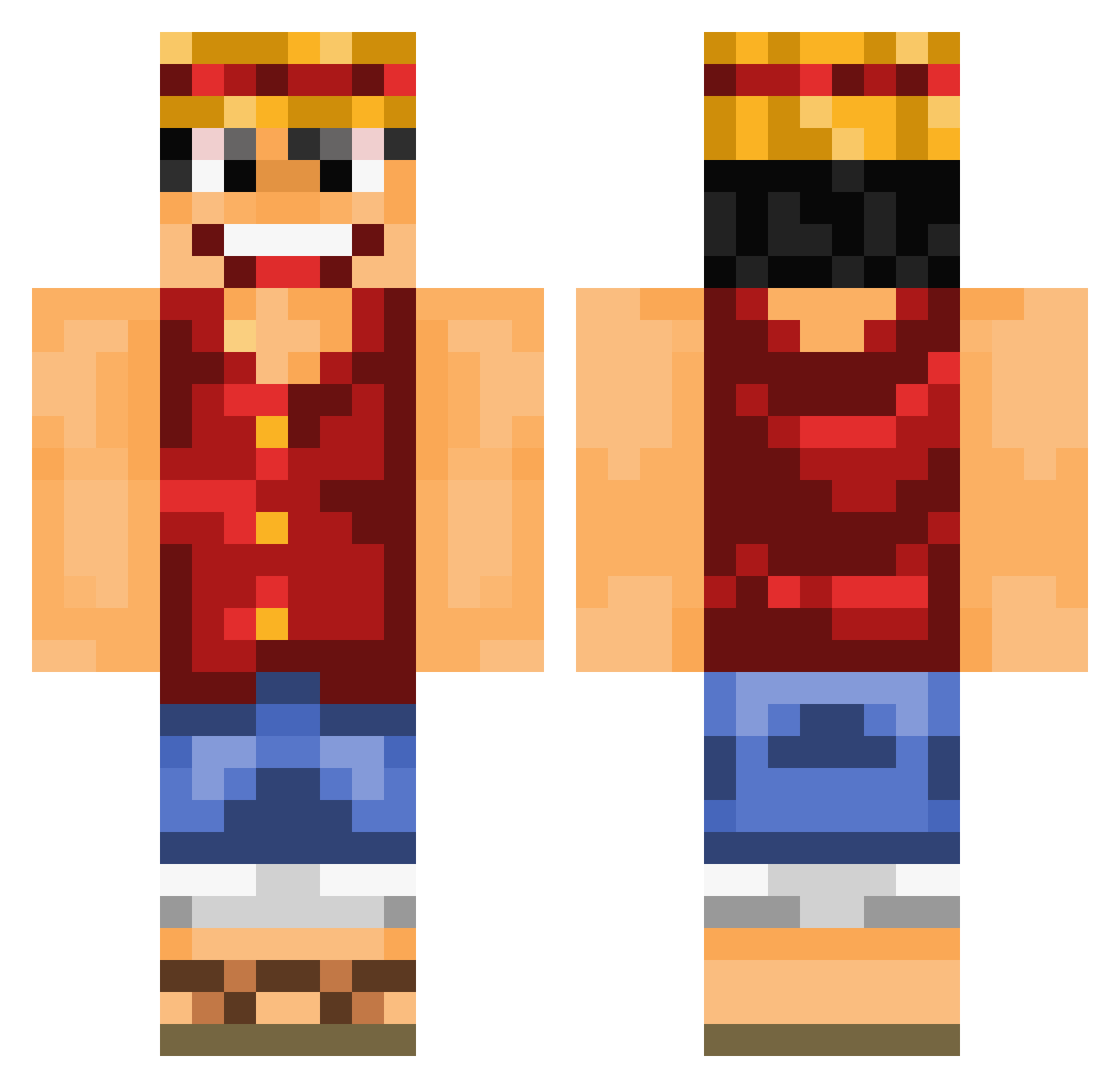
Current Minecraft skin of the player Deymian22, loaded from the official Mojang API. Rotate the 3D model with your mouse or finger, then download the skin as a PNG file and use it in Minecraft: Bedrock Edition or Java Edition for free. When Deymian22 changes their skin, this page updates automatically and the old skin stays in the history below.
Other players with this skin (1016)
Deymian22 was the 887th player we have seen with this skin, first spotted on 05.11.2026. The same skin was seen on these players. Open a nickname to see their current skin and skin history.
 CookieOz SYR_A7MAD opdurugamer 2BInl2 ranranou feu_glacial Hazedelo Relat1ngRel1c64 agethos Gazpach Mc_Lando Mkopsky BigbyWolf1 Bluman109 Wattevuk black_shadow132 EDQT_CRIS fa1 MIXent goxxau Linkola28 Iniuro LOLO_paco Klako76 VashTheStampeed HubertDelabatte SelfRusher Koutas4 PuckishPlatypus IJSMango Mixerscook KanicDE SpoonMenace FishermansFiend Rocket_Otter _asd123_ Nuerni123 FlowzJR MyShaft99 hector5874 Jack1brown lucielululabest pablofv04 fRESHj_ srmaximiano DavsterZ shippar Baaba00 Dr_Somali_Kawaza 0Ribo0 DeineMudda007 mauvaischasseur jm3ll0 VolcanicCosine5 Dreigs Barcouli Robokabel xilf1 BotSnebb balldose
More Monkey D Luffy Minecraft skins
See all 1046 Monkey D Luffy skins
How to install the Deymian22 skin
- Press the Download button above to save the skin as a PNG file.
- Minecraft: Bedrock Edition (PE): open the Dressing Room from the main menu (or tap your character → Edit Character), go to Classic Skins → Owned, press the + (new skin) button, choose the downloaded PNG and pick the Classic (Steve) model. Works on PC and mobile; consoles cannot import custom skins.
- Minecraft: Java Edition: open the Minecraft Launcher, go to the Skins tab, click New Skin, load the PNG, pick the Classic (Steve) model and press Save & Use. You can also upload it at minecraft.net → Profile → Change Skin.
The skin does not show up after import - what should I do?
Restart Minecraft and open the Dressing Room again - imported skins sometimes appear only after a restart. Also make sure you selected the imported skin and picked the Classic (Steve) model.
Which model should I choose, Classic or Slim?
This skin is designed for the Classic (Steve) model. If you pick the wrong model, the arms of the skin will look stretched or squeezed.
Is the skin of Deymian22 free to download?
Yes. Press Download, save the PNG file and use it in Minecraft: Bedrock Edition or Java Edition - no payment or registration needed. The skin also works on multiplayer servers and Realms.
More skins
Looking for more? Go back to all Minecraft skins and check the top skins of the week, month and all time, or find any player's skin by nickname.