
baichaqinghuan - Minecraft Skins & Skin History
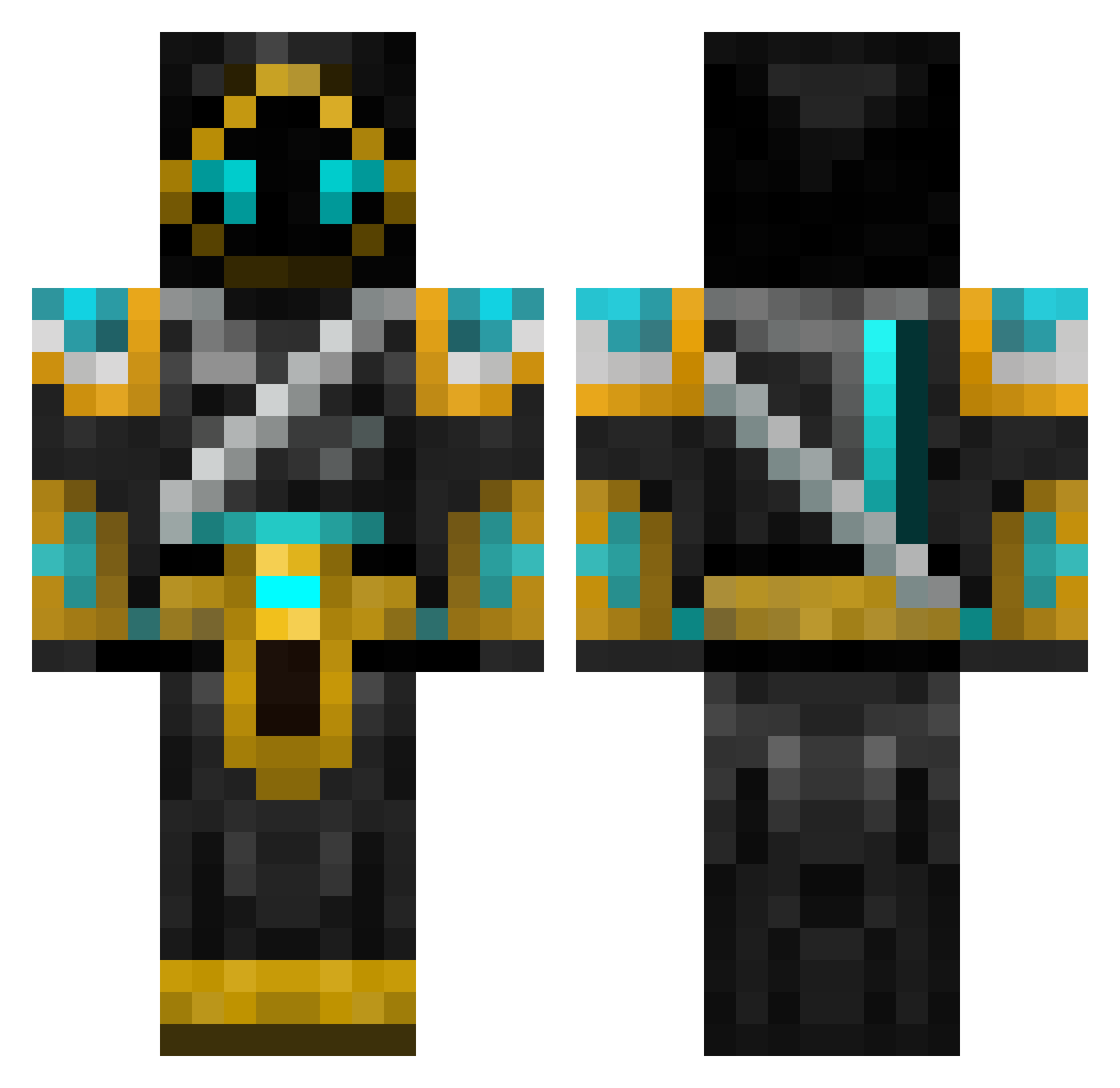
Current Minecraft skin of the player baichaqinghuan, loaded from the official Mojang API. Rotate the 3D model with your mouse or finger, then download the skin as a PNG file and use it in Minecraft: Bedrock Edition or Java Edition for free. When baichaqinghuan changes their skin, this page updates automatically and the old skin stays in the history below.
Other players with this skin (93)
baichaqinghuan was the 56th player we have seen with this skin, first spotted on 23.09.2026. The same skin was seen on these players. Open a nickname to see their current skin and skin history.
 yyds123123 SnarkNark Karli_02 Hrothvitnir Blackice101 Kirill_Lak023 DrFrickz Nighthawk5674 chickenrex02 Rexrex Choi034 AngelicFlameRex Merlines225 SARIHIKO Baeveren Valtarion Anndesu Corvus_Rune YOYOdesi Ovcharka88 LordZlo Powerdune Dhenki Shadowed_King CarlSlayer Mythdude8 robusn MaruCM WestRoyal ds_is_awesome Moszkowiczz Gamestar32 sep2 FoxBlox800 luochen20215 tw1tchyk1d StormOfThorne trock2772 Valkyries_21 King6887 Countrybadboy2 Kiltasaurus Hildibran SHADE_DEATHLORD Stritty78 SpinyDawg Martinismeee _x4ndy_ APDmadkid Fresh_Abyss Bistel TBRIZZY kingofhertz zatch2870 ArcticKnight777 k1s_Juhry EitanBordo belovedbluestar rinwald ZombieRampage
More Glowing Eyes Minecraft skins
See all 2332 Glowing Eyes skins
How to install the baichaqinghuan skin
- Press the Download button above to save the skin as a PNG file.
- Minecraft: Bedrock Edition (PE): open the Dressing Room from the main menu (or tap your character → Edit Character), go to Classic Skins → Owned, press the + (new skin) button, choose the downloaded PNG and pick the Classic (Steve) model. Works on PC and mobile; consoles cannot import custom skins.
- Minecraft: Java Edition: open the Minecraft Launcher, go to the Skins tab, click New Skin, load the PNG, pick the Classic (Steve) model and press Save & Use. You can also upload it at minecraft.net → Profile → Change Skin.
The skin does not show up after import - what should I do?
Restart Minecraft and open the Dressing Room again - imported skins sometimes appear only after a restart. Also make sure you selected the imported skin and picked the Classic (Steve) model.
Which model should I choose, Classic or Slim?
This skin is designed for the Classic (Steve) model. If you pick the wrong model, the arms of the skin will look stretched or squeezed.
Is the skin of baichaqinghuan free to download?
Yes. Press Download, save the PNG file and use it in Minecraft: Bedrock Edition or Java Edition - no payment or registration needed. The skin also works on multiplayer servers and Realms.
More skins
Looking for more? Go back to all Minecraft skins and check the top skins of the week, month and all time, or find any player's skin by nickname.