
baconator9324 - Minecraft Skins & Skin History
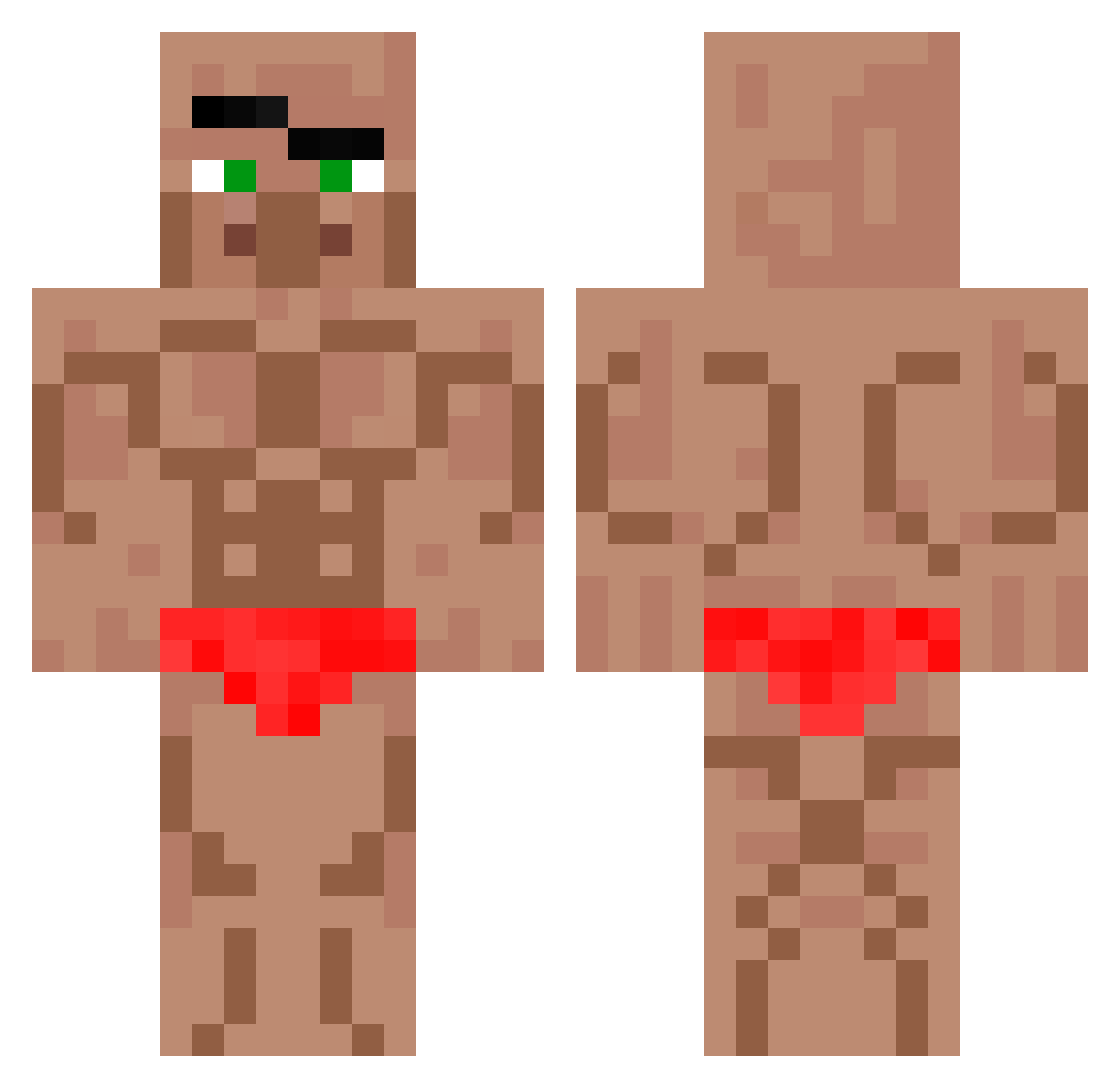
Current Minecraft skin of the player baconator9324, loaded from the official Mojang API. Rotate the 3D model with your mouse or finger, then download the skin as a PNG file and use it in Minecraft: Bedrock Edition or Java Edition for free. When baconator9324 changes their skin, this page updates automatically and the old skin stays in the history below.
Other players with this skin (571)
baconator9324 was the 152nd player we have seen with this skin, first spotted on 18.08.2026. The same skin was seen on these players. Open a nickname to see their current skin and skin history.
 Samixd_ jimeny99
 unubayar
 Fino2011skittles jeeeyyyooon SirJafarJones albiina LugnutOperator YvoliS MrNave1
 ttvmakkaPakka Cyganovsky T1pp4t61 lucasmito012 ILLTAKEURWAIFU qoguzwn ItzParot_ Zivox02 Tjop6 Gabb0o
 Tedzior Luocraft1 Danielitopro9999 BEAN_SACK para_ayri DortHit_w4em3wt8 Kizze47 Etu14 AwfulBandit dj1983teo jihanzi RealRosbob hangingdangle fhal4747 Ey_Pappy xingchen7 Carlos2026 Jim0125 poosmeller22 bakaboyi LAMPUS23 orzoyy NotLumasMaster Youjun0930 EUcpvp Prince_na Jastesch OPOPP brownstarfishman MartinNMC _Inf3rnoSt0rm_ Montanelas110 JettJin OSSNolan rafael5388 let_36023 Litema1400 Seboo96 988736 Wingman_44
More Buff Minecraft skins
How to install the baconator9324 skin
- Press the Download button above to save the skin as a PNG file.
- Minecraft: Bedrock Edition (PE): open the Dressing Room from the main menu (or tap your character → Edit Character), go to Classic Skins → Owned, press the + (new skin) button, choose the downloaded PNG and pick the Classic (Steve) model. Works on PC and mobile; consoles cannot import custom skins.
- Minecraft: Java Edition: open the Minecraft Launcher, go to the Skins tab, click New Skin, load the PNG, pick the Classic (Steve) model and press Save & Use. You can also upload it at minecraft.net → Profile → Change Skin.
The skin does not show up after import - what should I do?
Restart Minecraft and open the Dressing Room again - imported skins sometimes appear only after a restart. Also make sure you selected the imported skin and picked the Classic (Steve) model.
Which model should I choose, Classic or Slim?
This skin is designed for the Classic (Steve) model. If you pick the wrong model, the arms of the skin will look stretched or squeezed.
Is the skin of baconator9324 free to download?
Yes. Press Download, save the PNG file and use it in Minecraft: Bedrock Edition or Java Edition - no payment or registration needed. The skin also works on multiplayer servers and Realms.
More skins
Looking for more? Go back to all Minecraft skins and check the top skins of the week, month and all time, or find any player's skin by nickname.