
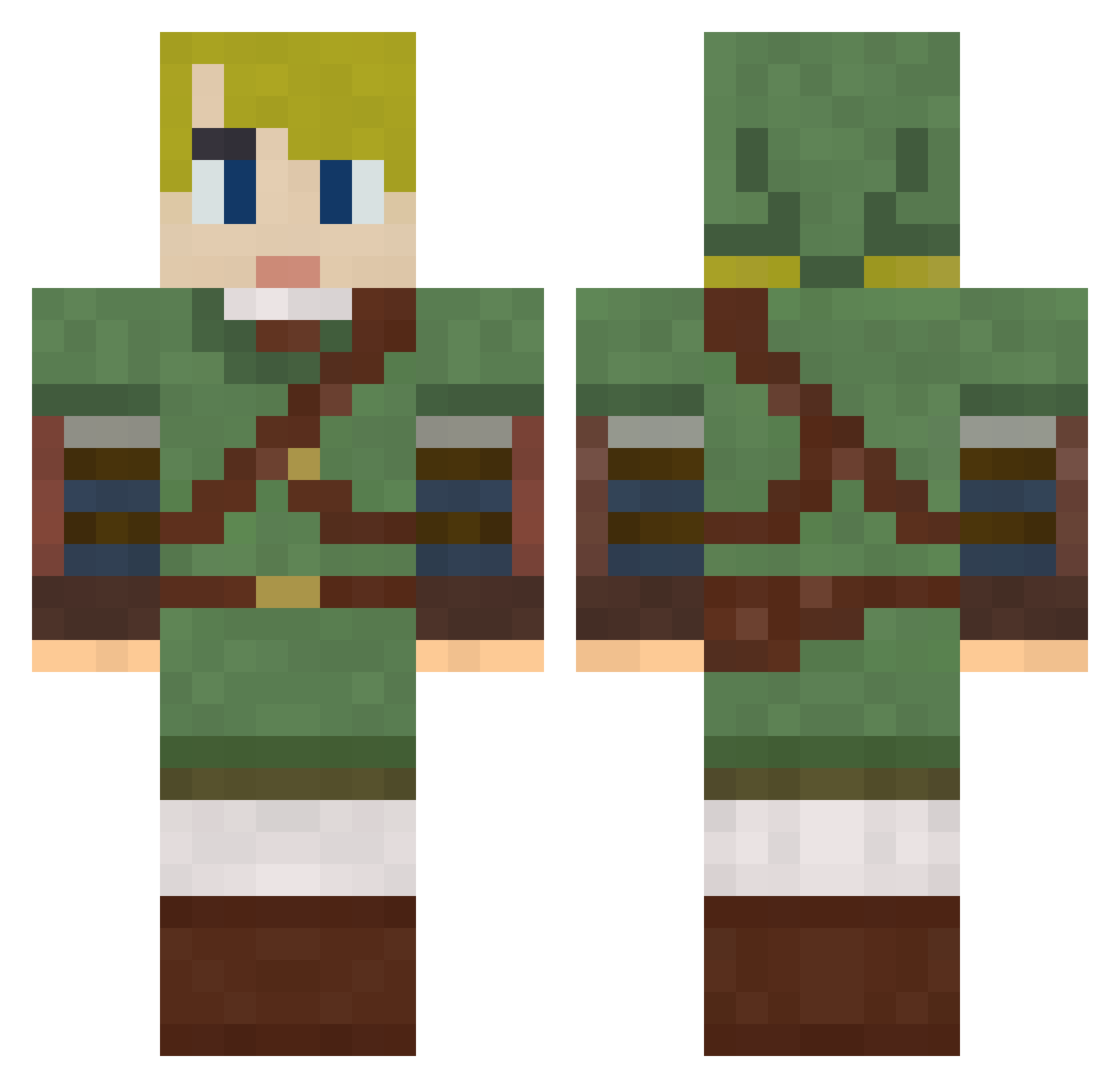
Current Minecraft skin of the player azurestolz, loaded from the official Mojang API. Rotate the 3D model with your mouse or finger, then download the skin as a PNG file and use it in Minecraft: Bedrock Edition or Java Edition for free. When azurestolz changes their skin, this page updates automatically and the old skin stays in the history below.
Other players with this skin (610)
azurestolz was the 206th player we have seen with this skin, first spotted on 22.08.2026. The same skin was seen on these players. Open a nickname to see their current skin and skin history.
 SirNibbler P1CAL0 bufforping candykate888 thedowning BakaKata KOTAKYN MeloVine Spazz0829 childgenesis Luckyist Mysticwarriormj Thisismygamertag ErwinpNL ch33z1 henneth_annun Astride88 Pumpovich sirozzman WifeBanger TheVestyman MyTotalFakeSpoon Bellshaw SaucyHeretic RobotShinobi vctorialckwood MrGPM alex000000006 SaKyuTor kjmullett Bekida ACrimmins flippingranger Esuu Heretik618 MindTwitch mayyyyygan OrneryOctopus J_GrEEN9999 OTH10 medamayaki Rokut0 thejoonge travisfrench sswakame Mpics jeremyrobert817 BattleTechMan CoolcopyX Elementti90 Mouaijin Inigo_Jones NightJop N3v3rShoutMik3y Deminas Ryell jumpyddog98 blueskies1325 DivadYug Yhujiko
More Zelda Minecraft skins
How to install the azurestolz skin
- Press the Download button above to save the skin as a PNG file.
- Minecraft: Bedrock Edition (PE): open the Dressing Room from the main menu (or tap your character → Edit Character), go to Classic Skins → Owned, press the + (new skin) button, choose the downloaded PNG and pick the Classic (Steve) model. Works on PC and mobile; consoles cannot import custom skins.
- Minecraft: Java Edition: open the Minecraft Launcher, go to the Skins tab, click New Skin, load the PNG, pick the Classic (Steve) model and press Save & Use. You can also upload it at minecraft.net → Profile → Change Skin.
The skin does not show up after import - what should I do?
Restart Minecraft and open the Dressing Room again - imported skins sometimes appear only after a restart. Also make sure you selected the imported skin and picked the Classic (Steve) model.
Which model should I choose, Classic or Slim?
This skin is designed for the Classic (Steve) model. If you pick the wrong model, the arms of the skin will look stretched or squeezed.
Is the skin of azurestolz free to download?
Yes. Press Download, save the PNG file and use it in Minecraft: Bedrock Edition or Java Edition - no payment or registration needed. The skin also works on multiplayer servers and Realms.
More skins
Looking for more? Go back to all Minecraft skins and check the top skins of the week, month and all time, or find any player's skin by nickname.