
ashou123_ - Minecraft Skins & Skin History
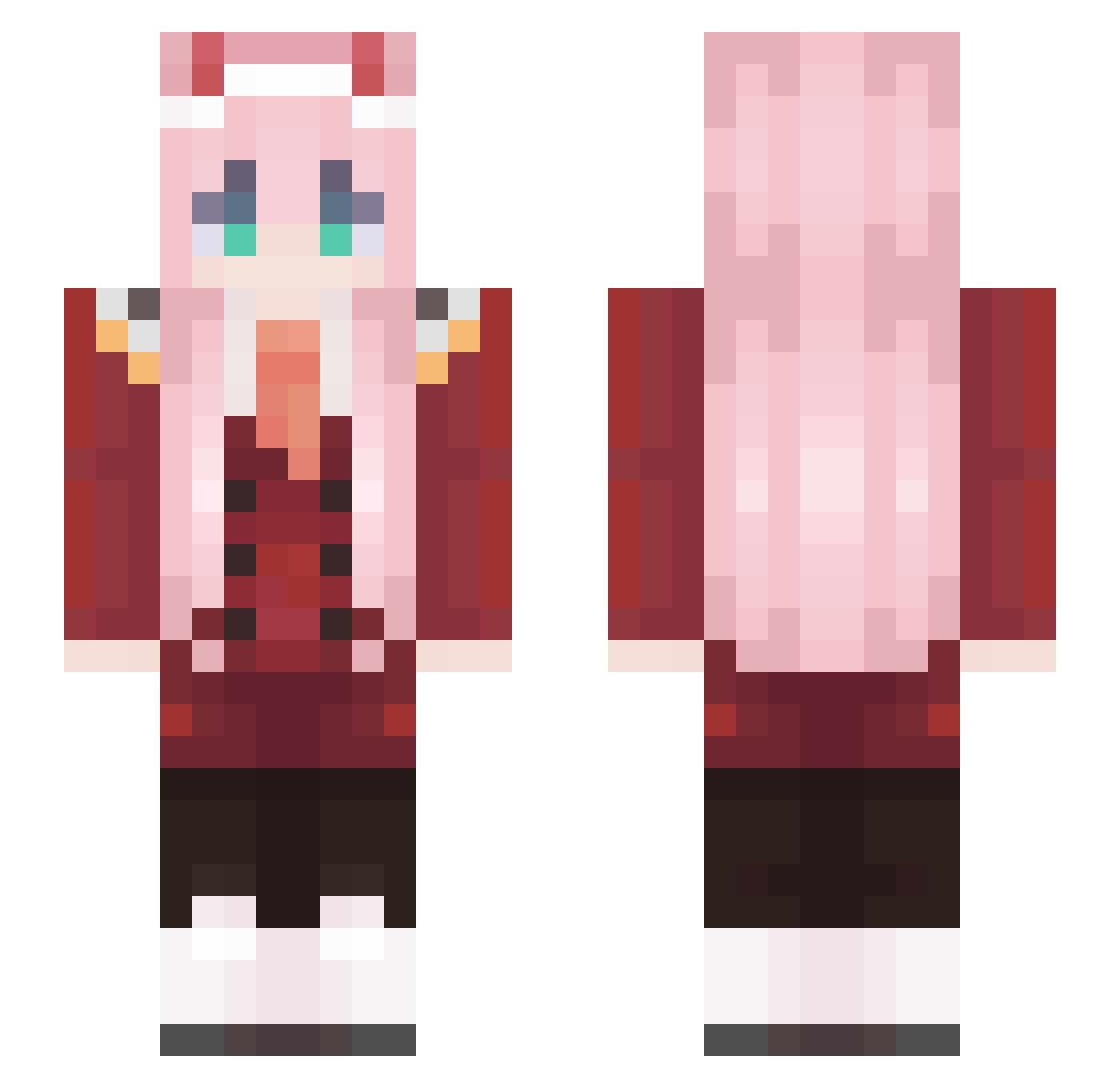
Current Minecraft skin of the player ashou123_, loaded from the official Mojang API. Rotate the 3D model with your mouse or finger, then download the skin as a PNG file and use it in Minecraft: Bedrock Edition or Java Edition for free. When ashou123_ changes their skin, this page updates automatically and the old skin stays in the history below.
Other players with this skin (574)
ashou123_ was the 413th player we have seen with this skin, first spotted on 12.10.2026. The same skin was seen on these players. Open a nickname to see their current skin and skin history.
 KING225 JustAdu nier666 Mikey_Trh25 Darkwolf52e iMezYyy __Shinitai__ POVE2K GGccde HooKong D3rJulu TallestElk75 Yolanzer smukkeshanna Cenxn Isaaku Lizzyee Snavs MeDontKnowMeName xiqing001 krtoto Key2De Whutajayy SUh1214 Aswer0K l3hhb NICAM10 Darth_Jeffy M3rCykiLL3r12 karchocolate KillerWeeb13 eggz420 gstar24 zhoudazhi Veydex AFTV_SoonDae Bopedebapi12 ZUZIAKOLO TTresty FumeShroom_ skai0519 Raynoil Am3ricanIdi0t maiko55555 METALiST Eater_Artoria Friskeyz name2006 MrCezarDIO ZeroTwo00002 Bakadechi propvp1457 fopc Unproclaimed Bopedebapi4 yuri55255 Nanak_o Mirr0w myKKUU Ojinboski
More Zero Two Minecraft skins
How to install the ashou123_ skin
- Press the Download button above to save the skin as a PNG file.
- Minecraft: Bedrock Edition (PE): open the Dressing Room from the main menu (or tap your character → Edit Character), go to Classic Skins → Owned, press the + (new skin) button, choose the downloaded PNG and pick the Slim (Alex) model. Works on PC and mobile; consoles cannot import custom skins.
- Minecraft: Java Edition: open the Minecraft Launcher, go to the Skins tab, click New Skin, load the PNG, pick the Slim (Alex) model and press Save & Use. You can also upload it at minecraft.net → Profile → Change Skin.
The skin does not show up after import - what should I do?
Restart Minecraft and open the Dressing Room again - imported skins sometimes appear only after a restart. Also make sure you selected the imported skin and picked the Slim (Alex) model.
Which model should I choose, Classic or Slim?
This skin is designed for the Slim (Alex) model. If you pick the wrong model, the arms of the skin will look stretched or squeezed.
Is the skin of ashou123_ free to download?
Yes. Press Download, save the PNG file and use it in Minecraft: Bedrock Edition or Java Edition - no payment or registration needed. The skin also works on multiplayer servers and Realms.
More skins
Looking for more? Go back to all Minecraft skins and check the top skins of the week, month and all time, or find any player's skin by nickname.