
asdflkegncUWU - Minecraft Skins & Skin History
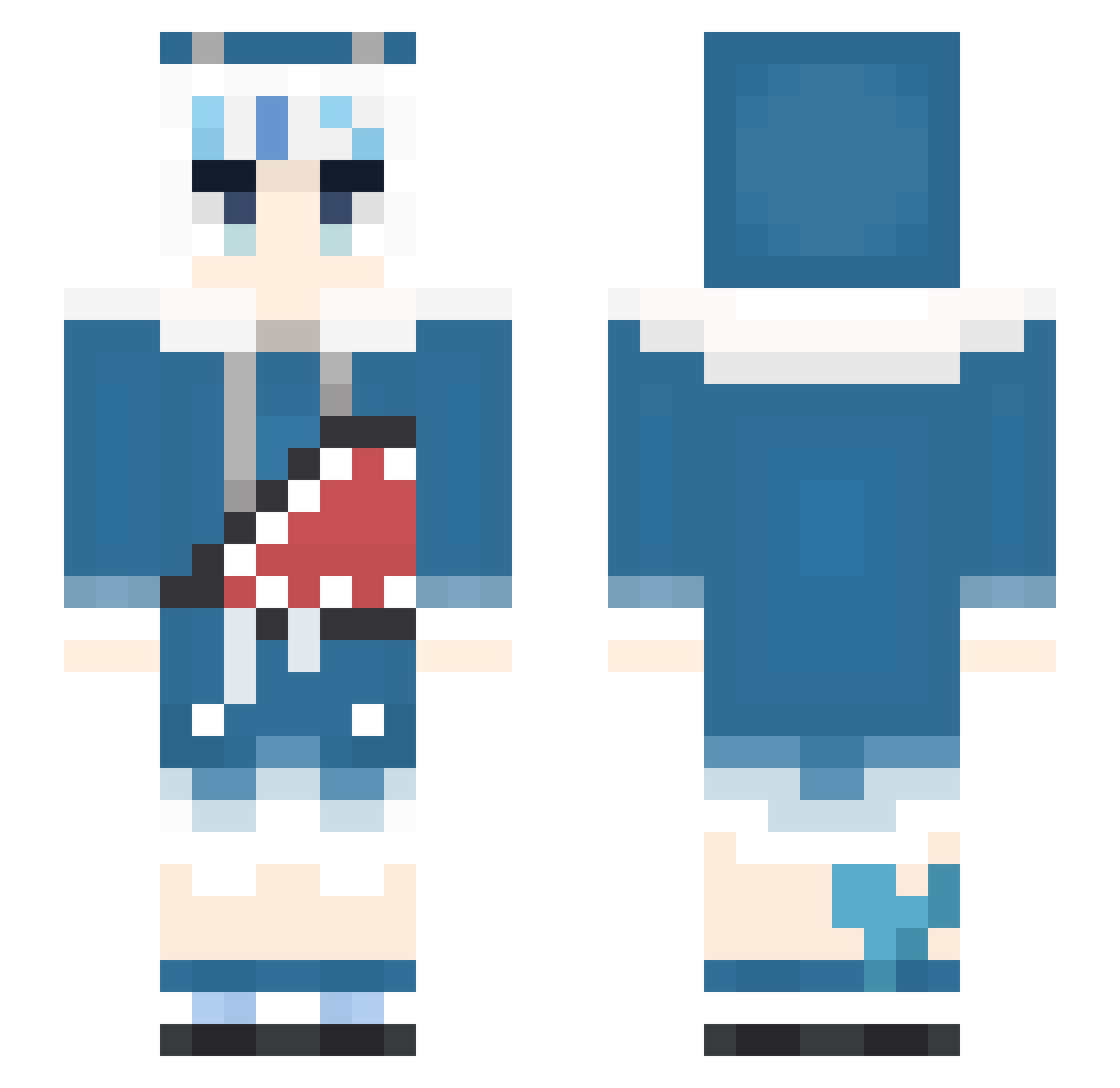
Current Minecraft skin of the player asdflkegncUWU, loaded from the official Mojang API. Rotate the 3D model with your mouse or finger, then download the skin as a PNG file and use it in Minecraft: Bedrock Edition or Java Edition for free. When asdflkegncUWU changes their skin, this page updates automatically and the old skin stays in the history below.
Other players with this skin (471)
asdflkegncUWU was the 350th player we have seen with this skin, first spotted on 16.10.2026. The same skin was seen on these players. Open a nickname to see their current skin and skin history.
 Icebaby0421 AliceBlock0 youziTW shogungari UenoKatsura KazumaKoma supercarrat TimedOregano428 chouxian BadLuckBurt _ona__ Jesus_Christ_Son ehsuan jasonwu3721 Lt_Renji lingmo233 sean377XD XBIackoutX AstralKaos Bewud PhantomLamb IM9D Sharkanine xRexJ jorayo2015 ArinKOKISEI DisMerci MsPeppa CHOUKURA smps860528 Dreadoughnut Zior0914 grg6898 geminiwen29 kairin76 GURAAAAA Shaaaarrk tami1107 panchi7929 GUwUraa ZeusPersuader YainehxTinneh Gurasabas kamenrider105 Bayho babyshark_a OsakiNaNa77 suisuica S_Marshmallow Hatzuaru Imyours2004 EbiKoishi N127026 Amutsuki629 HavoKCB ricANNArdoMC Sheep_Duck piyanparty_Larry FURUCHINMASTER Aoyagi_xq
More Gawr Gura Minecraft skins
How to install the asdflkegncUWU skin
- Press the Download button above to save the skin as a PNG file.
- Minecraft: Bedrock Edition (PE): open the Dressing Room from the main menu (or tap your character → Edit Character), go to Classic Skins → Owned, press the + (new skin) button, choose the downloaded PNG and pick the Slim (Alex) model. Works on PC and mobile; consoles cannot import custom skins.
- Minecraft: Java Edition: open the Minecraft Launcher, go to the Skins tab, click New Skin, load the PNG, pick the Slim (Alex) model and press Save & Use. You can also upload it at minecraft.net → Profile → Change Skin.
The skin does not show up after import - what should I do?
Restart Minecraft and open the Dressing Room again - imported skins sometimes appear only after a restart. Also make sure you selected the imported skin and picked the Slim (Alex) model.
Which model should I choose, Classic or Slim?
This skin is designed for the Slim (Alex) model. If you pick the wrong model, the arms of the skin will look stretched or squeezed.
Is the skin of asdflkegncUWU free to download?
Yes. Press Download, save the PNG file and use it in Minecraft: Bedrock Edition or Java Edition - no payment or registration needed. The skin also works on multiplayer servers and Realms.
More skins
Looking for more? Go back to all Minecraft skins and check the top skins of the week, month and all time, or find any player's skin by nickname.