
ale_one - Minecraft Skins & Skin History
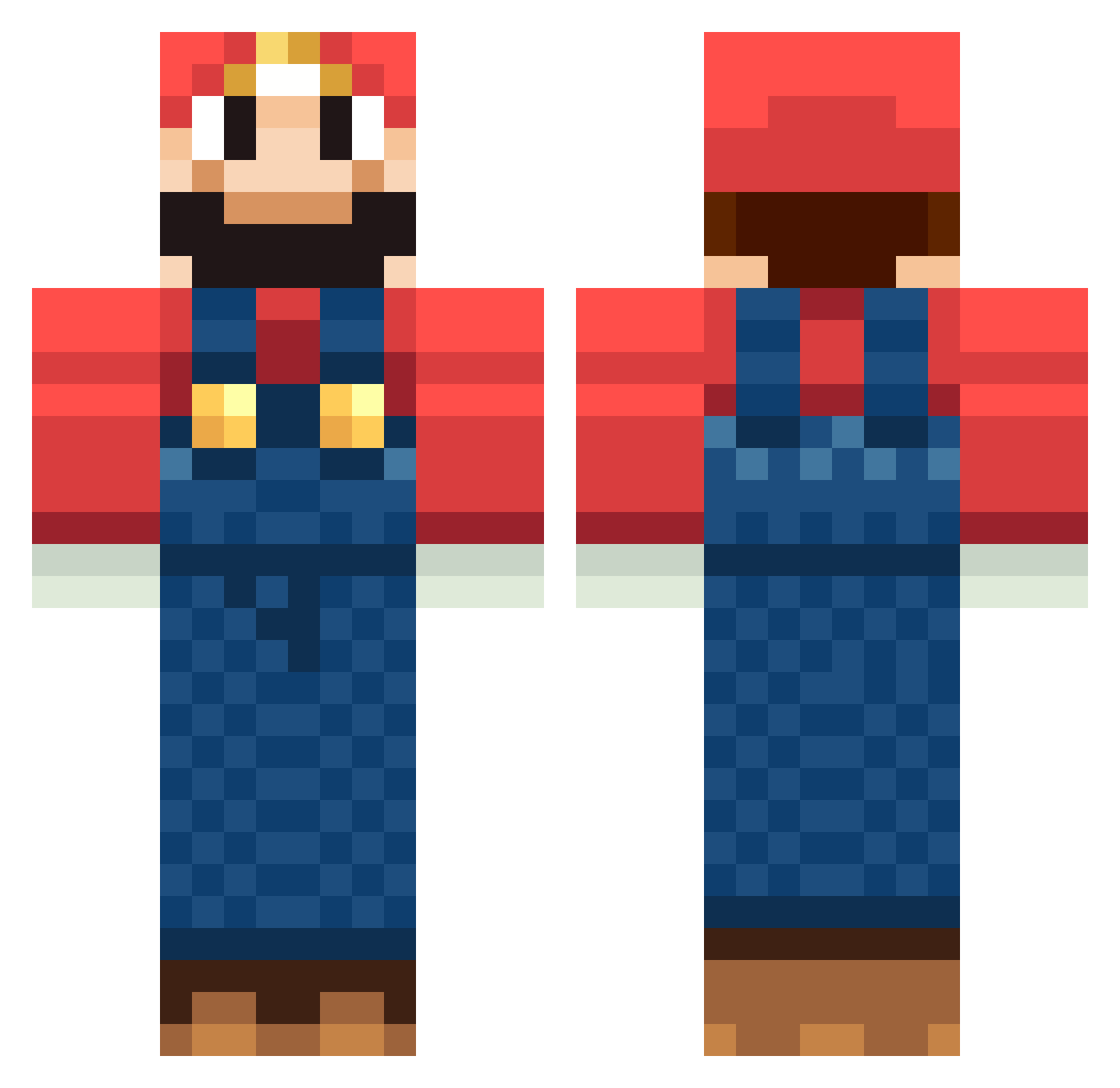
Current Minecraft skin of the player ale_one, loaded from the official Mojang API. Rotate the 3D model with your mouse or finger, then download the skin as a PNG file and use it in Minecraft: Bedrock Edition or Java Edition for free. When ale_one changes their skin, this page updates automatically and the old skin stays in the history below.
Other players with this skin (1267)
ale_one was the 894th player we have seen with this skin, first spotted on 10.10.2026. The same skin was seen on these players. Open a nickname to see their current skin and skin history.
 xCollinzx childmidi Cubeykizzle waldhofking Kohsio gabstastiff roccaten jawdoon mariofrans mstar01 landonldh RUZZLIKESPIZZA hobobot87 Dooly97 Rasmussen89 pokachu123 clownface111 SpazzJackrabbit natawree andysale SchwarzteeO Robi008_PL SuperMario007 bridge02 Mimf Seamorn perusona Noggalog stef3075 Gordorth Gutcha DeadMaos weightman2001 Trulsrodfjell MegaMix3000 MoongMoong2 Pm718 istanbulefes helloopeople fourthe Yu1Pon roussonti Kaden_22 Citael Janggunhoho Sniped_Elmo Nyxx1710 Sitih FransTrygg guruo Wargods3 ThaProoXD Riley1996 rickell0709 NielDLR Xerty04 floff1337 purezi Landretown troybeausang
More Mario Minecraft skins
How to install the ale_one skin
- Press the Download button above to save the skin as a PNG file.
- Minecraft: Bedrock Edition (PE): open the Dressing Room from the main menu (or tap your character → Edit Character), go to Classic Skins → Owned, press the + (new skin) button, choose the downloaded PNG and pick the Classic (Steve) model. Works on PC and mobile; consoles cannot import custom skins.
- Minecraft: Java Edition: open the Minecraft Launcher, go to the Skins tab, click New Skin, load the PNG, pick the Classic (Steve) model and press Save & Use. You can also upload it at minecraft.net → Profile → Change Skin.
The skin does not show up after import - what should I do?
Restart Minecraft and open the Dressing Room again - imported skins sometimes appear only after a restart. Also make sure you selected the imported skin and picked the Classic (Steve) model.
Which model should I choose, Classic or Slim?
This skin is designed for the Classic (Steve) model. If you pick the wrong model, the arms of the skin will look stretched or squeezed.
Is the skin of ale_one free to download?
Yes. Press Download, save the PNG file and use it in Minecraft: Bedrock Edition or Java Edition - no payment or registration needed. The skin also works on multiplayer servers and Realms.
More skins
Looking for more? Go back to all Minecraft skins and check the top skins of the week, month and all time, or find any player's skin by nickname.