
al97fred - Minecraft Skins & Skin History
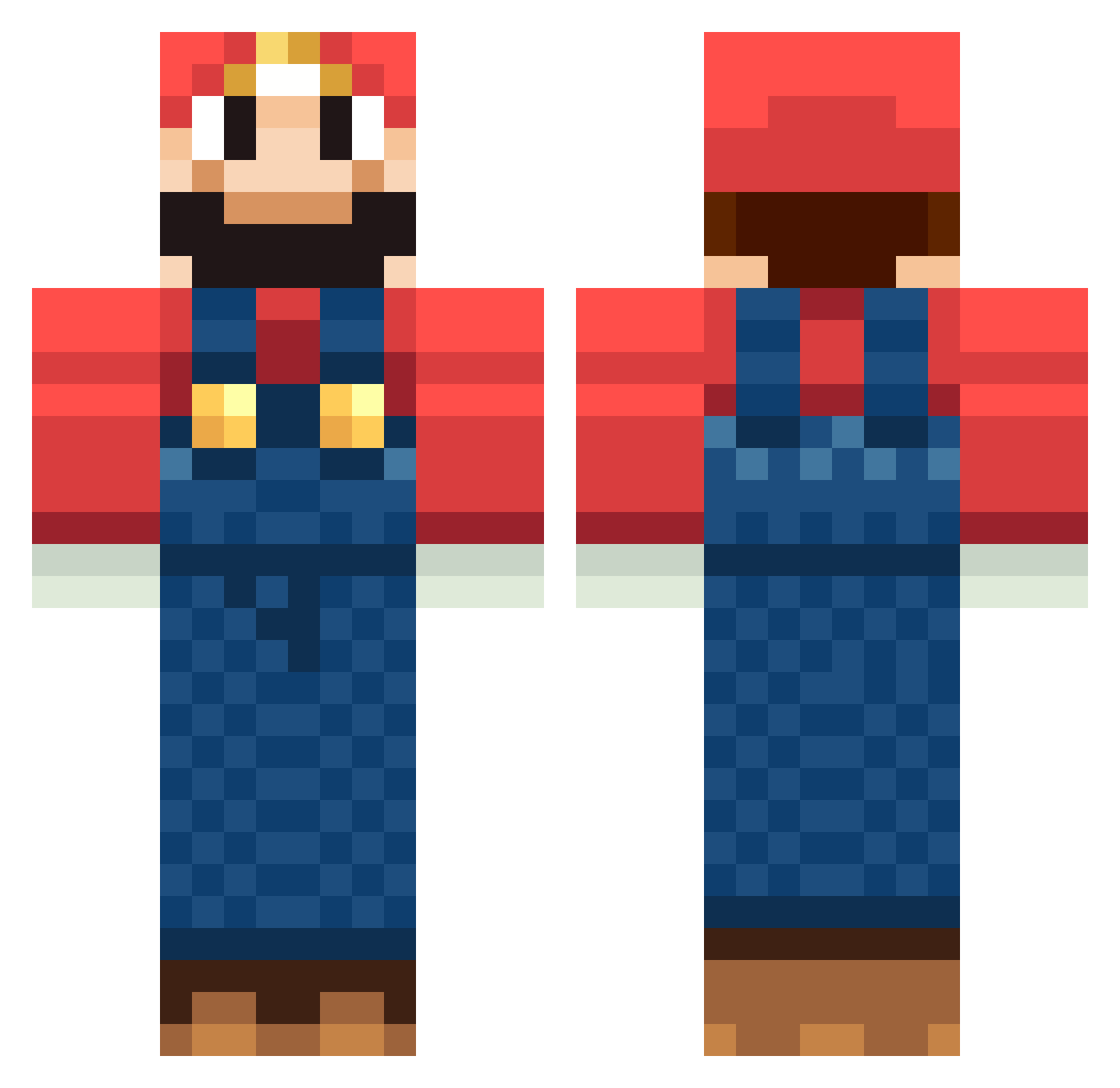
Current Minecraft skin of the player al97fred, loaded from the official Mojang API. Rotate the 3D model with your mouse or finger, then download the skin as a PNG file and use it in Minecraft: Bedrock Edition or Java Edition for free. When al97fred changes their skin, this page updates automatically and the old skin stays in the history below.
Other players with this skin (1267)
al97fred was the 967th player we have seen with this skin, first spotted on 16.10.2026. The same skin was seen on these players. Open a nickname to see their current skin and skin history.
 david_arsch Eyadon7 emilieks XxLiMiTzzXx IDobbyI wsdfww SNICKERS799 thekingkong 10kmexicans Matt100123 jorgeums Redbobcat alecdude123 Tydiesel Andy171201 Ranger1419 bogosaur ScoringConstant mac41498 macchy pascual974 MightBeToast kko1013 Steuer Mexican_God SooJee gardin77 Matray Flo9595 haloshooter9 Guasamer Jojonintendo CristinaAnthony Maudead NotBatman323 wein8 jtdcraft mathias0019 reray99 sushiman55 Ranger_Joey_HD daftgalley Panachet SassyMcSassSass Falcon9118 idalisdesalvo vikeplikten jimothy21 Malborg AwesomeZombie64 MikeBe cjvs9 Logi001 Powerpff Thund3rOne Jack_Clarke Stephan1108 hardharry999 MinecraftIron12 MAD_MAX1989
More Mario Minecraft skins
How to install the al97fred skin
- Press the Download button above to save the skin as a PNG file.
- Minecraft: Bedrock Edition (PE): open the Dressing Room from the main menu (or tap your character → Edit Character), go to Classic Skins → Owned, press the + (new skin) button, choose the downloaded PNG and pick the Classic (Steve) model. Works on PC and mobile; consoles cannot import custom skins.
- Minecraft: Java Edition: open the Minecraft Launcher, go to the Skins tab, click New Skin, load the PNG, pick the Classic (Steve) model and press Save & Use. You can also upload it at minecraft.net → Profile → Change Skin.
The skin does not show up after import - what should I do?
Restart Minecraft and open the Dressing Room again - imported skins sometimes appear only after a restart. Also make sure you selected the imported skin and picked the Classic (Steve) model.
Which model should I choose, Classic or Slim?
This skin is designed for the Classic (Steve) model. If you pick the wrong model, the arms of the skin will look stretched or squeezed.
Is the skin of al97fred free to download?
Yes. Press Download, save the PNG file and use it in Minecraft: Bedrock Edition or Java Edition - no payment or registration needed. The skin also works on multiplayer servers and Realms.
More skins
Looking for more? Go back to all Minecraft skins and check the top skins of the week, month and all time, or find any player's skin by nickname.