
abdulrahman_AFG - Minecraft Skins & Skin History
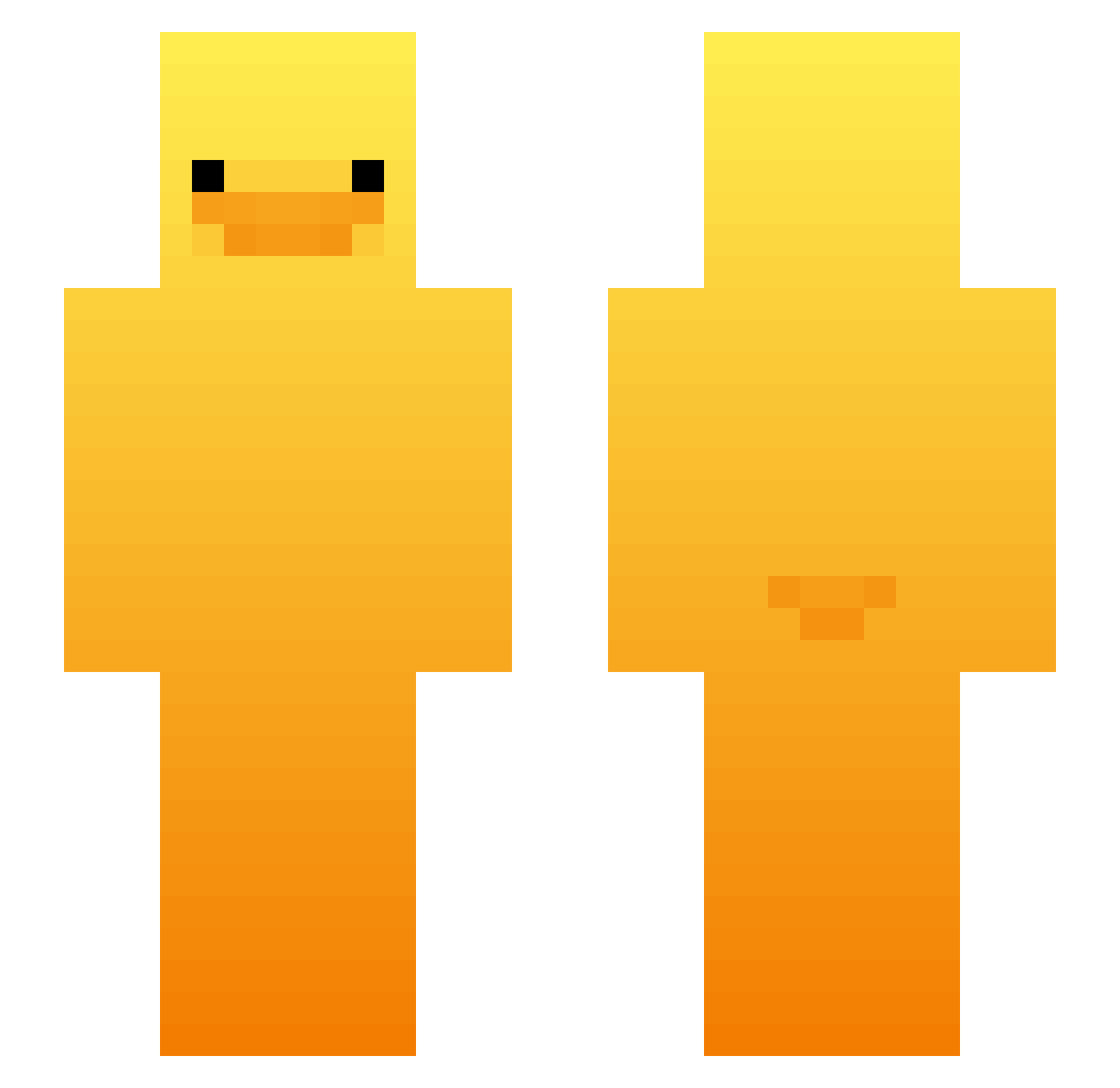
Current Minecraft skin of the player abdulrahman_AFG, loaded from the official Mojang API. Rotate the 3D model with your mouse or finger, then download the skin as a PNG file and use it in Minecraft: Bedrock Edition or Java Edition for free. When abdulrahman_AFG changes their skin, this page updates automatically and the old skin stays in the history below.
Other players with this skin (427)
abdulrahman_AFG was the 99th player we have seen with this skin, first spotted on 14.08.2026. The same skin was seen on these players. Open a nickname to see their current skin and skin history.
 WilbyTheGr8
 AwAkenMadness Synthledse
 Yoelrolo YippyYaYa _angel_7 Sam587_ kimtaeuk1114 XMoonieex sssonggg stonethink7 metsola07 MeatballISO hannahbanana443 Vote_QE smazzz millywaukee Paulult1 gimmin72 Seweryn123XPI oddular hhnybyy B3narr
 Luca_Zima halloitsaaron goofysausage123
 Tallest007 Chan_Woo_SDS TEMPURA0625 bigjeffery53 xxDuckPvPxx AditzuLEE matu2012 ROLL2525 mr2aura Mr_Waffle36 JeremyL710 unofficial225 HudsonM1 NeutralPuppy485 appelsap2025 AliceCrqzy RawGard3ner ibiin K8_0 ONMIOS underratedryan little_a18 markywarky34 Lt3_Hardstuck 2nd_YuYu Autsnoww Yagi_Goat Suuuu2 anggiimojji BigGamerCole dumpling_san Sundjerbob OCHwallo RosieBears
More Duck Minecraft skins
How to install the abdulrahman_AFG skin
- Press the Download button above to save the skin as a PNG file.
- Minecraft: Bedrock Edition (PE): open the Dressing Room from the main menu (or tap your character → Edit Character), go to Classic Skins → Owned, press the + (new skin) button, choose the downloaded PNG and pick the Slim (Alex) model. Works on PC and mobile; consoles cannot import custom skins.
- Minecraft: Java Edition: open the Minecraft Launcher, go to the Skins tab, click New Skin, load the PNG, pick the Slim (Alex) model and press Save & Use. You can also upload it at minecraft.net → Profile → Change Skin.
The skin does not show up after import - what should I do?
Restart Minecraft and open the Dressing Room again - imported skins sometimes appear only after a restart. Also make sure you selected the imported skin and picked the Slim (Alex) model.
Which model should I choose, Classic or Slim?
This skin is designed for the Slim (Alex) model. If you pick the wrong model, the arms of the skin will look stretched or squeezed.
Is the skin of abdulrahman_AFG free to download?
Yes. Press Download, save the PNG file and use it in Minecraft: Bedrock Edition or Java Edition - no payment or registration needed. The skin also works on multiplayer servers and Realms.
More skins
Looking for more? Go back to all Minecraft skins and check the top skins of the week, month and all time, or find any player's skin by nickname.